


TYPO3 CMS Certified Developer (TCCD)
TYPO3 CMS Certified Developer exam questions
Select Chapters
What is a valid PHP namespace for TYPO3 extensions?
Answers
-
\typo3\MyExtension -
\TYPO3\CMS\MyExtension -
\VendorName\MyExtension -
\vendor_name\my_extension -
\AwesomeNerds\my_extension
Number of correct answers: 1
Explanation
TYPO3 uses PHP namespaces since TYPO3 version 6.0. The structure of a namespace in the TYPO3 universe consists of the following elements:
\VendorName\PackageName\Category\ClassName
The first element is VendorName which is always one term and written in the UpperCamelCase format. The vendor name is typically the developer’s or the company’s name. As an individual named “John Smith”, the vendor name could be, for example, JohnSmith. A company or organisation named “Awesome Nerds” could choose AwesomeNerds as the vendor name. The vendor name can also consist of one word, for example Foo.
This excludes the answers 1 and 4, as the vendor name does not use the UpperCamelCase format.
The second element of the namespace represents the PackageName. For TYPO3 extensions, this is the extension key in UpperCamelCase format. Two or more words are separated by an underscore in an extension key – as in my_extension. The UpperCamelCase writing removes the underscore and results in the package name MyExtension. This makes answer 5 wrong.
Both the answers 2 and 3 look like valid solutions. However, the vendor name TYPO3 is an exception. The namespace \TYPO3\CMS is a reserved name used by the TYPO3 Core. You can not use this namespace for TYPO3 extensions.
The correct answer is 3.
What are “return type declarations” in PHP?
Answers
-
They declare the type of an extension, e.g. “frontend plugin” or “backend module”
-
They specify how many methods a PHP class may contain
-
They specify the maximum time allowed to return an object
-
They specify the type of the value that is returned from a function or method
Number of correct answers: 1
Explanation
Return type declarations were introduced in PHP version 7.0. Developers can specify the type of the value that will be returned from a function. If, for whatever reason, the function returns a value of a different type, an exception is generated. The following code shows an example:
function sum(int $var1, int $var2): int
{
  return $var1 + $var2;
}
The function sum() expects two integer values as arguments ($var1 and $var2). The function sums both values and returns the total which is also an integer. By specifying (declaring) the return type right before the opening curly bracket of the function, you make sure that the value that the function returns is of type int (integer). The return type declaration is stated after a colon, for example: “: int”.
The answers 1 to 3 are simply made up. None of them is correct.
The correct answer is 4.
What is the correct return type declaration of the following function to allow integer and null values?
function sum(bool $toggle, int $amount)
{
  if ($toggle === true) {
    return null;
  }
  return $amount;
}
Answers
-
function sum(bool $toggle, int $amount): int -
function sum(bool $toggle, int $amount): null -
function sum(bool $toggle, int $amount): int,null -
function sum(bool $toggle, int $amount): !int -
function sum(bool $toggle, int $amount): ?int -
This is not possible as you can only return one data type, either integer or null
Number of correct answers: 1
Explanation
It’s a common use case that a function returns the result of an operation or an indicator that something went wrong or could not be calculated or processed. The special null value represents a variable with no value in this case. If a function has been declared to return only integer values for example, returning null would result in an exception.
For this reason type declarations for parameters and return values can be marked as nullable since PHP version 7.1:
function sum(bool $toggle, int $amount): ?int
{
  ...
}
The type name is prefixed with a question mark in the return type declaration. This signifies that apart from the specified type, null can be returned as a value.
Another valid option, that is not listed as an answer in this example question, are union types. Since PHP v8.0, you can declare more than one type for arguments, return types, and class properties, separated by the vertical bar character. The term int|null is functionally equivalent to ?int.
The correct answer is 5.
What is the purpose of the “strict mode” in PHP and how do you enable it?
Answers
-
The strict mode ensures that a variable passed to a function must exactly be of the declared type
-
The strict mode allows developers to restrict access to class properties
-
With the strict mode enabled, all class names must be written in lowerCamelCase
-
The strict mode can be enabled and disabled in the TYPO3 Install Tool as required
-
The strict mode can be enabled by adding the line
declare(strict_types=1);at the top of the PHP file
Number of correct answers: 2
Explanation
First and foremost, the strict mode is a pure PHP feature and independent from TYPO3. This means that the TYPO3 Install Tool does not offer a setting to enable or disable this mode as suggested in answer 4.
The strict mode was introduced in PHP version 7 and can (must) be set on a file-by-file basis by adding the following line at the top of the file1:
<?php
declare(strict_types=1);
...
The enabled strict mode ensures that any function call made in that file strictly adhere to the types specified. Otherwise a TypeError exception is produced. This can best be explained by the following example:
function sum(float $var1, float $var2)
{
  return $var1 + $var2;
}
The function sum() expects two arguments, both of type float. Without strict typing, PHP simply casts the type. This means, the following function call would succeed, despite the fact that the second argument (variable $var2) is of the type string due to the double quotes:
$result = sum(12.3, "4.5");
With the strict mode enabled, the function call fails:
Fatal error: Uncaught TypeError: Argument 2 passed to sum() must be of the type float, string given
A disabled strict mode (this is the default) makes it easy for beginners to write PHP code, even if it is not perfectly clean. As the name suggests, PHP is less restrictive when it comes to data types. However, the enabled strict mode is not only the more professional approach but it also hardens the security.
By the way, JavaScript has the notation “use strict” that provides the same functionality.
The correct answers are 1 and 5.
Which of the following data types exist in PHP?
Answers
-
double -
bool -
void -
array -
numeric
Number of correct answers: 2
Explanation
As a certified TYPO3 developer, you should know more about PHP than the basics. Consider this question as a simple warm-up question about data types.
The first and the last answers are made up. Neither a data type double nor numeric exist in PHP. That was the easy part. What about void?
If you search for information about what exactly void is in PHP, you’ll end up with a huge amount of blogs posts, different explanations, various opinions by dodgy experts, etc. A void is commonly used as a return type in functions that don’t return anything. This is, however, not a data type in PHP, which means that answer 3 is also wrong.
The answers 2 and 4 show valid data types. A bool (“boolean”) is the simplest type in PHP which can be either true or false. An array in PHP associates values to keys. It’s actually an ordered map, also known as a list in other programming languages.
Read more about data types in PHP in the PHP documentation.
The correct answers are 2 and 4.
Which data type should you use to store the numeric value 3.1415?
Answers
-
decimal -
int -
float -
string
Number of correct answers: 1
Explanation
First of all, please note that the question asks which data type should you use to store a value such as 3.1415. It’s not about which data type can you use.
The first answer is out of question as a data type decimal does not exist in PHP. You can use the integer data type (int) to store positive and negative numbers. The size of an integer is platform-dependent and differs between 32-bit and 64-bit platforms. However, you can’t store a value such as 3.1415 as an integer as this value is a floating point number (also known as “floats”, “doubles”, or “real numbers”). The second answer is also wrong.
A float is a number with a decimal point. The answer 3 is correct. In general, be careful when processing values with a high precision. The PHP documentation points out:
Floating point numbers have limited precision. […] Never trust floating number results to the last digit, and do not compare floating point numbers directly for equality.
This also has an impact on currencies. You should not store currencies using the float data type due to the risk of rounding errors.
Don’t worry. You won’t find a question in the TCCD exam that goes into mathematical details. You should, however, understand which data types you should use for storing and processing what kind of values.
As already mentioned in the first sentence above, the question is about which data type should you use. Although you can store a value such as 3.1415 as a string (this data type is basically a series of arbitrary characters), this is not a clean solution in regards to software quality best practice.
The correct answer is 3.
Which standards should you follow when you develop TYPO3 extensions or contribute to the TYPO3 Core?
Answers
-
PHP coding guidelines, as outlined in the TYPO3 documentation, are loosely based on the PSR-12 standard
-
PHP coding guidelines, as outlined in the PEP-8 style guide
-
Colour theme guidelines for your IDE
-
The X-Mas Standard Policy when writing XLIFF language files
-
The Airbnb JavaScript Style Guide should be used for JavaScript files
-
As TYPO3 is open-source software, the YAML specification prohibits the usage of any guidelines for YAML files
Number of correct answers: 2
Explanation
As a TYPO3 developer you should follow the standards when you build extensions, and you must follow them when you contribute to the TYPO3 Core. Automated tests are executed for every code commit to enforce that the code changes you propose for the TYPO3 Core comply with the coding guidelines.
The official TYPO3 documentation lists a range of coding guidelines:
- PHP coding guidelines
- JavaScript coding guidelines
- TypeScript coding guidelines
- TypoScript coding guidelines
- TSconfig coding guidelines
- XLIFF coding guidelines
- YAML coding guidelines
- reStructuredText (reST)
The PHP coding guidelines are based on the PSR-12 standard. However, the TYPO3 documentation does not explicitly mention that the PSR specifications apply. In fact, the TYPO3 Core aims to move to the PER-CS2.0 standard, but at the time of writing, this standard has not been officially published yet. Nevertheless, the first answer is correct.
PEP-8 is a style guide for Python code and does not apply to TYPO3. This means that the second answer is wrong. The same applies to answer 3. You can, of course, configure any colour theme in your IDE (Integrated Development Environment) you like.
The next two answers possibly confuse you. Do such policies or guidelines really exist? Yes! At least one of them. It may surprise you but the Airbnb JavaScript Style Guide indeed exists and is actively maintained: https://github.com/airbnb/javascript
The TYPO3 documentation suggests that the rules in this guide should be used for JavaScript files but also points out that the TYPO3 Core typically uses TypeScript today and automatically converts it to JavaScript.
The X-Mas Standard Policy, however, is made up. Answer 4 is therefore wrong and answer 5 is correct.
The last answer is obviously wrong. Coding guidelines have nothing to do with the license model that TYPO3 uses. The TYPO3 documentation contains a few rules on how YAML file names should look like and on the YAML format in general.
The correct answers are 1 and 5.
Which of the following PHP coding rules apply to TYPO3?
Answers
-
Opening curly braces for classes must go on the same line
-
Opening curly braces for classes must go on the next line
-
Opening curly braces for if-statements must go on the same line
-
Opening curly braces for if-statements must go on the next line
-
The body of a control structure such as
while()must not be indented
Number of correct answers: 2
Explanation
As PHP is the mainly used programming language to build TYPO3, the PHP coding guidelines are the most extensive guidelines in the TYPO3 documentation
PSR stands for “PHP Standard Recommendation”. This is a standard which is maintained by the PHP Framework Interoperability Group and widely adopted by various professional PHP projects. At the time of writing, a total of three specifications exist that deal with coding standards. PSR-1 is considered as the basic coding standard. PSR-2 was accepted in 2012 and is the coding style guide that extends and expands on PSR-1. Since then, several changes have been made to PHP. These changes also have implications on coding guidelines. Therefore, as of mid 2019, PSR-2 has been marked as deprecated. The most recent specification, PSR-12, extends, expands and replaces PSR-2, adapted to the modern PHP syntax.
To make this topic even more complicated for TYPO3 developers, the PHP Framework Interoperability Group introduced PHP Evolving Recommendations (PER):
Whilst PSR-12 is very comprehensive of PHP functionality that existed at the time of writing, new functionality is very open to interpretation. [The PER Coding Style] seeks to clarify the content of PSR-12 in a more modern context with new functionality available, make the errata to PSR-12 binding and further update it according to new data and language changes.
(Source: https://www.php-fig.org/per/coding-style/)
As the PHP coding standards evolve independent of the TYPO3 versions, always keep an eye on the TYPO3 coding guidelines and possible changes.
Let’s turn to the five possible answers now, two of them are correct. The first two answers are mutually exclusive. This makes things a little easier. The following rules apply for classes in regards to curly braces:
- Opening braces must be on their own line and must not be preceded or followed by a blank line.
- Closing braces must be on their own line and must not be preceded by a blank line.
The first answer is, therefore, wrong, and the second answer is correct. Please note that different rules apply to control structures (for example if-statements). The opening curly brace is always on the same line as the preceding construction. There must be one space (not a tab!) before the opening brace. This means that the answer 3 is correct and answer 4 is wrong.
In regards to the closing brace, this character must start on a new line and be indented to the same level as the control structure with the opening brace.
The last answer claims that you must not indent the body of control structures. This is clearly wrong. Proper indentation makes the source code easier to read and is therefore a mandatory PHP coding rule.
The correct answers are 2 and 3.
Which of the following PHP coding rules apply to TYPO3?
Answers
-
The maximum length of a PHP line must not exceed 80 characters
-
PHP code must use four spaces for indenting
-
PHP code must use tab characters for indenting
-
A PHP file must start with the PHP tag
<?php -
A PHP file must end with a closing PHP tag
?>in the last line -
Lines must not end in one or multiple spaces
Number of correct answers: 3
Explanation
The TYPO3 coding guidelines state that long lines of code should be avoided to ensure readability. A line length of about 130 characters, however, is acceptable. This means that the first answer is wrong. Comments should be kept within a limit of 80 characters though.
The second and the third answers deal with the indentation of PHP code blocks. The TYPO3 coding guidelines are closely based on the PSR-12 specification, which states that code must use an indent of four spaces for each indent level. The tab character is not allowed for indenting. This means that answer 2 is correct and answer 3 is wrong.
The next two answers, however, are not mutually exclusive. Answer 4 suggests that a PHP file must start with the PHP tag <?php. This is true. PHP files in TYPO3 must use the full opening tag. The short style tag <?= is not allowed according to the coding guidelines2.
Also keep in mind that PHP files may only contain exactly one opening tag. You must not close and re-open PHP code blocks in one file and you must not have any closing tags at the end of the file. Answer 4 is correct and answer 5 is clearly wrong.
What’s about the last answer? Spaces at the end of a line are invalid. This coincides with the PSR-12 specification. This means that the answer 6 is correct.
The correct answers are 2, 4, and 6.
What is the correct character set (encoding) of PHP files according to the TYPO3 coding guidelines?
Answers
-
PHP files must use the UTF-8 character set without byte order mark (BOM)
-
PHP files must use the utf8mb4 character set (4-byte UTF-8 Unicode encoding)
-
PHP files must use the US-ASCII (7 bits) for best possible compatibility
-
The TYPO3 coding guidelines do not specify which character set PHP files should/must use
Number of correct answers: 1
Explanation
Character sets (also referred to as character maps, charsets or character codes) are an important element of every software developer’s universe. After all, the source code of our software is made of text files and this is where text encoding comes into play. We usually take data encoding for granted, until you step beyond the English-only character sets and face errors such as malformed characters and the like.
Therefore it makes sense to specify a character set in the coding guidelines that developers should use. This means that answer 4 is wrong.
The character sets mentioned in the answers 1, 2, and 3 all exist. Their main characteristics are:
- ASCII (or US-ASCII)
This is one of the oldest character sets in the information technology3. With just seven bits, ASCII can define all lower case and upper case Latin letters, numerical digits, and commonly used punctuation marks, spaces, tabs, etc. However, the limit of 128 characters means that this character set can’t store German umlauts, Cyrillic letters, Greek characters, etc.
- UTF-8
The acronym UTF stands for Universal Character Set Transformation Format. The number eight represents the number of bits. Although other standards exist, e.g. Unicode with 32-bit characters or UTF-16, the UTF-8 character set combines the capability to represent more than 100,000 characters with low bandwidth consumption. It’s also backward compatible with ASCII. UTF-8 is known as a multi-byte and variable-width encoding. Some characters take 1 byte and some up to 4.
- utf8mb4 (4-byte UTF-8 Unicode encoding)
The utf8mb4 character set is a UTF-8 encoding of the Unicode character set and typically used in MySQL/MariaDB databases. The character set supports Basic Multilingual Plane (BMP) and supplementary characters. See the MySQL documentation for further details.
Given that utf8mb4 relates to the encoding in databases and ASCII has a very limited number of characters, the correct answer can only be the UTF-8 character set without byte order mark (BOM).
The correct answer is 1.
Which statements about major, minor, and bug fix versions are correct according to semantic versioning?
Answers
-
The first number is called the major version (e.g. “1” in version
1.5.2) -
The second number is called the minor version (e.g. “5” in version
1.5.2) -
The third number is called the minor version (e.g. “2” in version
1.5.2) -
The last number is only increased between releases if the new version is a security update
-
The last number is called the bug fix or patch version (e.g. “2” in version
1.5.2) -
Security releases always show four numbers as the version string (e.g.
1.5.2.1)
Number of correct answers: 3
Explanation
Semantic versions consist of three numbers separated by dots: major-dot-minor-dot-patch (for example 1.5.2). A version always contains exactly three numbers, not more and not less. This makes answer 6 wrong straight away.
Let’s use the TYPO3 Core as an example. Every new TYPO3 release receives a new version number and it depends on the change(s) which of the three numbers increase.
- major
If the first number changes between versions, this is called a “major” version update. This change indicates incompatible API changes and that TYPO3 integrators and developers likely have to migrate some components, for example the database schema.
- minor
If the second number changes between versions, this is called a “minor” version update. The new version adds new functionality in a backwards-compatible manner.
- bug fix/patch
If the third number (the last number) changes between versions, this is called a backwards-compatible bug fix or patch release. This is possibly a security update – but not necessarily.
With these explanations in mind, let’s turn to the possible answers. Clearly, answer 1 and answer 2 are correct. Answer 3 can’t be correct as it contradicts answer 2. As outlined above, bug fixes can be security updates but you also increase the third (last) number of a version string for releases that are not security-related. Answer 4 is therefore wrong.
The last number of a version string is called the bug fix or patch version, which makes answer 5 correct. Finally, semantic versioning only allows for three numbers4, so the last answer can’t be correct.
The correct answers are 1, 2, and 5.
You updated a TYPO3 extension from version 2.0.3 to 2.1.2. Which statement is correct, assuming that the extension follows semantic versioning?
Answers
-
Every
2.0.xversion is a development or beta version, which means that you have to uninstall the extension first, before you install version2.1.2 -
The new extension version contains no new features but only backwards-compatible bug fixes and/or security updates
-
The new extension version can only be installed in a long-term support release (LTS) of TYPO3
-
The new extension version contains new backwards-compatible features
-
You have to update from version
2.0.3to version2.1.0first, before you can update to version2.1.2, according to the semantic versioning specification
Number of correct answers: 1
Explanation
All answers are rather long. Don’t let this challenge scare you off. It requires time and a little concentration but you will realize that the answers are relatively simple. Keep the major-dot-minor-dot-patch scheme in mind and remember what each number means in regards to features and bug fixes.
The first answer is wrong. A version such as 2.0.3 does not show if the release is a development or beta version. This would be marked by an additional label such as 2.0.3-dev. You don’t need to uninstall the extension before you install the new version.
When you update an extension from version 2.0.3 to version 2.1.2, you execute a minor version update (the middle number changes). This means that the new extension version contains backwards-compatible features and possibly also bug fixes and/or security updates. This makes answer 2 wrong and answer 4 correct.
Answer 3 is wrong as the version number of an extension does not indicate if the extension requires a specific TYPO3 release, for example a long-term support release (LTS) of TYPO3. You can configure such a condition by an entry in the composer.json file but this is not related to this question.
The last answer is also wrong. Semantic versioning does not describe the update workflow of software that follows the specification at all.
The correct answer is 4.
Which statements about semantic versioning are correct?
Answers
-
Semantic versioning dictates that LTS-releases are marked appropriately, e.g.
1.2.3-lts -
When developers fix a bug and release a backwards-compatible version, the patch number of the version should be increased
-
Semantic versioning is part of the PSR-12 coding standard
-
Semantic versioning introduces conventions about breaking changes and aim to make upgrade dependencies safe
Number of correct answers: 2
Explanation
While additional labels for pre-release and build meta data can be appended to the version (for example 1.2.3-dev), semantic versioning does not dictate that LTS-releases5 are marked this way. This makes the first answer wrong.
In the major-dot-minor-dot-patch scheme, the last number of a version is the patch. When developers fix a bug and release a backwards-compatible version, this number should be increased. Answer 2 is therefore correct.
This also confirms what answer 4 suggests. The aim of semantic versioning is to make upgrade dependencies safe by providing clear conventions about breaking changes.
Last but not least, semantic versioning is not part of the PSR-12 coding standard as suggested in answer 3.
The correct answers are 2 and 4.
You updated a TYPO3 extension from version 1.2.3 to 1.2.4. Which statements are correct, assuming that the extension follows semantic versioning?
Answers
-
The update was a feature version update and contains breaking changes
-
The update was a minor version update to add new features to the system
-
The update was a bug fix version update and possibly fixed security issues
-
This type of extension update should be unproblematic and straight forward
-
All
1.x.xextension versions are “beta” versions and possibly introduce breaking changes -
The new version
1.2.4fixes exactly one bug that was found in the previous version1.2.3
Number of correct answers: 2
Explanation
This question obviously deals with a small update between two versions. The last element of the version number changed which means that the extension version 1.2.4 is a bug fix release. Let’s repeat the characteristics of a bug fix release:
- Bug fixes are denoted by an increment of the last number in the version.
- Bug fixes only contain backward compatible patches.
- A bug fix is defined as an internal change that fixes incorrect behavior.
- Bug fixes do not contain breaking changes.
- Bug fixes do not introduce new features.
- Bug fixes can address security issues (but not necessarily).
The first two answers are wrong – that’s easy. Answer 5 is also unlikely correct as the version number does not reflect the extension state (e.g. “alpha”, “beta”, etc.). Having said that, if the major version is “zero” (0.x.x), the code should not be considered stable. Such as version indicates that the current state is an initial development and that anything may change at any time.
What about the last answer? Can a bug fix release contain more than one fixes between two versions? Yes, of course it can! In most cases, developers fix several bugs and release a new version of the software. A version jump from, for example, version 1.2.3 to 1.2.4 is fine, as long as the new version does not contain breaking changes or introduces new features. Answer 6 is also wrong.
The two remaining answers are obviously correct.
The correct answers are 3 and 4.
Which command do you use to initialize a new Git repository?
Answers
-
git repo -
git create-project -
git init -
git new
Number of correct answers: 1
Explanation
Initializing a new Git repository is, without doubt, an elementary action. The correct answer is 3. The git init command creates an empty Git repository or re-initializes an existing one.
In a Linux environment, create a new directory foobar/ in your home directory (for example /home/michael/foobar/). Add an arbitrary new file (for example foobar.txt) and execute the Git command to initialize a Git repository:
cd foobar/
$ echo "Hello" > foobar.txt
$ git init
Initialized empty Git repository in /home/michael/foobar/.git/
The commands listed in the answers 1, 2, and 4 are made up.
The correct answer is 3.
Which command do you use to list the history of a Git repository that you cloned to your local machine?
Answers
-
git history -
git log -
git list -
git help
Number of correct answers: 1
Explanation
Let’s go through another practical exercise to test which of the four answers is correct. First, we clone the TYPO3 source code from GitHub. This possibly takes some time as the repository consumes more than 470 MB and the following command downloads more than 890,000 objects:
Next, change to the directory typo3/ and check the current status of your local repository:
cd typo3/
$ git status
On branch main
Your branch is up to date with 'origin/main'.
The main branch is the cutting edge development branch of TYPO3. To output the last change that happened in the Git repository, you can execute the following command:
Without the parameter -1, the command git log would output the entire history which goes back to the year 2003 when the TYPO3 project started using Git. If you know the commit ID of a change, you can also output this specific commit, for example:
As many other Git commands, the output of the log command is highly customizable. To output the first line of every commit message (also known as the summary line), you can, for example, add the --pretty parameter:
=oneline
No doubt that you can list the history of a Git repository by using the git log command.
The correct answer is 2.
Which commands are valid Git commands?
Answers
-
git pull -
git destroy -
git install -
git commit -
git push -
git remove
Number of correct answers: 3
Explanation
Git is a powerful command line tool. It has a small set of common commands and you don’t even need to know every of these common commands inside out. The following table shows the most important basic commands (in alphabetic order) and their meaning1:
| Git command | Meaning |
|---|---|
add |
Add file contents to the index. |
branch |
List, create, or delete branches. |
checkout |
Switch branches or restore working tree files. |
clone |
Clone a repository into a new directory. |
commit |
Record changes to the repository. |
diff |
Show changes between commits, commit and working tree, etc. |
fetch |
Download objects and refs from another repository. |
init |
Create an empty Git repository or reinitialize an existing one. |
log |
Show commit logs. |
merge |
Join two or more development histories together. |
mv |
Move or rename a file, a directory, or a symlink. |
pull |
Fetch from and integrate with another repository or a local branch. |
push |
Update remote refs along with associated objects. |
reset |
Reset current HEAD to the specified state. |
rm |
Remove files from the working tree and from the index. |
status |
Show the working tree status. |
switch |
Switch branches. |
tag |
Create, list, delete or verify a tag object signed with GPG. |
The help information (command git help) lists the common commands. If you add the argument --all (or the short form -a) to the command, Git outputs a list of all available commands. As a TYPO3 developer, you should at least be familiar with the common Git commands.
The commands destroy, install, and remove exist in neither the common nor the full command list.
The correct answers are 1, 4, and 5.
When you pull the latest code changes from a remote repository, Git outputs the following error. What does this error mean?
Answers
-
This is a well-known bug in Git which requires an update to the latest version
-
You don’t have access to the remote Git repository server
-
You haven’t configured a valid email address which results in a conflict
-
You haven’t purchased a Git licence or the licence has expired
-
Git is unable to automatically resolve code differences and manual intervention is required
Number of correct answers: 1
Explanation
This is obviously a merge conflict. Imagine the following. If two or more developers work on the same code base, Git tries to manage the changes of each developer and merges them as required. In most cases, this works well. In simplified terms, if two developers work in different files, Git can take care of code merges without problems. Even if two developers make changes in the same file but on different lines, Git can handle that.
A merge conflict, however, can occur when Git is unable to automatically resolve code differences. For example, if two developers made changes to a file at the same lines, or if one developer deleted a file while another developer was modifying the same file. In this case, Git can’t determine which developer’s change is the relevant one2.
All the answers 1 to 4 are distractors and obviously wrong. A merge conflict is definitely not a bug in Git nor has anything to do with access permissions on a server. Git is free and open-source software and licensed under the GPL version 2.0. You don’t need a license to use the standard Git client. However, several free and proprietary (commercial) third-party tools (such as GUI clients) exist. Although you’re required to configure a name and an email address before you can commit changes to a repository, a missing or invalid email address does not cause a merge conflict.
The correct answer is 5.
How do you resolve a merge conflict in Git?
Answers
-
The Git command “
git --force merge” resolves merge conflicts automatically -
Edit the files that cause the conflict and commit the changes
-
Ask the developer who caused the conflict to undo their changes
-
Delete the local repository and clone it again from the remote server
Number of correct answers: 1
Explanation
The previous question dealt with identifying merge conflicts. This question focuses on how to resolve such a conflict.
As I pointed out before, a merge conflict can occur if you try to merge files that have changes at the same lines, and Git can’t determine which change is relevant. Only a manual action can resolve such a conflict which excludes the first answer. Such a command simply does not exist.
Answer 3 is also wrong. A merge conflict is not the fault of a single developer. In fact, these conflicts are not uncommon when multiple developers work in a project. Imagine that two developers work on two separate tasks and both tasks require to change a specific file. From both developers’ point of view, each of their change is required to complete their task. It’s pointless to blame one of the developers and ask them to undo their changes as both changes are required and legitimate. There must be another approach to resolve a merge conflict in Git, and in fact, there is.
Answer 2 suggests that you should edit the files that cause the conflict. This is the correct solution as only a human can decide how the content of the files should look like after the changes have been merged3.
Look for so-called conflict dividers in the files that Git shows as problematic. The content between “<<<<<<<” and “=======” is content that exists in the current branch. The content between “=======” and “>>>>>>>” is the content from the Git branch you tried to merge. Update the file, resolve the conflict, and commit the changes when you’re done.
The solution suggested in answer 4 is, of course, nonsense. If you delete the local repository, you loose changes you possibly made. In addition, cloning the repository from the remote server again does not address the conflict.
The correct answer is 2.
The Extension Manager in the TYPO3 backend shows a note that the system is set to composer mode. What does this mean?
Answers
-
You’re running a development version of TYPO3 that should not be used in production
-
The TYPO3 instance automatically downloads and installs security updates if available
-
You can manually upload extensions through the Extension Manager in the TYPO3 backend
-
You can not download or delete TYPO3 extensions using the Extension Manager
Number of correct answers: 1
Explanation
Although the adaption rate of Composer-based TYPO3 installations rapidly and constantly increases, statistics show that only approximately 50 percent of TYPO3 v12 LTS sites use Composer. The other half still use the legacy installation method.
The composer mode in TYPO3 does not mean that you’re running a development version of TYPO3. You can also install your TYPO3 instance using Composer in production environments. In fact, using the Composer setup is the recommended method today. This means that the first answer is wrong.
As TYPO3 never automatically downloads and installs security updates by default, answer 2 can’t be correct either.
When using Composer, the Extension Manager can’t be used to upload, download, or delete TYPO3 extensions. That’s what the note indicates. Answer 3 is wrong and the last answer is correct.
The correct answer is 4.
You want to temporarily disable the extension “foobar/example-extension” of your TYPO3 instance. How can you do that if your instance was set up using Composer from scratch?
Answers
-
You can manually delete the extension data from the file
typo3conf/PackageStates.php -
You have to delete the extension by executing the Composer command:
composer remove foobar/example-extension -
You can disable the extension by executing the Composer command:
composer disable foobar/example-extension -
You can disable the extension in the TYPO3 backend under Admin Tools → Extensions
-
By deleting the directory
vendor/foobar/example-extensionas TYPO3 automatically detects missing directories
Number of correct answers: 1
Explanation
Let’s start from the back. If you use the TYPO3 CMS Installers version 4 or newer when you install the TYPO3 Core, extensions are indeed stored in the vendor/ folder as stated in answer 5. However, this is not the default in TYPO3 v11 LTS, and even if it would be, simply deleting the folder would not disable the extension. This action would very likely result in errors.
You also can’t activate or deactivate extensions using the Extension Manager if the instance is in composer mode. This function was, however, possible in older releases. Since TYPO3 v11 LTS (to be precise: TYPO3 version 11.4) all Composer-installed extensions are considered as active.
The Composer command suggested in answer 3 does not exist. This answer is therefore also wrong.
Answer 2 claims that you have to delete the extension. It may surprise you, but this is the correct answer. If the source of the extension is, for example, a remote repository such as github.com/foobar/example-extension, the command “composer remove” deletes the entry from the composer.json file and the extension code from your system. If the extension repository is stored locally, for example under packages/example-extension/, the command only updates the composer.json file but leaves the code in the file system.
TYPO3 installations that have been set up with Composer from scratch don’t have a file typo3conf/PackageStates.php. This means that the first answer is wrong.
The correct answer is 2.
You want to update a Composer package that follows semantic versioning. Which version constraints install bug fixes only?
Answers
-
=1.2.3 -
^1.2.3 -
~1.2.3 -
1.2.* -
=bugfix
Number of correct answers: 2
Explanation
When installing or updating a software package (e.g. a TYPO3 extension) with Composer, version constraints become very handy. However, they require that developers strictly follow semantic versioning. The question is not only about how to perform updates but also how to apply versions to software packages correctly. As a certified TYPO3 developer, you should be familiar with version constraints in Composer and you should have read and understood the relevant Composer documentation.
The “~” operator4 defines a version range in Composer. The version constraint given in answer 3 reads ~1.2.3 which is equivalent to greater equals version 1.2.3 but less than version 1.3.0. This means that only updates are taken into account where the last number of the version is increased. According to semantic versioning, this applies to bug fixes only.
The same can be achieved by using the wildcard “*” on the last number as suggested in answer 4.
You find explanations about the other operators (answers 1 and 2) in further questions in this book/eBook. Answer 5 is not a valid version constraint.
The correct answers are 3 and 4.
You want to update a Composer package that uses semantic versioning. Which version constraint do you use if you want to install non-breaking updates only?
Answers
-
=1.2.3 -
^1.2.3 -
1.2.3~ -
*1.2.3
Number of correct answers: 1
Explanation
As outlined in the previous question, you should be familiar with version constraints in Composer and you should have read and understood the relevant Composer documentation.
The usage of the “^” operator5 is recommended for maximum interoperability, as it will only allow non-breaking updates. The version constraint given in answer 2 reads ^1.2.3 which is equivalent to greater equals version 1.2.3 but less than version 2.0.0. This means that only updates are taken into account where the middle or the last number of the version is increased (minor and patch version number). According to semantic versioning, this applies to bugfixes and backwards-compatible changes.
Pre-MVP6 releases (sometimes called “alpha”-releases) are an exception. These releases have a major version 0. If you, for example, execute an update by using the caret operator against version 0.2.3, you will only get versions less than 0.3.0.
The answers 3 and 4 don’t show valid version constraint operators. The tilde version range (~) discussed in the previous question would not install versions with breaking changes either, as there should be no backwards compatibility breaks until 2.0.0. Note that you must state the tilde character at the start of the version and not at the end as shown in the answer 3.
The correct answer is 2.
Which statements about the composer.json file of a TYPO3 extension are correct?
Answers
-
The property
typemust be set to “typo3-cms-extension” -
The property
typemust be set to “plugin”, if the extension provides a frontend plugin -
The property
versionis required and must be set to the extension’s version -
PHP classes should be auto-loaded with the appropriate namespace and path information
-
The extension key must be set as the property
extra.typo3/cms.extension-key -
The property
replace.ext_keymust be set to “self.version” to ensure compatiblity with the TYPO3 Extension Repository (TER)
Number of correct answers: 3
Explanation
A minimal composer.json file for a TYPO3 extension with the extension key “foobar” contains the following details:
{
  "name": "vendorname/foobar",
  "type": "typo3-cms-extension",
  "description": "This is an example extension",
  "require": {
    "typo3/cms-core": "^12.4"
  },
  "extra": {
    "typo3/cms": {
      "extension-key": "foobar"
    }
  }
}
The property type must be set to “typo3-cms-extension” which means that the first answer is correct and the second answer is wrong. The properties name and description don’t require any further explanation.
The property version is a little tricky: this property was used in earlier TYPO3 versions. Since TYPO3 version 7.6, you should not set the version in the file composer.json and therefore omit the version property. The extension version is set in the file ext_emconf.php though. Answer 3 is therefore wrong.
You also have to declare the dependencies to TYPO3 versions. This can be achieved with the property require. The example above means that your extension is compatible with the TYPO3 Core version 12.4.x but incompatible with version 13.0.0 for example.
If your extension contains PHP classes that should be auto-loaded, the namespace and path mapping information also need to be added to the composer.json file (answer 4 is correct):
{
  ...
  "autoload": {
    "psr-4": {
      "Vendorname\\Foobar\\": "Classes/"
    }
  }
  ...
}
The property extra.typo3/cms.extension-key was introduced in 2017 and officially documented in 2019. This property reflects the extension key and is mandatory. Answer 5 is therefore correct. If the property does not exist, Composer reports a deprecation notice. Make sure that your composer.json file contains this piece of information (“foobar” is the extension key in the example below):
{
  ...
  "extra": {
    "typo3/cms": {
      "extension-key": "foobar"
    }
  }
  ...
}
Although we already identified the three correct answers, let’s shed some light on the last answer. The property replace.ext_key was used in the past but is incompatible with newer Composer versions and results in an error with Composer version newer than 2.0. If you still have the following section in your composer.json file, you should remove it:
{
  ...
  "replace": {
    "ext_key": "self.version"
  }
  ...
}
The correct answers are 1, 4, and 5.
Which properties in the composer.json file of a TYPO3 extension are mandatory or optional?
Answers
-
The property
nameis mandatory -
The property
typeis optional -
The property
fundingis mandatory -
The property
requireis mandatory -
The property
versionis mandatory -
The property
extra.typo3/cms.extension-keyis optional
Number of correct answers: 2
Explanation
Although the TYPO3 documentation is clear about the properties that are mandatory or optional in the composer.json file of TYPO3 extensions, you don’t necessarily have to memorize them. If you know the purpose of each required property, a question like this should be easy to answer in the exam.
The property name is, of course, mandatory. The value is the Composer namespace which is an essential element. The first answer is therefore correct.
I mentioned the property type of the composer.json file in the previous question already. As this is a required property that must be set to “typo3-cms-extension”, answer 2 is wrong.
The property funding is, of course, optional. Extension developers can provide a list of URLs that helps to fund the maintenance and development of new functionality. As not every extension developer asks for this type of support, the property can’t be a mandatory setting. Therefore, answer 3 is also wrong.
The property require, however, is required. Technically, you could omit the property but according to the TYPO3 documentation you should at least define the compatible TYPO3 Core version. Answer 4 is the second correct answer.
I also pointed out in the previous question that the property version was used in earlier TYPO3 versions and that you should not use this property in the composer.json file anymore. The extension version is only to be set in the file ext_emconf.php. Therefore, the property version is not mandatory and answer 5 is wrong.
The last answer claims that the property extra.typo3/cms.extension-key is optional. This is also nonsense. This property reflects the extension key and is mandatory.
The correct answers are 1 and 4.
How can you make sure that a Composer package with a specific version does not get updated when you run the composer update command?
Answers
-
By adding a file
DO_NOT_UPDATEto the extension directory -
By adding the Composer namespace of the extension to the
update-lockproperty in thecomposer.jsonfile -
By setting the exact version number with the
composer requirecommand -
This is not possible, because
composer updatealways forces updates
Number of correct answers: 1
Explanation
In some rare cases, you possibly want to prevent extensions to get updated. They should stick to a very specific version. It is important to understand that this is not a good idea in most cases because this also excludes security updates. However, this is technically possible. Therefore, the last answer is wrong straight away.
Adding a file to the extension directory as suggested in answer 1 is not the right approach either. This leaves us with two possible answers.
If you look-up the composer.json schema in the Composer documentation you will find properties such as name, description, version, type, as well as package links (for example require, require-dev), auto-load information and many more. However, a property update-lock does not exist. Answer 2 is therefore also wrong.
You can set a specific version when you add the package details to the composer.json file (or run a command such as composer require). For example:
Even if the extension author releases a new version (e.g. 1.2.4), the composer update command will not install it.
The correct answer is 3.
How do you install version 10.0.1 of the “News” extension (Composer namespace “georgringer/news”) as a new extension in an existing TYPO3 instance using Composer, assuming that you have not added this package as a requirement yet?
Answers
-
composer install georgringer/news:10.0.1 -
composer install georgringer/news --version 10.0.1 -
composer require georgringer/news/10.0.1 -
composer require georgringer/news:10.0.1 -
composer require --version=10.0.1 --vendor=georgringer news
Number of correct answers: 1
Explanation
To answer the question correctly, you need to know the main differences between the Composer commands install and require.
According to the Composer documentation, the install command reads the composer.lock file from the current directory, processes it, and downloads and installs all the libraries and dependencies outlined in that file. If the file does not exist it will look for the composer.json file and do the same. The require command adds required packages to your composer.json file and installs them. If you do not specify a version constraint, Composer will choose a suitable version based on the available package versions.
This excludes the first two answers as correct options because the install command only downloads and installs packages that have been added to the composer.json file before. The question, however, states that this is not the case.
The extra arguments --version and --vendor suggested in answer 5 are not applicable when executing the require command7.
This means that either the answer 3 or answer 4 is correct, given that only one answer is right. In fact, Composer supports a number of formats how to define a specific version of a package. Using a slash (/), however, as suggested in answer 3 is not one of them.
The following command downloads and installs the “News” extension version 10.0.1 and pins this version:
The correct answer is 4.
In which file do you define instructions to auto-load PHP classes of your TYPO3 extension?
Answers
-
In the file
ext_localconf.php -
In the file
composer.json -
In the file
vendor/autoload.php -
In the file
Configuration/Services.yaml
Number of correct answers: 1
Explanation
Automatically loading classes is a great and useful function in the PHP programming language. It’s best practice to create one PHP source file per class definition to properly structure your software. Instead of having a long list of all files that need to be included (one for each class), you can leverage PHP’s auto-loading capabilities. That includes classes, interfaces, traits, and enumerations.
The file Configuration/Services.yaml can be used to register services such as event listeners, command controllers, widgets for the backend dashboard, etc. This file also comes into play for dependency injection.
The TYPO3 documentation explicitly points out that class loading in the file ext_localconf.php does not work as the file is included after the creation of objects in TYPO3’s TYPO3\CMS\Core\Core\Bootstrap class.
The two remaining answers list files that typically exist in Composer-based installations. The file vendor/autoload.php, however, is generated by Composer and should not be edited manually. This means that this file is not an option to define instructions to auto-load PHP classes.
Answer 2 provides the correct solution. Although the composer.json file is not mandatory for non-Composer-based installations (also referred to as legacy installations), you can add instructions to auto-load PHP classes to this file. The next example question in this book/eBook provides some further details.
The correct answer is 2.
Replace “???” in the composer.json file snippet below to auto-load PHP classes whose namespaces start with “Vendor\MyExtension\”.
Answers
-
"ext": -
"php": -
"psr-4": -
"require": -
"extra":
Number of correct answers: 1
Explanation
TYPO3 follows the well-established PSR-4 standard to auto-load PHP classes from file paths. The autoload section of the composer.json file instructs Composer to register an autoloader for the namespace MyVendor\MyExtension\.
There’s certainly no need to discuss the answers further. They are all wrong, except answer 3 ("psr-4"). It’s also needless to point out that all PHP classes should be located in the Classes/ directory of your extensions.
The keys require and extra can be used in other places (one level up the JSON construct). The property require lets you define dependencies. You should at least specify the TYPO3 core package typo3/cms-core and other system and third-party extensions as required. You can define arbitrary extra data by specifying the extra property.
The correct answer is 3.
What is the purpose of the property require in the composer.json file of your TYPO3 extension?
Answers
-
You define packages that your TYPO3 extension depends on in this section
-
You define packages that depend on your TYPO3 extension in this section
-
You can use this section to define the required PHP version(s)
-
You can define extra configuration for your extension in this section
Number of correct answers: 2
Explanation
Let’s assume that your TYPO3 extension has the namespace “vendorname/foobar” and that the extension provides some widgets for the TYPO3 dashboard in the backend. As it doesn’t make sense to run the extension without the dashboard, your extension depends on it. The TYPO3 dashboard, however, does not depend on your extension. You can have the dashboard in a TYPO3 instance with or without your extension.
By adding the system extension’s package name (“typo3/cms-dashboard”) to the property require in the composer.json file (as shown in the simplified example below), Composer automatically installs the TYPO3 dashboard when your extension is installed:
{
  "name": "vendorname/foobar",
  "require": {
    "typo3/cms-dashboard": "^12.4"
  }
}
Furthermore, Composer ensures that your extension won’t be installed unless all packages defined in the property require can be installed (all requirements met). The first answer is correct and the second answer is wrong.
The property require does not only accept package names as such. You can also define dependencies to PHP extensions (for example the EXIF extension “ext-exif”) or PHP versions. For example:
...
"require": {
  "php": ">=8.0"
}
...
The correct answers are 1 and 3.
What is the purpose of the property require-dev in a composer.json file?
Answers
-
If enabled, you can also install packages with known security vulnerabilities (also known as devil packages)
-
If you require a package version that is still in development, you can define the package name in this property
-
TYPO3 excludes packages (e.g. TYPO3 extensions) listed in this property from being installed
-
You can define packages that are required during development in this property
Number of correct answers: 1
Explanation
Let’s use the TYPO3’s composer.json file as an example (simplified):
{
  "name": "typo3/cms",
  ...
  "require": {
    ...
  },
  "require-dev": {
    ...
  }
  ...
}
Apart from the property name (and some further properties), the properties require and require-dev exist. Composer always installs the packages that are listed in the property require. These are, for example, packages such as doctrine/dbal, guzzlehttp/guzzle, psr/log, symfony/dependency-injection, and symfony/console among others.
The property require-dev contains a list of packages that are required for development. TYPO3’s composer.json file lists the following packages in the property require-dev, for example:
-
friendsofphp/php-cs-fixer
A tool to automatically fix PHP code style. -
phpunit/phpunit
The PHP Unit Testing framework. -
typo3/cms-styleguide
A TYPO3 extension to showcase TYPO3’s backend capabilities.
As unit tests are part of the development phase of a project, they are not required on a production environment, and therefore not included in the require property. Note that stating require-dev, among some other properties in the composer.json file, only makes sense in root packages. They have no effect in packages that are not at the root of your project.
The correct answer is 4.
A composer.json file lists some packages in the require-dev property. Which Composer commands do not install/update these packages?
Answers
-
composer install --exclude-dev -
composer install --only-stable -
composer install --no-dev -
composer update --exclude-dev -
composer update --only-stable -
composer update --no-dev
Number of correct answers: 2
Explanation
Review the following composer.json file that defines required packages of the root package “vendorname/foobar”:
{
  "name": "vendorname/foobar",
  "require": {
    "mpdf/mpdf": "^8"
  },
  "require-dev": {
    "phpunit/phpunit": "^11",
    "squizlabs/php_codesniffer": "^3"
  }
}
Composer installs all packages listed in the “require” and “require-dev” property by default when you execute the install command. These packages are:
mpdf/mpdfphpunit/phpunitsquizlabs/php_codesniffer
Composer also automatically resolves dependencies to other packages and installs them, e.g. “sebastian/version”.
The packages defined in the property require-dev are typically only required for development and should be excluded in a production environment. You can achieve this by adding the option --no-dev as shown in the answer 3. The options suggested in the answers 1 and 2 don’t exist.
Does the same work with the update command or do you have to use a different option? It’s the same option, of course. Both Composer commands, install and update support the option --no-dev to prevent development dependencies from being installed.
The correct answers are 3 and 6.
You discover the package “phar-io/manifest” in your Composer-based project but you haven’t explicitly defined this package. Which command shows which packages cause “phar-io/manifest” to be installed?
Answers
-
composer why phar-io/manifest -
composer show phar-io/manifest -
composer info --dependencies phar-io/manifest -
composer package-info --vendor phar-io --name manifest -
composer debug --package phar-io/manifest
Number of correct answers: 1
Explanation
If Composer resolves dependencies, it is common for projects to end up with a large number of packages that are not directly noted in the require property of the composer.json file. When you come across a package, for example “phar-io/manifest”, you sometimes want to know why Composer installed it – or in other words, which other package or packages referenced it.
Neither the command package-info nor debug exist. The last two answers 4 and 5 are wrong.
The show command (answer 2) exists and is useful. Without a package name, the command lists all available packages, including their namespace, version, and description:
You can add the option --name-only (or the short form -N) to only list the namespaces (package names):
If you add the package name to the command as shown in the answer 2, Composer displays detailed information about the package:
The output also contains a section that shows packages that the package “phar-io/manifest” requires as dependencies. You can adjust the output to list the dependencies as a tree by adding the option --tree (or the short form -t):
Although the show command provides a wide range of information about packages, it does not reveal which packages cause the package “phar-io/manifest” to be installed. Answer 2 is wrong.
The info command is an alias of the show command and both commands are interchangeable. However, the option --dependencies does not exist. The answer 3 is also wrong.
The correct solution is the command why as shown in the first answer. In fact, why is an alias of the depends command but most developers use why as the more logical term to display information about where a package is referenced. A typical output could look like the following:
The package “phpunit/phpunit” caused the installation of the package “phar-io/manifest” as a requirement.
The correct answer is 1.
What does the acronym “DBAL” typically stand for in software development?
Answers
-
Double Booleans Authentication Language
-
Database Abstraction Layer
-
Designated Bank Access Location
-
Data Binary Annotation Language
Number of correct answers: 1
Explanation
This question should be relatively easy to answer. The acronym “DBAL” typically stands for database abstraction layer. Wikipedia defines DBAL as follows:
A database abstraction layer (DBAL) is an application programming interface which unifies the communication between a computer application and databases […]. Database abstraction layers reduce the amount of work by providing a consistent API to the developer and hide the database specifics behind this interface as much as possible. […] If an application has such a layer built in, it is called database-agnostic.
TYPO3 uses the Doctrine DBAL, which is well-known and the de facto standard in the PHP world.
I don’t go any further into this topic at this point as the book contains a dedicated section about the database abstraction in TYPO3. You will find more in-depth questions and explanations in the chapter “Extension Software Architecture”.
The correct answer is 2.
What does the acronym “TCA” stand for in the TYPO3 universe?
Answers
-
Terminal Controller Abstraction
-
TYPO3 Core Association
-
Transport Content Authentication
-
Table Configuration Array
-
Table Code Assets
Number of correct answers: 1
Explanation
All answers are made up except for the answer 4. The acronym “TCA” stands for Table Configuration Array. This array is a layer on top of the database tables and an important component of the TYPO3 architecture.
A certified TYPO3 developer should have in-depth knowledge about the TCA. Let’s cover the main characteristics.
The TYPO3 Core has a global array $GLOBALS['TCA'] that contains the configuration of all database tables including the visual appearance and behaviour in the TYPO3 backend. The array can be extended and manipulated by custom extensions. This means that extensions can adjust the configuration of existing tables and fields, add their own fields to existing tables, introduce new tables, etc.
TCA definitions are responsible for the following tasks (among others):
- defining relations between tables
- configuring which fields should be displayed in the backend and how
- defining validation rules of data input by backend users
TCA files are located in the Configuration/TCA/ directory. If a TCA file manipulates existing tables, for example the table pages, the file is stored as Configuration/TCA/Overrides/<tablename>.php. If the TCA file contains table definitions for new database tables, the file name should reflect the table name. For example: Configuration/TCA/tx_<extension>_domain_model_<tablename>.php.
You will find further details about the Table Configuration Array in some later chapters in this study guide.
The correct answer is 4.
What does the acronym “CRUD” typically stand for in software development?
Answers
-
Create, Read, Update, Delete
-
Consistent Read Universal Design
-
Complex Reaction Unicode Domain
-
Content Revision Update Disorder
Number of correct answers: 1
Explanation
In computer programming, four operations are typically applied to objects. These operations define the life cycle of an object. Once an object has been created, it can be read, updated, and deleted. These operations are essential for creating and managing persistent data elements.
The type of storage is secondary from a conceptual point of view. The storage can be the local file system, a database, or any other kind of storage mechanism. A fundamental feature of the storage, however, is that the stored data is both readable and updatable. Before the data can be stored, it needs to be created, of course. At the end of its life, the data (e.g. an object) needs to be deleted/destroyed/destructed.
Looking at SQL databases as the storage location, each letter in the acronym “CRUD” can be mapped to a statement. Create: INSERT, read: SELECT, update: UPDATE, and delete: DELETE.
In software development, the acronym “CRUD” typically stands for create, read, update, and delete.
The correct answer is 1.
What does the acronym “FAL” typically stand for in the TYPO3 universe?
Answers
-
First Asset Location
-
File Abstraction Layer
-
Feature Activation Level
-
Fundamental Array List
Number of correct answers: 1
Explanation
The File Abstraction Layer (FAL) was introduced in TYPO3 version 6. Backend users can access the module under File → Filelist. The concept of the FAL is based on typical Digital Assets Management systems that abstract physical files (the assets) from the rest of the system. This approach introduces some exciting features and possibilities that integrators and developers can leverage.
TYPO3 developers should be familiar with the following FAL concepts:
- storages and drivers
- files and metadata
- file references
Your TCCD exam can also contain questions about the general architecture of the FAL and how to work with files, folders, and file references through TYPO3’s API. Further chapters contain more in-depth questions about this topic.
In the TYPO3 universe, the acronym “FAL” typically stands for File Abstraction Layer.
The correct answer is 2.
What does the acronym “MVC” typically stand for in web application development?
Answers
-
The software design pattern “Model-View-Controller”
-
The interface between one or multiple models: “Model-Versatile-Connector”
-
A versioning concept used in the TYPO3 Core: “Master-Version-Concept”
-
The names of the original developers who invented Extbase: Mathias, Volker and Christian
Number of correct answers: 1
Explanation
The PHP framework Extbase was introduced in TYPO3 version 4.3 at around 2009. Jochen Rau back-ported some features of FLOW3 (later renamed to TYPO3 Flow as part of a re-branding process) and named his extension Extbase. Although, there are definitely smart people named Mathias, Volker, and Christian in the TYPO3 community, their names don’t define the abbreviation MVC. Answer 4 is wrong.
TYPO3 does not feature a versioning concept named “Master-Version-Concept” and MVC does not stand for “Model-Versatile-Connector” either. Both the answers 2 and 3 are made up.
The acronym “MVC” stands for the software design pattern “Model-View-Controller” as suggested in the first answer. You will find more in-depth questions and explanations what MVC actually means in the chapter “Extension Software Architecture”.
The correct answer is 1.
What are the main characteristics of the TYPO3 Core Engine (TCE)?
Answers
-
The TCE handles all data storage operations to tables configured in the Table Configuration Array (TCA)
-
The TCE lets backend users fine-tune the configuration of database tables in TYPO3
-
The TCE acts as an abstraction layer between the TYPO3 Core and one or multiple databases
-
The TCE preserves the data integrity if used to manipulate database content
-
The TCE is the central class in TYPO3 that manages frontend requests and frontend user authentication
-
The TYPO3 Core Engine (TCE) is also referred to as the DataHandler
Number of correct answers: 3
Explanation
This example question raises the difficulty to the next level. Instead of asking for the meaning of an acronym, you need to be familiar with the component behind it in order to answer the question correctly. The question is about the TYPO3 Core Engine (TCE).
Whenever the TYPO3 Core writes data to database tables, the operation goes through the TYPO3 Core Engine (TCE). The prerequisite for this action to work is that the table is configured in the Table Configuration Array (TCA). The first answer is correct. The TCE also handles the versioning of records and takes care of logging to the system log.
Answer 2 is made up. Backend users such as editors, for example, don’t fine-tune the configuration of database tables at all. The TCE does not let backend users execute this action, and therefore, this is not a characteristic of the TCE.
The statement of answer 3 should remind you of an explanation I provided earlier in this chapter. A layer between an application (e.g. the TYPO3 Core) and databases is a typical use case of a DBAL – a database abstraction layer. Although the TCE is related to database operations, it’s not an abstraction layer. The answer 3 is also wrong.
In answer 4, you encounter the term data integrity. This is the process of ensuring that all data stored in and processed by a system is accurate, complete, and consistent. For example, if the software you developed stores the same information in two places in different forms, the data integrity is broken. This can happen if you write data to the database without leveraging TYPO3’s mechanisms. In these scenarios, you are responsible for the integrity of the data. Alternatively, you can use the TYPO3 Core Engine when you write or update database contents. The TCE makes sure that the data integrity of TYPO3 is respected if the tables are configured in the Table Configuration Array (TCA) as I pointed out above. Answer 4 is correct.
The TYPO3 Core Engine provides even more features. It also manages the relations to files and other records, and it checks the permissions of the backend user who tries to write to the database. This leads to an important fact: The TCE requires a backend user context.
Answer 5 suggests that the TCE manages frontend requests and frontend user authentication. This is obviously wrong as the TCE operates in the TYPO3 backend and does not deal with frontend requests by default.
The example question, its answers, and my explanation exclusively refer to the TYPO3 Core Engine and its abbreviation TCE. Since TYPO3 v11, we refer to the TCE as the DataHandler. You’ll find specific example questions on this topic in the section DataHandler in the chapter “Building TYPO3 Extensions”. The last answer is correct.
The correct answers are 1, 4, and 6.
Which statements about TYPO3’s deprecation policy are correct?
Answers
-
The policy only applies to long-term support (LTS) releases
-
The policy does not affect TYPO3’s platform requirements
-
The policy dictates that breaking changes are marked in the source code of the TYPO3 Core
-
The execution of deprecated functions are logged in TYPO3’s deprecation log if enabled
-
Extension developers can trigger deprecation notifications in their own TYPO3 extensions
-
TYPO3’s deprecation policy complies with the European General Data Protection Regulation (GDPR)
Number of correct answers: 3
Explanation
TYPO3’s deprecation policy applies to every TYPO3 release, including sprint releases and LTS-releases. The first answer is wrong as it claims the policy only applies to long-term support releases.
You need to know what the term platform requirements means to decide if the answer 2 is right or wrong. TYPO3 is built on top of an underlying technology stack. This includes, but is not limited to, the PHP layer, the database engine, the web server, etc. These components represent the platform which TYPO3 runs on. The platform requirements are defined for each LTS-version of TYPO3 and don’t change throughout the lifetime of the release series.
For example: TYPO3 v12 LTS requires at least PHP version 8.1. This requirement was officially announced long before the LTS-release was published. You can be sure that this platform requirement won’t change in any upcoming v12 release. TYPO3 integrators, developers, and system administrators don’t need to worry about their installation if and when they update the TYPO3 installation on their server. It won’t break due to an incompatible PHP dependency. The same applies to the database engine (e.g. MySQL, MariaDB, or PostgreSQL) and the web server (e.g. Apache, Nginx, Microsoft IIS, etc.). The bottom line is that platform requirements are indeed covered by the deprecation policy which means that answer 2 is wrong.
Let’s assume that your extension uses a function of the TYPO3 Core. TYPO3 exposes the function through an API and you thoroughly tested your code. Everything worked perfectly fine, you published the extension, and the community loves it. Hundreds of TYPO3 installations have used your extension, including some of your clients. Now, a new TYPO3 version comes out and suddenly your extension breaks because a function of the TYPO3 Core you use has been removed without notice. This is exactly what TYPO3’s deprecation policy prevents from happening.
Before functionality will be changed in a breaking way or entirely removed, the core developers have to declare a breaking change and mark the part of the TYPO3 source code appropriately. The function itself, however, remains as it’s. If an extension executes the code that has been marked as deprecated, TYPO3 writes an entry into its deprecation log. In practical terms, this means that you – as an extension developer – can look up possible deprecations and you have sufficient time to update your code. This procedure is only possible, of course, if deprecation logging is actually enabled. The answers 3 and 4 are obviously correct.
The explanations so far have focused exclusively on breaking changes and deprecations of the TYPO3 Core. But what about custom developed third-party extensions? Can you also trigger deprecations in your own code? Yes, you can – and you should! I will provide further details and a code example how to achieve this in an example question in the chapter “TYPO3 Core Architecture and APIs”. For now, accept that answer 5 is also correct.
The last answer is nonsense. The European General Data Protection Regulation (GDPR) has nothing to do with deprecation policies as such.
The correct answers are 3, 4, and 5.
How is TYPO3’s deprecation policy applied in the TYPO3 Core from a technical perspective?
Answers
-
Methods marked as deprecated can be changed or removed in the next major TYPO3 release
-
In LTS-releases, deprecated methods can be changed or removed in the next bugfix version
-
A deprecated function of the TYPO3 Core can’t be used in an extension anymore
-
Deprecated classes, methods, and properties are marked by the annotation
@deprecated -
The deprecation policy does not apply to classes and methods of the TYPO3 Core that are marked as
@internal -
Deprecated methods are marked by the annotation
@internal
Number of correct answers: 3
Explanation
The previous example question and its answers and explanations focused on the general concept of the deprecation policy in TYPO3. This question goes into the technical details. How does the TYPO3 Core team mark methods as deprecated and when do they change/remove these methods?
Let’s look at an example1: A function named hello() that is part of TYPO3 v11 becomes outdated. Extension developers can and should use a better alternative to achieve the same result. Thus, a decision is made to remove the function from the TYPO3 Core. First, the function hello() is marked as deprecated in TYPO3 version 12.0. Existing extensions that access this function remain working as before. From this point on, extension developers have several months to update their extension code and switch to the alternative. The deprecation policy ensures that hello() will continue to work for the time being. The function won’t be removed from the codebase until TYPO3 version 13.0, no matter if the codebase is a sprint or LTS-release.
Therefore, the first answer is correct and the second answer is wrong. The answer 3 is also wrong as extensions can still use deprecated functions. Although they are marked as deprecated, they continue to work as before. Extension developers, however, are strongly adviced to update their code to ensure that the extension continues to work in the future (“you have been warned!”).
By the way, breaking changes can include architectural changes, new libraries that replace existing components, and modifications to PHP classes, properties, and methods. Let’s keep focusing on classes and methods though. To mark a class, method, or property as deprecated, the annotation @deprecated is added. This means that the answer 4 is correct.
The last two answers deal with internal functions annotated by @internal. Deprecated methods are clearly not marked this way, so answer 6 is wrong. However, internal functions are not covered by the deprecation policy. The explanation for this rule is simple. Extensions should not use functions that are explicitly marked as internal anyway. The answer 5 is therefore correct.
Some questions later in this study guide deal with more technical details about deprecated classes and methods and what they mean for your extension code. See the chapter “TYPO3 Core Architecture and APIs”.
The correct answers are 1, 4, and 5.
What are acceptable exceptions of the deprecation policy regarding the TYPO3 Core?
Answers
-
If a senior TYPO3 core developer decides that a bug needs to be fixed
-
If a project manager employed by the TYPO3 GmbH decides that a new feature should be added
-
If a platinum member of the TYPO3 Association requests a breaking change
-
If a security vulnerability in the TYPO3 Core needs to be fixed
-
If a package that TYPO3 depends on requires an update
-
If the change only affects the visual appearance of the TYPO3 backend
Number of correct answers: 3
Explanation
Outlined in an article that I published on typo3.org, there are only a few exceptions when core developers are allowed to ignore/bypass TYPO3’s deprecation policy:
- Security Issues
TYPO3 core developers take security very seriously. Security vulnerabilities need to be fixed, no matter what. This may overrule the deprecation policy if not avoidable. If a security fix is a breaking change, you find clear and detailed information about the risk in the security bulletin and release notes.
- Dependency Updates
Dependency update apply when one of the libraries used by the TYPO3 Core needs to be updated. To keep a system stable and secure, core developers may need to update TYPO3 core components including libraries maintained by third-party developers and vendors. If developers stop supporting an outdated version of their library, they force TYPO3 to update the library used by the TYPO3 Core to a maintained version. This process is called dependency update and overrules the deprecation policy.
- Managed Migrations
A managed migration occurs when the Upgrade Wizard handles a breaking change between two sprint releases. Typical examples are a new TCA setting or a new database field. Although these updates might cause breaking changes, an exception regarding the deprecation policy is acceptable if TYPO3’s Upgrade Wizard takes care of a smooth and faultless migration.
- Faulty System Behavior
If a TYPO3 feature is or becomes faulty and does not work as it’s meant to, it may be fixed or adjusted. Depending on each use case and the interpretation of the feature’s previous behavior, some users might experience a breaking change. The impact of the fix/adjustment is assessed and can possibly overrule the deprecation policy. However, this is a special case that only occurs very rarely.
- TYPO3 Backend Changes
The deprecation policy does not cover the deprecations of backend components such as JavaScript code, CSS code, HTML code, and backend templates.
Neither a TYPO3 core developer nor someone employed by the TYPO3 GmbH can declare an exception and bypass the deprecation policy. The same applies to members of the TYPO3 Association including members of the Board.
The correct answers are 4, 5, and 6.
What issues does the Extension Scanner scan for?
Answers
-
PHP syntax errors in the installed TYPO3 extensions
-
Outdated and insecure third-party Composer packages
-
Usage of deprecated TYPO3 core functionality
-
Usage of removed TYPO3 core functionality
-
Code in TYPO3 extensions that violate the TYPO3 coding guidelines
-
Outdated code in the TYPO3 Core (system extensions)
Number of correct answers: 2
Explanation
The technology that the Extension Scanner uses behind the scenes is based on static code analysis. Wikipedia describes this analysis type as follows:
Static program analysis is the analysis of computer software that is performed without actually executing programs […]. In most cases the analysis is performed on some version of the source code, and in the other cases, some form of the object code.
It’s important to understand that this concept can result in false positives and false negatives under certain circumstances.
Equipped with this basic knowledge, let’s turn to the answers. A PHP syntax check is not within the capabilities of the Extension Scanner. Neither is a check of outdated and insecure third-party Composer packages. The first two answers are wrong. The Extension Scanner exclusively aims to check extensions and not the TYPO3 Core. This makes answer 6 also wrong.
In general, a static code analysis does not perform an analysis of the code flow. This would be a dynamic code analysis. What are the features of the Extension Scanner – in other words: what issues does the Extension Scanner try to detect?
The Extension Scanner checks the installed TYPO3 extensions for the usage of deprecated or removed TYPO3 core functionality and API calls. Tags such as “weak”, “strong”, etc. indicate the severity level of the match. The Extension Scanner outputs the extension key, the file, the line number, a tag, and the related ReST file that provides further details of the issue
The correct answers are 3 and 4.
Which statement about the Extension Scanner is correct?
Answers
-
The Extension Scanner can be executed as a Scheduler task to scan for security vulnerabilities
-
The Extension Scanner uses static code analysis to detect the usage of deprecated core functions
-
The Extension Scanner only scans extensions that have unit tests implemented
-
The TYPO3 instance must run in the “development” context to execute the Extension Scanner
-
The Extension Scanner writes the results to the deprecation log
-
The Extension Scanner searches for classes and methods that are marked as
@deprecated
Number of correct answers: 1
Explanation
The correct answer to this question should be obvious if you have read and understood the previous question. However, I highly recommend not to skip the answers and the following explanations as they possibly contain details that can be useful in your TCCD exam.
The purpose of TYPO3’s Extension Scanner is to scan extension code for the usage of TYPO3 core functions that have been removed or marked as deprecated. It uses static code analysis to detect possible issues and outputs the results directly on the screen rather than writing them to a log file as suggested in answer 5.
As part of the Admin Tools, backend users with appropriate access privileges (e.g. administrators and system maintainers) can execute the Extension Scanner, regardless of the TYPO3 application context. This means that answer 4 is also wrong.
TYPO3 only offers one method to run the Extension Scanner, and this is through Admin Tools → Upgrade → Scan Extension Files. You can’t execute the Extension Scanner in the command line or set up a Scheduler task as suggested in answer 1. This answer is also wrong as the Extension Scanner does not scan for security vulnerabilities.
If you want to execute a scan on the command line that works like TYPO3’s Extension Scanner, you should check out “TYPO3 Scan”. This tool makes the statement that the Extension Scanner cannot be executed on the command line relative. However, TYPO3 Scan is not the same as the Extension Scanner, and this tool is not part of the TYPO3 Core.
The claim that the Extension Scanner can only scan extensions that have unit tests implemented is not true. So is the claim that the Extension Scanner searches for classes and methods that are marked as @deprecated. The answers 3 and 6 are wrong.
The correct answer is 2.
Which statement about the Extension Scanner’s accuracy is correct?
Answers
-
False positives are possible
-
False positives are not possible
-
False negatives are possible
-
False negatives are not possible
Number of correct answers: 2
Explanation
This question deals with a design weakness of static code analysis in general. But before you can make an informed decision which of the four answers are correct, you have to know what false positives and false negatives are.
- False positive
A false positive is a finding of the Extension Scanner that is in fact not an issue. In these cases, the Extension Scanner reports a problem but when you investigate the issue, it turns out that the Extension Scanner made a mistake, and the reported issue is in fact not a problem.
- False negative
A false negative is basically the opposite. An extension contains issues but the Extension Scanner can’t detect them. As a result, the issues are not reported. In most cases, issues that slip through a check are harder to find.
Although, the Extension Scanner is a great tool to support developers and integrators, the truth is that it’s basically a simple “string search” function, combined with some analysis to reduce false positives and false negatives. The outcome is still accurate but not perfect. Both, false positives as well as false negatives are possible.
To summarize: Not every issue that the Extension Scanner reports is a problem that you have to fix. At the same time, you can’t expect that the Extension Scanner detects and reports every issue in your extension’s code.
The correct answers are 1 and 3.
How do you instruct the Extension Scanner to ignore certain parts of your extension code?
Answers
-
Add the extension key to the “ignore list” in the Admin Tools
-
Add the
.gitignorefile to the root directory of the extension -
Add the annotation
@extensionScannerIgnoreLineto your code to ignore certain lines -
Set the property
extras.scanner.ignorein thecomposer.jsonfile totrue
Number of correct answers: 1
Explanation
The Extension Scanner is part of the Admin Tools and accessible through the TYPO3 backend at Admin Tools → Upgrade → Scan Extension Files. The purpose of this tool is to scan extension code for the usage of TYPO3 core functions that have been removed or marked deprecated.
While this is a great help for TYPO3 integrators and developers to check their TYPO3 instances and extensions before they upgrade a system to a new TYPO3 version, the Extension Scanner sometimes reports issues that don’t cause problems or are simply wrong. These cases are called false positives. Extension developers can instruct the Extension Scanner to ignore certain parts of their extension, if cases like these occur.
Although the Extension Scanner is part of the Admin Tools, there is no such an option like an “ignore list” as suggested in the first answer. The second answer is also wrong. The .gitignore file tells Git which files or folders of a project (e.g. a TYPO3 extension) should be ignored. This has nothing to do with the Extension Scanner.
In fact, annotations added to the DocBlock (see PHPDoc for further details) can be used to instruct the Extension Scanner to ignore certain lines. Answer 3 shows the correct syntax.
A property extras.scanner.ignore in the composer.json file does not have any effect on the Extension Scanner, which makes the answer 4 wrong.
The correct answer is 3.
The Extension Scanner reports several issues in a PHP file of your extension that are false positives. How do you instruct the Extension Scanner to ignore the entire file?
Answers
-
This is not possible – you have to add the annotation
@extensionScannerIgnoreLineto every line that should be ignored -
Add the file name to the property
excludein the fileConfiguration/ExtensionScanner.yaml -
Add the declaration
declare(strict_types=1)at the top of the file -
Add the annotation
@extensionScannerIgnoreFileto your code to ignore an entire file
Number of correct answers: 1
Explanation
The Extension Scanner uses static code analysis to detect the usage of deprecated core functions and API calls. This design can lead to false positives under certain circumstances. If a file contains several issues that the Extension Scanner reports as problems but in fact they aren’t, you might consider to instruct the Extension Scanner to ignore the entire file. This is possible, so the first answer is wrong.
As the Extension Scanner does not take a file Configuration/ExtensionScanner.yaml into account, the second answer is also wrong.
The PHP declaration statement suggested in answer 3 enables the strict mode for this file. This mode makes sure that any function call made in this file strictly adheres to the types specified. I covered this topic in a separate question in the chapter “Programming Basics” already. Truth is that the strict mode is the standard in TYPO3 Core files but it does not instruct the Extension Scanner to ignore the entire file. Answer 3 is therefore also wrong.
The last remaining answer is answer 4. You can indeed use the annotation @extensionScannerIgnoreFile to instruct the Extension Scanner to ignore an entire file.
The correct answer is 4.
What is the application context in TYPO3?
Answers
-
Application contexts allow developers to switch between PHP versions
-
Certain TYPO3 settings can be configured in specific application contexts
-
TYPO3 supports the contexts “new”, “translated”, “reviewed”, and “published” by default
-
TYPO3 extensions can work differently depending on the configured application context
Number of correct answers: 2
Explanation
The introduction paragraph on the previous page provides a summary of what the application contexts are in TYPO3. I’ll dive a little deeper into the purpose of these in the following explanation.
The most common use case for application contexts are environment-specific configurations. By defining different configuration settings for different environments, you might have, for example, separate database configurations for development, staging, or production environments. Different configurations can also affect contextual settings. Certain settings or features may need to behave differently depending on the environment. This could be, for example, error reporting or performance optimization.
Developers need access to more verbose error logs in a development environment compared to a production environment where you want to hide error details from users. Settings related to caching and performance optimization may also differ based on the environment. In a development environment, you might disable caching for easier debugging, whereas in production, you’d want caching enabled for better performance. Answer 2 is correct.
Switching between PHP versions, as suggested in answer 1, is not a use case of an application context.
The keywords listed in answer 3 sound more like workspace stages but not like application contexts. This answer is also wrong.
TYPO3 extensions can also leverage the application context to behave differently depending on the environment. Answer 4 is correct.
In older TYPO3 versions, you could access the current application context by calling the function GeneralUtility::getApplicationContext(). This method was removed in version 11.0. I’ll show and explain how you can get the currently configured context in a subsequent example question.
The correct answers are 2 and 4.
Where do you set the application context in TYPO3?
Answers
-
In the Admin Tools
-
In the file
ext_tables.php -
In the file
ext_localconf.php -
As an environment variable
-
In TypoScript
Number of correct answers: 1
Explanation
Application contexts were introduced in TYPO3 version 6.2 and can be used to set different configuration presets. TYPO3 makes it easy for developers to access the configuration, which allows them, for example, to write code that works differently on instances that are in production compared to instances that use the development context.
You can exclude two of the answers straight away. The application context applies on a global level and can’t be set in an extension. Imagine you could set the application to the “Development” context in one, and to the “Production” context in another extension. TYPO3 could not determine which context you want to use. As both files, ext_tables.php and ext_localconf.php, are used in extensions, the answers 2 and 3 are wrong.
A similar logic applies to answer 5. You can add TypoScript configuration to one page and a different configuration to another. TypoScript is not a global configuration, which means that answer 5 is also wrong.
The answers 1 and 4 are both plausible but only one of them is correct. If you open Admin Tools → Settings → Configuration Presets in the TYPO3 backend, you will find a note about the application context at the top. However, this is not where you set the context. This is done by the environment variable TYPO3_CONTEXT as suggested in answer 4.
If you use the Apache web server, you can set the application context in the configuration file, for example .htaccess:
The correct answer is 4.
How do you get the currently configured application context in your TYPO3 extension code?
Answers
-
You read and parse the web server configuration file to get the value of the
TYPO3_CONTEXTvariable -
You access the application context through the Environment API:
TYPO3\CMS\Core\Core\Environment::getContext() -
You access the application context through the Context API:
TYPO3\CMS\Core\Context\Context::getContext() -
You access the application context through the global variable:
$GLOBALS['TYPO3_CONF_VARS']['SYS']['applicationContext'] -
The application context can’t be accessed in TYPO3 extensions for security reasons
Number of correct answers: 1
Explanation
The first answer is, of course, nonsense. Although the environment variable TYPO3_CONTEXT contains the value of the application context, e.g. Production, Development, Testing, or a custom context such as Production/Staging, you don’t need to write your own code to read and parse the web server configuration file. After all, other ways of setting the environment variable are also possible, so the configuration file possibly doesn’t even contain the information.
Answer 4 is also wrong as the application context is not stored in a global variable named $GLOBALS['TYPO3_CONF_VARS']['SYS']['applicationContext'] (by default).
Sometimes, you want your TYPO3 extension to behave differently when in production than during development. TYPO3’s application context is the perfect fit for such a use case, so the last answer does not make sense either.
With only two answers remaining, you have to choose between either the Environment API or the Context API. The following example code snippets demonstrates how to access the currently configured application context in a TYPO3 extension.
use TYPO3\CMS\Core\Core\Environment;

$applicationContext = Environment::getContext();
if ($applicationContext->isDevelopment()) {
  // for example: output debug information
}
The Context API does not provide information about the application context which means that the answer 3 is wrong.
The correct answer is 2.
How do you override the application context in a CLI call and enforce the “Development” mode in a Linux-compatible system?
Answers
-
This is not possible
-
By setting the environment variable in the web server’s configuration, for example in Apache:
SetEnv TYPO3_CONTEXT Development -
By setting the environment variable in the command line, for example:
TYPO3_CONTEXT=Development ./vendor/bin/typo3 <command> -
By passing the context through the option
--contextin the CLI call:./vendor/bin/typo3 --context Development <command>
Number of correct answers: 1
Explanation
Assuming that your TYPO3 instance runs in the “Production” context by default. Now you want to execute a command through the CLI but force a different context for this specific command, for example “Development”. This should be, of course, not a permanent configuration change, but just for the CLI call.
The first answer is wrong as this is easily achievable. Answer 2 is also wrong as the web server doesn’t come into play when you execute CLI commands2. Since an option --context doesn’t exist, answer 4 is also wrong.
Answer 3 shows the correct solution. Remember that setting the application context is nothing more than setting the environment variable TYPO3_CONTEXT. Have a look at these two commands and their output:
The first command shows “Production” as the default application context. The TYPO3 CLI respects the environment variable in the second CLI call and overrides the default. Other methods of setting environment variables exist in Linux-compatible systems.
The correct answer is 3.
Which statements about extensions, plugins, and modules in TYPO3 are correct?
Answers
-
Modules are used in the TYPO3 backend
-
Plugins are used in the TYPO3 backend as well as at the frontend
-
Extensions can provide functions for the TYPO3 backend and the frontend
-
An extension can contain either a plugin or a module but not both
-
A plugin can contain multiple extensions
-
An extension can only contain one plugin
Number of correct answers: 2
Explanation
The terms extensions, plugins, and modules might be confusing. This is especially true for integrators and developers who have not worked with TYPO3 for a long time yet. However, the differentiation is not too hard to remember.
An extension extends the features and functions of TYPO3. The TYPO3 Core has a modular architecture and comes with several extensions. These extensions are called system extensions. Some system extensions are mandatory, but not all. You can’t run a TYPO3 instance without the TYPO3 Core (system extension: “core”) or without the Extbase Framework (system extension: “extbase”), for example. However, you don’t need the dashboard for the backend (system extension: “dashboard”) or SEO features (system extension: “seo”) necessarily. These system extensions are optional.
Apart from the system extensions, a TYPO3 instance often uses third-party extensions. An extension can contain zero, one, or multiple plugins (which are used at the frontend) and/or modules (which are used in the TYPO3 backend). A plugin or module is a kind of application of an extension.
An extension that provides an image slider for a website, for example, has a plugin. This is because a slider is visible at the frontend. If the same extension also lets backend users manage the image slider in its own backend area, it will likely also contain a module for the TYPO3 backend.
The number of plugins and modules an extension can contain is not limited. At the same time, you can develop TYPO3 extensions that feature neither a plugin nor a module. An extension could, for example, provide static records for a database table or contain the configuration for a TYPO3 website (typically a site package). These examples don’t require a frontend plugin or a backend module.
Answer 2 is wrong as plugins are exclusively used at the frontend. Answer 4 is wrong as extensions can contain both, plugins and modules. Answer 5 is wrong as extensions can contain plugins – but not the other way round. Answer 6 is wrong as extensions can contain more than one plugin.
The correct answers are 1 and 3.
What should you consider when you add multiple instances of an extension plugin to a page?
Answers
-
A plugin can only be used once on a page
-
You can configure each plugin individually by using TypoScript
-
You can configure each plugin individually by using its own FlexForm
-
You must manually set a unique ID in the content element’s properties for each plugin
Number of correct answers: 1
Explanation
A TYPO3 integrator or editor sometimes needs to add a plugin multiple times on a page. A typical example could be an image slider that should appear twice on the same page in the frontend. One slider should change the images slowly, whereas the other slider should move the images a little faster. This is a common use case and of course possible. The first answer is therefore wrong.
The last answer is also nonsense. TYPO3 automatically assigns a unique ID for each content element. You can’t set the ID manually and you don’t have to.
If you have multiple instances of the same plugin on a page, you possibly need to configure them differently. Take the image slider above as an example. The speed of the changing images should be different between the two sliders.
Although you typically use TypoScript to configure extensions, the TypoScript code is stored against a page and therefore applies to all plugins on this page. You need a solution that lets you apply a configuration against each plugin to get two individual configurations which are independent from each other.
You can achieve this by leveraging a FlexForm. FlexForms are XML data structures that are stored in the database field pi_flexform in the table tt_content. This means that each content element (extension plugin) can have its individual configuration.
The correct answer is 3.
What do you have to consider to let backend users add a custom developed plugin to a page?
Answers
-
Backend users can add the plugin to a page if they have the appropriate permissions to add the content element and type
-
You have to register the plugin in your extension’s
Configuration/Services.yamlfile -
Backend users with administrator privileges can use an
EXTBASEPLUGINcObject to add the plugin through TypoScript if the extension uses Extbase -
For security reasons, plugins need to be activated through the feature toggles in the Admin Tools
-
You can’t use an
ext_conf_template.txtfile to let backend users (without administrator privileges) configure the plugin -
Frontend plugins require you to register the extension key at the TYPO3 Extension Repository (TER) for licensing purposes
Number of correct answers: 3
Explanation
This is another question that has rather long answers. Keep calm, keep focused, and work through each answer one at a time.
In TYPO3, plugins provide functionality for the frontend. They don’t automatically show up on pages. A backend user has to explicitly add them to the pages where the functionality should be available. As every plugin appears as a content element, the backend user requires appropriate permissions to add this element. The first answer is correct.
Backend users with administrator privileges are an exception though. Administrators have unrestricted access to content elements. This points us to answer 3 which claims that backend users with administrator privileges can use TypoScript to add plugins. This is correct if you consider the following TypoScript fragment:
In TYPO3 versions prior v12, the following TypoScript can be used:
Both solutions work in TYPO3 v12 but using the EXTBASEPLUGIN cObject is the recommended option.
However, why does the question mention backend users with administrator privileges? If you don’t store the TypoScript configuration in an extension, you need administrator privileges to access the backend module Web → Templates. This module is the place where you can add and edit TypoScript. Answer 3 is also correct.
What’s about answer 2? Do you have to register plugins in the Configuration/Services.yaml file? As the name suggests, you configure services in this file. For example dependency injection, event listeners, command controllers, and dashboard widgets. This file is not required for extension plugins, which makes answer 2 wrong.
Answer 4 is also wrong. Although the Admin Tools contain feature toggles, this function has nothing to do with the activation or deactivation of plugins.
Now we have two answers left: 5 and 6. What should you consider to let backend users add a plugin to a page? Registering the extension key at the TYPO3 Extension Repository (TER) for licensing purposes is not something you need to worry about.
The extension configuration, however, could be an important feature. Although the file ext_conf_template.txt does serve this very purpose, “normal” backend users without administrator privileges can’t access the extension configuration through Admin Tools → Settings → Extension Configuration. This is what answer 5 points out.
The correct answers are 1, 3, and 5.
Which of the following rules applies to the extension key?
Answers
-
The company name must not be part of the extension key
-
The extension key must start with either ‘
tt_’ or ‘tx_’ -
The minimum length of an extension key is 3 characters
-
The extension key must be registered at the TYPO3 Extension Repository (TER)
-
The extension key must not end with a number
-
The extension key must not end with an underscore (‘
_’)
Number of correct answers: 2
Explanation
According to the documentation at https://extensions.typo3.org, the following rules apply in regards to the extension key:
- Allowed characters are:
atoz(lowercase),0to9, and ‘_’ (underscore). - The key must not start with one of the following prefixes:
tx,user_,pages,tt_,sys_,ts_language,csh_. - Extension keys must not start with a number and must not start or end with an ‘
_’ (underscore). - An extension key must have minimum length of 3 and a maximum length of 30 characters, not counting underscores.
A company name is not explicitly forbidden (so answer 1 is incorrect) but not recommended to use it as part of the extension key. At some point in the future, you possibly pass on the extension to someone who is not part of the current company. Also, sometimes developers leave a company and may take the extension with them to continue maintaining it.
Answer 2 is not correct either: the rules explicitly say that the extension key must not start with these prefixes.
Registering the key at the TYPO3 Extension Repository (TER) makes sense if you plan to publish the extension and share your work with the community. However, publishing an extension in the TER is optional and an extension can be installed and used in TYPO3 without a publication in the TER. This means that the answer 4 is also wrong.
The last two answers claim that the extension key must neither end with a number nor an underscore. One of these answers is correct, the other answer is wrong. Numbers at the end are valid but not underscores.
The correct answers are 3 and 6.
What is the correct location of the file ext_localconf.php in a TYPO3 extension?
Answers
-
In the directory
Classes/Configuration/ -
In the directory
Configuration/ -
In the directory
Service/ -
In the root directory of the extension
Number of correct answers: 1
Explanation
This question does not ask about the purpose of the file ext_localconf.php but its location in a TYPO3 extension. Therefore let’s focus on files and directories of TYPO3 extensions first and deal with more specific details in separate example questions and their explanations. TYPO3 searches for the following files in the root directory of your extensions:
composer.jsonext_conf_template.txtext_emconf.phpext_localconf.phpext_tables.phpext_tables.sqlext_tables_static+adt.sqlext_typoscript_setup.typoscript
You do not need to register any of these files as TYPO3 automatically loads them as required.
The directory Configuration/ can contain various extension and system configuration. Some of the subdirectories have reserved names and special meanings such as Configuration/TCA/, Configuration/Backend/, and Configuration/TypoScript/.
Although a directory named Service/ in the root level is not a standard directory of a TYPO3 extension, some extensions feature a directory Classes/Service/ that contains service classes.
You find these typical directories in the root level of TYPO3 extensions:
Classes/Configuration/Documentation/Resources/Tests/
The correct answer is 4.
Which statements about the ext_localconf.php file are correct?
Answers
-
This file is mandatory in every TYPO3 extension
-
You can’t use the
use-statement in this file -
The PHP code in this file should be optimized for speed
-
This file contains configuration mostly related to the backend
-
This file contains configuration mostly related to the frontend
-
This file is loaded after the global configuration file
config/system/settings.php
Number of correct answers: 3
Explanation
Apart from the file ext_tables.php, the file ext_localconf.php is a crucial part of every TYPO3 extension. However, neither the file ext_tables.php nor ext_localconf.php is mandatory in a TYPO3 extension. Answer 1 is wrong.
The main purpose of this file ext_localconf.php is to provide the configuration for the frontend context. Typical examples are the registration of hooks and Scheduler tasks, adding default TypoScript, and configuring plugins. This means that the answer 4 is wrong and answer 5 is correct.
An important characteristic of the file ext_localconf.php is that TYPO3 reads the file, parses the content, and creates a cached version. If more than one extension exists in the system, all ext_localconf.php files are merged into one file. This has an impact on what you can write into this file. Keep in mind that the file must not contain a PHP encoding declaration, but you can state the declare(strict_types=1) statement and similar directives at the top. TYPO3 automatically removes these statements and re-adds them only once to the cache file.
Usually, you can’t use the use-statement multiple times in one file. However, since TYPO3 version 11.4, the system takes care of this when parsing the content of the file. This means that answer 2 is wrong.
In general, you should always keep performance in mind when you develop software. As the file ext_localconf.php (to be more precise: the content of the file) is loaded in a wide range of requests made to the TYPO3 instance, optimizing the PHP code in this file is especially important. Answer 3 is correct.
Another important characteristic of the file is that all ext_localconf.php files of all loaded extensions are included after the global files settings.php and additional.php. This means that you can not only overwrite the existing global array $GLOBALS['TYPO3_CONF_VARS'] but you can also extend it. The last answer is therefore correct.
A valid ext_localconf.php file of a TYPO3 extension looks as follows:
<?php
declare(strict_types=1);
use Vendor\MyExtension\MyTestClass;
defined('TYPO3') or die();

MyTestClass::foobar();
You often find that locally defined variables and other logic are encapsulated by the following construct:
(function () {
  // ...
})();
This was considered best practice in TYPO3 v9, v10, and v11. The official TYPO3 documentation does not explicitly state this measure since TYPO3 v12 anymore.
Keep in mind that using PHP constants such as __FILE__ or __DIR__ could cause issues. The code possibly originates from a cache file that is not in the extension path.
The correct answers are 3, 5, and 6.
Three main files that are located in the root level of TYPO3 extensions configure/control the extension and/or the system on a basic level. What are these files?
Answers
-
ext_emconf.php(contains the meta data of an extension) -
database.sql(provides definition of database tables) -
setup.typoscript(provides TypoScript for the frontend) -
ext_localconf.php(can contain plugin configuration) -
Routes.php(maps URI paths to controller-actions) -
ext_tables.php(used for backend and CLI requests)
Number of correct answers: 3
Explanation
Three main files provide configuration for a TYPO3 extension and the TYPO3 installation in general on a basic level:
ext_emconf.phpThe file
ext_emconf.phpcontains the extension configuration and meta data of an extension. The Extension Manager reads this file to retrieve the details of an extension, for example.
ext_localconf.phpThis file is mainly (but not exclusively) used to control the extension’s behaviour in the frontend. It comes into play when the website is rendered by TYPO3. The file
ext_localconf.phpmay also contain global configuration which possibly affects the TYPO3 backend too.
ext_tables.phpThe file
ext_tables.phpis relevant when an extension plugin is added to a page in the backend. However, in many cases this file is not needed anymore as extension developers implement the code in files underConfiguration/TCA/Overrides/today.
Although these files are not mandatory, TYPO3 expects that they are located in the root directory of your extensions if you provide them. This means that the answers 1, 4, and 6 are correct.
You can store a file that contains database table definitions in your TYPO3 extension. However, the file name reads ext_tables.sql and not database.sql which means that answer 2 is wrong.
TypoScript for the frontend is stored in the directory Configuration/TypoScript/ or in one of its subdirectories. The file name setup.typoscript suggested in answer 3 is a valid name but the location of the file is not the root level of your extension. Answer 3 is also wrong.
The file Routes.php is a similar case. Requests to the TYPO3 backend are routed to a controller and an action. The mapping which path should go to which controller-action can be defined in the file Configuration/Backend/Routes.php. Storing this file in the root level of your extension does not have an effect. A few more specific example questions about TYPO3’s backend routing functionality are included in other chapters of this book/eBook.
The correct answers are 1, 4, and 6.
What is the purpose of the file ext_emconf.php and is this file required?
Answers
-
The file contains crucial details about the extension and is required in all installations
-
The file is required in legacy installations that have been set up without Composer
-
The file extends the details in the
composer.jsonfile and is therefore only required in Composer-based installations -
The file contains crucial information and is required if the extension should be uploaded to the TYPO3 Extension Repository (TER)
-
The file contains SQL statements and is only required if the extension provides additional database tables
Number of correct answers: 2
Explanation
The file ext_emconf.php is one of the oldest files in the TYPO3 history (the same applies to the files ext_localconf.php and ext_tables.php by the way). The previous question already mentioned that this file contains the meta data of extensions.
It may come as a surprise that the file ext_emconf.php is not mandatory everywhere. In Composer-based installations, TYPO3 does not require this file necessarily. However, extension developers should keep it for the time being to achieve compatibility with TYPO3 instances in non-Composer mode.
Although the file contains crucial details about the extension, the first answer is wrong because (technically speaking) the file hasn’t been required in Composer-based installations since TYPO3 v11. By stating that the file is only required in Composer-based installations, answer 3 claims the opposite. This answer is also wrong.
You should also understand that the file ext_emconf.php is the only place to define the extension’s state (alpha, beta, stable, etc.). The Extension Manager in the TYPO3 backend falls back to a default state if the file does not exist in Composer-based installations (e.g. alpha for extensions in any dev-* Git branches).
The upload of an extension to the TYPO3 Extension Repository (TER) without the file ext_emconf.php will fail. The TER reads the meta data included in the file. If the file is missing, you can’t upload/publish the extension. The answer 4 is therefore correct.
As the file ext_emconf.php has nothing to do with SQL statements, the last answer is also wrong.
The remaining answer claims that the file is required in legacy installations that have been set up without Composer. That’s true.
The correct answers are 2 and 4.
How do you add a table “tx_myextension_foobar” to the database of a TYPO3 instance?
Answers
-
By adding the SQL “
CREATE“-statement to the fileext_tables.sql -
By adding the SQL “
CREATE“-statement to the fileext_tables_static+adt.sql -
By adding the SQL “
CREATE“-statement to the fileConfiguration/Database/tx_myextension_foobar.sql -
By adding the table field names to the file
Configuration/Database.yaml -
By adding the table field names to the file
Resources/Database/Foobar.sql
Number of correct answers: 1
Explanation
The database of a TYPO3 instance contains several tables that are required by default. The exact number of tables depends on the individual setup and in particular on which system and third-party extensions you have installed.
Some extensions extend the existing tables by adding custom fields. Many extensions, however, require their own database tables. TYPO3 features a smart logic to let extension developers add tables without the need to write one line of PHP code.
Two steps are required to add a new database table to the system. First, create a file ext_tables.sql, located in the root directory of your extension. For example1:
CREATE TABLE tx_myextension_foobar (
  uid INT(11) UNSIGNED NOT NULL auto_increment,
  pid INT(11) UNSIGNED DEFAULT '0' NOT NULL,
  myfield VARCHAR(32) DEFAULT '',
  PRIMARY KEY (uid),
  KEY parent (pid,deleted)
);
Second, instruct TYPO3 to check the current database schema. You can do this by executing the function Admin Tools → Maintenance → Analyze Database Structure in the TYPO3 backend. TYPO3 compares the existing database tables and field definitions of your installation against the SQL files defined in every activated extension. In the example above, TYPO3 would suggest to create the missing table:
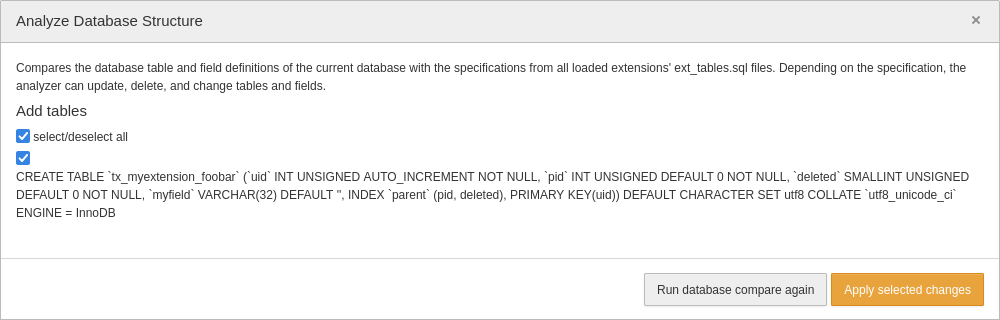
An alternative option to analyze the database structure and to create the missing tables or update fields is to execute the following command on the command line:
In short: the file ext_tables.sql can be used to add new database tables to the system by writing the appropriate SQL “CREATE“-statement to this file. However, this is not the only purpose that this file serves, as I will point out in a separate example question.
The files listed in the answers 3, 4, and 5 are made up. The file ext_tables_static+adt.sql is a valid file but not used to create new tables. Answer 2 is also wrong.
The correct answer is 1.
You developed a custom TYPO3 extension that contains a list of cities as static records. How do you automatically add these records to the database when someone initially installs the extension?
Answers
-
By writing an event listener that imports the records whenever the TYPO3 Core dispatches the
AfterPackageActivationEvent -
By adding the SQL “
INSERT“-statements to the fileext_tables.sql -
By adding the SQL “
INSERT“-statements to the fileext_tables_static+adt.sql -
By adding the SQL “
INSERT“-statements to an.sqlfile located in theConfiguration/Import/directory which TYPO3 automatically imports
Number of correct answers: 1
Explanation
As I pointed out in the previous question, TYPO3 features a smart logic to let extension developers add tables without the need to write one line of PHP code. The same applies to the situation outlined in this question.
Although the first answer provides a possible solution, this approach has two major drawbacks. First, you don’t need to develop an event listener to import static records into the database as TYPO3 provides a solution out of the box. Second, if the event listener would import the data whenever the TYPO3 Core dispatches the AfterPackageActivationEvent, you would end up with duplicate records. The first answer is wrong.
I already explained in the previous question that you can use the file ext_tables.sql to add new tables to the database of a TYPO3 instance. You can not use this file to store static data that gets automatically imported though. Answer 2 is also wrong.
Answer 3, however, suggests the right approach. Let’s say you want to fill the table tx_myextension_foobar that you created in the previous question with two static records. For this, add the following content to the file ext_tables_static+adt.sql:
DROP TABLE tx_myextension_foobar;
CREATE TABLE tx_myextension_foobar (
...
);

INSERT INTO tx_myextension_foobar (uid, pid, myfield) VALUE (1, 0, 'foobar 1');
INSERT INTO tx_myextension_foobar (uid, pid, myfield) VALUE (2, 0, 'foobar 2');
The “CREATE TABLE“-statement is a copy of the same statement from the file ext_tables.sql. The “INSERT“-statements add two rows to the (empty) table.
When someone installs the extension for the first time and executes the Analyze Database Structure function in the backend, or the CLI command “typo3 extension:setup”, TYPO3 automatically inserts the records. Note that this only works once as TYPO3 records the event and does not re-import the data for the extension again.
The directory suggested in answer 6 is made up. SQL files that are located in the Configuration/Import/ directory are not automatically processed by TYPO3.
The correct answer is 3.
Which file do you create/edit to let TYPO3 add custom fields to an existing database table?
Answers
-
The file
Resources/Private/Database.php -
The file
Configuration/Database.yaml -
The file
ext_tables.php -
The file
ext_tables.sql -
The file
ext_tables_static+adt.sql
Number of correct answers: 1
Explanation
This question deals with a scenario that basically completes the cases in the previous two questions. I explained how to create new tables and how to import data. Now it’s time to add a new field to an existing database table. You will have guessed it already: TYPO3 offers an easy-to-use solution that does not require to write any PHP code at all. Well, almost no PHP code.
To simply add a custom field to an existing database table, you don’t need to create or edit any PHP files necessarily. This means that the answer 1 (file Resources/Private/Database.php) and the answer 3 (file ext_tables.php.) are wrong as they refer to PHP files.
Answer 5 suggests that you create/edit the file ext_tables_static+adt.sql. However, the purpose of this file is only to store static data that is automatically imported into the database on extension installation. Answer 5 is also wrong.
In fact, the file ext_tables.sql is not only used to define new tables. You can also add new fields to existing database tables. For example:
CREATE TABLE pages (
  tx_myextension_color int(11) DEFAULT '0' NOT NULL
);
The “CREATE TABLE“-statement may be confusing for beginners, since this SQL command is not typically used for adding fields to a table. But once you know the background, it becomes clear. TYPO3 does not execute the SQL statements in the file ext_tables.sql directly. The system uses methods in the following class to handle raw SQL input and transform it into statements for further processing:
TYPO3\CMS\Core\Database\Schema\SqlReader
If a database table named pages does not exist, TYPO3 creates the table with the fields as defined in the SQL file. Otherwise, TYPO3 checks if the schema of the existing table matches the fields and the fields’ data types. This way, new fields can be added with the file ext_tables.sql as suggested in answer 4.
Although the file Configuration/Database.yaml suggested in answer 2 sounds like a plausible solution, it’s made up.
It’s true that you don’t need to write any PHP code to add a custom field to an existing database table. However, the field is not usable in the TYPO3 context if you don’t explicitly define it in the Table Configuration Array (TCA). You’ll find further questions about this topic in the chapter “Extension Software Architecture”.
The correct answer is 4.
You want to allow backend users to configure your extension by certain aspects. Which options does TYPO3 offer by default to achieve this?
Answers
-
You can extend the Admin Panel and provide your own modules
-
You can extend the Site Configuration if a site-dependend configuration is required
-
You can add global configuration options in the file
ext_emconf.php -
You can add global configuration options in the file
ext_conf_template.txt
Number of correct answers: 2
Explanation
In general, TYPO3 offers several ways to configure an extension. All options have their advantages and disadvantages. Therefore, developers should think in advance about which target group will do the configuration later.
One way to provide configuration options for an extension is through the file ext_conf_template.txt which has to be located in the root directory of your extension. A configuration consists of a comment line, starting with the #-character, and a second line that contains the variable name, followed by an equal sign (=). You can optionally add a default value. For example:
Backend users with administrator privileges can open the extension configuration module at Admin Tools → Settings → Extension Configuration and select the relevant extension to adjust its settings.
A downside of this approach is the fact that the configuration applies globally. You can’t have different configurations in, for example, two different sites of the system. A site-dependend configuration can be implemented by extending the Site Configuration2.
TYPO3 features further configuration options for extensions as FlexForms and as TypoScript configurations.
The answers 1 and 3 are wrong. Although you can extend the Admin Panel and provide your own modules, this function has nothing to do with the configuration of extensions. I already explained the purpose of the file ext_emconf.php in a separate example question. This files contains extension details that are relevant for the Extension Manager, but it does not let you add configuration options for the extension.
The correct answers are 2 and 4.
You would like to use a function of an existing system extension in your custom extension but you realize that the relevant class has the annotation @internal. What should you do?
Answers
-
Remove the line that shows the annotation from the system extension to show other developers that you use a method of this internal class
-
Do not use the class nor the method in your custom extension as it may change or be removed without notice
-
Define the system extension as a dependent package in the
composer.jsonfile of your extension to ensure that the internal function is available -
Set the appropriate PHP class file to read-only to ensure that it can’t be changed or deleted.
Number of correct answers: 1
Explanation
You likely know the idiomatic metaphor “do not reinvent the wheel”. Don’t build a solution for something that someone has already previously created. Like many other software systems, TYPO3 comes with many functions that are readily usable. These functions are typically exposed through an API (application programming interface). Other functions of the system are only used internally – and that’s where the annotation @internal comes into play.
System extensions are part of the TYPO3 Core. Always remember that you do not edit TYPO3 Core files directly3. Having this rule in your mind, you can eliminate the first answer straight away.
The annotation @internal has a specific meaning. The class or method is meant to be used internal only, for example by the same system extension or other parts of the TYPO3 Core. It’s not part of the TYPO3 Core API as it can be changed or removed at any time and without notice.
A dependency setting in the composer.json file of your extension would not change this fact. Therefore, the answer 3 is also wrong.
The solution suggested by the last answer is just as bad as the approach in the first answer. You don’t set any PHP files of the TYPO3 Core to read-only to ensure that they can’t be changed or deleted. This would, for example, block important core updates.
The correct answer is 2.
A method of a class file that belongs to the TYPO3 Core has the annotation @deprecated. What does this mean?
Answers
-
The class that the method belongs to will be removed in the next TYPO3 version
-
The method has been scheduled to be removed in the next major TYPO3 release
-
The TYPO3 Core developers are looking for funding or support to continue maintaining this method
-
Extensions using this method are not automatically loaded through the PSR-4 auto-loading mechanism
-
If you call this method in your custom developed extension, TYPO3 throws a PHP exception
Number of correct answers: 1
Explanation
I already provided some example questions about TYPO3’s deprecation policy in the chapter “General TYPO3 Knowledge”. These questions were of general nature. TYPO3 developer certification exams can contain questions about the deprecation policy that dive a little deeper into the technical aspects. Let’s have a look.
Methods that have the annotation @deprecated are indeed scheduled to be removed or significantly changed.
According to the TYPO3 deprecation policy, however, the core developers have to mark the corresponding component first. This component must remain intact throughout the lifecycle of the current major TYPO3 version. However, core developers may remove the element in the next major TYPO3 release.
The class that the method belongs to is not affected unless it’s explicitly marked as such (but this is not stated in the question). The first answer is wrong. The answers 4 and 5 are of a technical nature but also both wrong. As I pointed out before, deprecated methods don’t break your system or code right now. Therefore, extensions using the deprecated method continue to work and, of course, are automatically loaded through the PSR-4 auto-loading mechanism. You also don’t get a PHP exception if you call a deprecated method.
Answer 3 is also made up. Although deprecated classes and methods have nothing to do with funding, you are always welcome to support the development of TYPO3 by contributing to the code base. A deprecated method, however, has been marked as such for a reason and will be removed sooner or later – no matter if you offer to maintain it or not. This means that answer 3 is also wrong.
The correct answer is 2.
You plan to update your custom developed TYPO3 extension to be compatible with a new major TYPO3 LTS version that was recently released. Which statements about deprecated classes and methods are correct?
Answers
-
TYPO3’s deprecation policy guarantees that extensions continue to work in every LTS-release of TYPO3
-
Execute the module Admin Tools → Upgrade → Rector to automatically make your extension ready for the next TYPO3 LTS version
-
You can use TYPO3’s Extension Scanner to scan for the usage of deprecated or removed TYPO3 Core functionality and API calls
-
TYPO3’s changelog likely provides instructions on how to migrate your code if you use classes or methods that are marked as deprecated
Number of correct answers: 2
Explanation
Given that you already came across several example questions and explanations in this book/eBook, selecting the correct two answers to this question should be smooth sailing. TYPO3’s deprecation policy clearly does not guarantee that extensions continue to work in every LTS-release. The policy defines what can change in the TYPO3 Core and when. As a result, TYPO3 integrators and extension developers know what to expect when a new TYPO3 version is released. The first answer is wrong.
Have you heard of TYPO3-Rector before? This command line tool is a great solution to upgrade and refactor your extension’s PHP code. It helps developers to migrate their code basis to a specific TYPO3 major release. Although TYPO3-Rector can be a useful helping hand, it’s not integrated into TYPO3’s Core and not managed nor maintained by core developers. The backend module stated in the answer 2 does not exist.
TYPO3’s Extension Scanner, however, was added to TYPO3 v9. The main purpose of this tool is to detect extensions that don’t work in the current version of TYPO3, or that will possibly break in the next version. This information helps extension developers to identify extensions that require code changes. Answer 3 is correct, as you can indeed use the Extension Scanner to scan for the usage of deprecated or removed TYPO3 Core functionality and API calls.
When you plan to update your TYPO3 extensions to be compatible with a new LTS-version, keeping an eye on TYPO3’s changelog is also a good idea. Every relevant change to the TYPO3 Core is documented in the changelog including deprecations and breaking changes. The description of what exactly has changed is accompanied by suggestions on how to migrate obsolete code.
The correct answers are 3 and 4.
How do you mark a class or method of your own TYPO3 extension as deprecated?
Answers
-
As deprecations are reserved exclusively for the TYPO3 Core, extension developers should not mark classes or methods of their code as deprecated
-
To deprecate a method, throw a
TYPO3\CMS\Exceptions\Deprecationexception at the start of the function -
To deprecate a class, add a
@deprecatedannotation to the doc comment and (if possible) add atrigger_error()call to the constructor -
To deprecate a Fluid-specific template, add the
<f:debug type="deprecation" />ViewHelper call to the template -
To deprecate a method or class, add a
die("deprecated")call to the extension’sext_localconf.phpfile
Number of correct answers: 1
Explanation
This example question has five possible answers and only one is correct. Fortunately, most answers are nonsense and it’s relatively easy to identify the correct one.
If implemented correctly, deprecations are an important success factor when it comes to updates and migrations. The TYPO3 Core strictly follows an official deprecation policy. But what’s about TYPO3 extensions? Are deprecations reserved exclusively for the TYPO3 Core? Of course not! Extension developers can and should also mark elements as deprecated and follow the TYPO3 deprecation policy. Answer 1 is wrong.
The second obviously wrong answer is the answer 5. If you add a die() call to an extension’s ext_localconf.php file, your system will likely break. TYPO3 includes all ext_localconf.php files of all loaded extensions in (almost) every request. A die() call would instruct PHP to stop processing the request straight away.
Which of the remaining three options (answers 2, 3, or 4) is correct? The following code snippet shows how you properly mark a class as deprecated:
/**
 * @deprecated since version 3.0.0, will be removed in version 4.0.0
 */
class Example
{
  ...
}
If your class has a constructor, you also execute the trigger_error() call in the __construct() method. This looks the same as what you would do when you deprecate a method:
/**
 * @deprecated since version 3.0.0, will be removed in version 4.0.0
 */
public function example(): bool
{
  trigger_error(
    'Method "example" has been deprecated since v3 and will be removed in v4',
    E_USER_DEPRECATED
  );
  ...
}
An exception as suggested in the answer 2 is not the right approach, neither is the usage of the Debug-ViewHelper as suggested in the answer 4 in Fluid templates.
The correct answer is 3.
Which TYPO3 Core API provides information such as the current workspace ID or the current language?
Answers
-
The Context API
-
The MetaTag API
-
The PSR-7 Request/Response API
-
The Environment API
Number of correct answers: 1
Explanation
The first challenge of this question is the fact that all four APIs exist. As a TYPO3 developer, you should know the purpose of them well, so let’s go through them.
The Context API allows you to access various information about the system and current request. The data is structured as aspects, for example:
- Date/time aspect (provides time, date and timezone information for the current request).
- Language aspect (provides information about language settings for the current request).
- Preview aspect (provides information about the frontend preview mode).
- User aspect (provides information about authenticated backend and frontend users in the current request).
- Visibility aspect (provides information about the visibility status of records, e.g. hidden pages or deleted records).
- Workspace aspect (provides information about the accessed workspace).
The MetaTag API lets you set and manipulate page meta tags in a flexible way. The MetaTag API, as well as the Canonical API, Page Title API, and XML Sitemap API, are typically used for search engine optimization (SEO) purposes.
The PSR-7 Request/Response API (TYPO3’s “Request” object) is an implementation of the PSR-7 ServerRequestInterface plus some TYPO3-specific attributes. This is an important API every TYPO3 developer should be familiar with, as it allows you to access details of the request, and create or manipulate the HTTP response sent by TYPO3 to the client.
The Environment API lets you access environment-specific information. The API was introduced in TYPO3 v9 and replaces global variables and constants used in the past (e.g. PATH_site). Typical examples are methods such as getContext(), isComposerMode(), isWindows(), and isUnix().
If you want to access information such as the current workspace ID or the current language, you can use the Context API.
The correct answer is 1.
Which “aspects” are available in the Context API by default?
Answers
-
The “user aspect” that provides details about the current frontend or backend user
-
The “environment aspect” that provides details about the currently configured application context
-
The “composer aspect” that provides details about the installation if set up using Composer
-
The “registry aspect” that provides details about store key-value pairs of arbitrary information
-
The “language aspect” that provides details about language settings for the current request
Number of correct answers: 2
Explanation
Did you read the explanations to the previous questions thoroughly or did you just skim them?
I pointed out that you can easily retrieve data such as the current workspace ID or the current language through the Context API. The following code example shows how to access the UID of the language that a user requested of the current page:
use TYPO3\CMS\Core\Utility\GeneralUtility;
use TYPO3\CMS\Core\Context\Context;

$context = GeneralUtility::makeInstance(Context::class);
$languageUid = $context->getPropertyFromAspect('language', 'id');
The class \TYPO3\CMS\Core\Context\Context implements a singleton interface and lets you access the property id of the language aspect, which proves that the answer 5 is correct.
You can access further details from other aspects in the same way, for example the UID of the currently logged-in backend user:
$userId = $context->getPropertyFromAspect('backend.user', 'id');
Before the Context API was introduced in TYPO3 v9, some information was stored in global variables, for example:
// outdated!
$languageUid = $TSFE->sys_language_uid->id;

// outdated!
$user = $GLOBALS['TSFE']->loginUser;
If you study the TYPO3 documentation, you realize that the Context API does not feature an “environment aspect”, “composer aspect”, nor “registry aspect” by default. Having said that, you are free to extend the Context API by implementing your own custom aspects.
The correct answers are 1 and 5.
Which TYPO3 Core APIs do you use to retrieve which type of information?
Answers
-
The Context API to get the current PHP version of the TYPO3 installation
-
The Context API to check if the current user is logged-in at the frontend
-
The Context API to get the UID of the currently accessed workspace
-
The Environment API to get the file system path of the
var/folder -
The Environment API to get the database engine, e.g. MySQL or PostgreSQL
-
The Environment API to get the timezone configuration of the TYPO3 installation
-
The Registry API to access data from TYPO3’s registry table (
sys_registry) -
The Registry API to set or get the extension icon
Number of correct answers: 4
Explanation
You can access some information about your TYPO3 installation and the hosting environment easily. Some other details require a little more effort. TYPO3 features several APIs that help you with this task.
The eight answers refer to three different APIs: The Context API, the Environment API, and the Registry API. I described the key characteristics of the first two APIs in previous example questions. The Registry API hasn’t been covered yet. Let’s start from the back.
TYPO3 features a system registry that stores key-value pairs of information. A typical use case for the registry is to store a specific state or a timestamp when something happened. For example, which upgrade wizard has been executed or which data set has been imported. The information is indeed stored in the database table sys_registry and Registry API lets you set, get, and delete entries. However, the Registry API has nothing to do with the extension icon. This means that answer 7 is correct and answer 8 is wrong.
The Environment API was introduced in TYPO3 v9 and lets you access environment-specific information. The path of the var/ folder is one of the information that you can access:
use TYPO3\CMS\Core\Core\Environment;

// path of the folder that contains TYPO3 logs
$logPath = Environment::getVarPath() . '/logs/';
Neither database engine nor the timezone configuration of the TYPO3 installation are details provided by the Environment API though. The answer 4 is correct and the answers 5 and 6 are wrong.
You can, however, access the timezone configuration through the Context API – which brings us to the remaining three answers.
You don’t need an API call to retrieve the current PHP version. Such as trivial information is available as the constant PHP_VERSION in every PHP application. The current user status (authenticated and logged in at the frontend or not) is an information that the frontend user aspect of the Context API provides:
use TYPO3\CMS\Core\Utility\GeneralUtility;
use TYPO3\CMS\Core\Context\Context;

$context = GeneralUtility::makeInstance(Context::class);
if ($context->getPropertyFromAspect('frontend.user', 'isLoggedIn')) {
  // user is logged in at the frontend
}
You can also use the Context API to get the UID of the current workspace.
The correct answers are 2, 3, 4, and 7.
Which statements about TYPO3’s system registry and the Registry API are correct?
Answers
-
Values stored in the registry must not exceed the hard limit of 1,024 bytes
-
The combination of a namespace and a key is used to store or read a registry entry
-
The system registry can be used to store binary data of images to improve the system’s performance
-
Entries in the registry are automatically deleted after 24 hours
-
The Registry API features a function that lets you delete all values for a given namespace
Number of correct answers: 2
Explanation
Let’s dive a little deeper into TYPO3’s system registry and how to work with it. The data is stored in the database table sys_registry, which has the following table definition5 in TYPO3 v12 LTS:
The datatype mediumblob in the field entry_value can store up to 16,777,215 bytes in MariaDB/MySQL. This is approximately 16 MB and clearly much more than the 1,024 bytes suggested as the “hard limit” in the first answer. Such a limit doesn’t exist.
Technically speaking, you could even store binary data of images in the system registry. However, this is not the purpose of the system registry and would not improve the performance. The TYPO3 documentation explicitly points out that you instead should use the file system to store binary data.
Answer 1 and answer 3 are both wrong. To find out which of the remaining three answers are correct, you should know how to use the Registry API to store data in the registry and to read data from it.
use TYPO3\CMS\Core\Utility\GeneralUtility;
use TYPO3\CMS\Core\Registry;

$registry = GeneralUtility::makeInstance(Registry::class);
$registry->set('tx_foobar', 'timestamp', time());
The code snippet above stores the current timestamp in the registry. The string timestamp represents the key of the entry and tx_foobar the namespace. The namespace is typically an extension key. To read the registry entry later on, you specify the combination of the namespace and the key:
$registry = GeneralUtility::makeInstance(Registry::class);
$timestamp = $registry->get('tx_foobar', 'timestamp');
Answer 2 is the first correct answer.
Entries in the registry can remain indefinitely. They are not (automatically) deleted after a certain period of time, so answer 4 is wrong. This means that answer 5 must be correct as this is the last remaining answer. The Registry API indeed offers a function to delete all entries that belong to a specific namespace.
The correct answers are 2 and 5.
What is the purpose of namespaces for entries in TYPO3’s system registry?
Answers
-
The Scheduler task uses namespaces to delete duplicate entries (“garbage collection”)
-
To encrypt sensitive data stored in the registry
-
To ensure that only the extension that created the entry can retrieve it (security feature)
-
To allow developers to use the same key multiple times (e.g. in two different extensions)
Number of correct answers: 1
Explanation
The previous question outlined that an entry in the system registry has a namespace, a key, and a value. The key and the value are self-explanatory but what is the purpose of the namespace after all?
The namespace makes sure that you can use the same key multiple times. Let’s assume that you developed an extension that should store a timestamp in the registry. As the term timestamp describes what the value is, you choose this term as the key of the entry. Without a namespace, it’s quite possible that another developer chooses the same key. This would overwrite your entry.
To avoid such a conflict, namespaces have been introduced. According to the TYPO3 documentation, the namespace is the extension key prefixed with tx_. By including the namespace in the API calls when you store the timestamp in the registry, you make sure that your timestamp belongs to your extension.
A side effect of namespaces is a feature that lets you delete several entries in one go. If you want to get rid off all registry entries belonging to a specific namespace, you can leverage the function removeAllByNamespace() of the Registry API.
The last answer correctly describes the purpose of namespaces for entries in TYPO3’s system registry. All other answers are made up.
The correct answer is 4.
How can you simplify the following code snippet?
use TYPO3\CMS\Core\Utility\GeneralUtility;
use TYPO3\CMS\Core\Registry;

$default = 'alpha';
$registry = GeneralUtility::makeInstance(Registry::class);
$state = $registry->get('tx_foobar', 'state');
if (!$state) {
  $state = $default;
}
Answers
-
Remove the spaces before and after the
=-signs and the indentation of theif-block -
Remove the
use-statements and adjust the line that reads the registry entry as follows:$state = Registry::get('tx_foobar', 'state'); -
Remove the
if-statement and adjust the line that reads the registry entry as follows:$state = $registry->get('tx_foobar', $default); -
Remove the
if-statement and adjust the line that reads the registry entry as follows:$state = $registry->get('tx_foobar', 'state', $default);
Number of correct answers: 1
Explanation
First of all, review the code snippet to understand what it does (or aims to do). The line after the use-statements assigns the text “alpha” to the variable $default. The next line creates an instance of the Registry API. This follows a function call that reads the entry that has the namespace “tx_foobar” and the key “state” from the system registry. If the Registry API does not return a value, the value of the variable $default (the text “alpha”) is assigned to the variable $state.
Which answer option simplifies the code snippet? The first answer is obviously nonsense. Removing the spaces and the indentation would not only violate TYPO3’s coding guidelines, but would also not simplify the code.
Answer 2 suggests to remove the use-statements and call the get() function as a static function call. If you look at the PHP class TYPO3\CMS\Core\Registry, you will realize that functions such as get(), set(), remove(), etc. are not static. Answer 2 would result in an error.
The remaining answers 3 and 4 suggest to simplify the code by removing the if-statement, which takes care of assigning a default value to the $state variable if an existing entry wasn’t found in the registry. Answer 3 uses the default value as the key when calling the get() function. Although this would not result in an error, it doesn’t make sense.
Answer 4 adds a third argument to the API call. This is the right approach as the get() function accepts a default value:
public function get($namespace, $key, $defaultValue = null)
{
  ...
  return $this->entries[$namespace][$key] ?? $defaultValue;
}
The correct answer is 4.
Which of the following TYPO3 Core APIs are predominantly used for on-page SEO purposes?
Answers
-
The MetaTag API
-
The Canonical API
-
The Doctrine API
-
The Locking API
-
The SiteFinder API
-
The PageTitle API
Number of correct answers: 3
Explanation
You don’t need to be a SEO expert to pass the TCCD exam but you should know the basic terms of search engine optimization practices. The differences and most important characteristics of on-page and off-page SEO are typical examples.
In simplified terms, measures that are directly visible in the frontend are usually referred to as on-page SEO. “Visible” means visible to search engines rather than humans, of course. Some examples for on-page SEO measures are content structuring, headlines, keywords, meta description, title and alt tags, page navigation, URL structure, etc. On-page SEO also includes SSL/TLS (https-links), site performance, and mobile friendliness/responsiveness.
Off-page SEO refers to actions taken outside of your website. For example social media marketing, blog articles that mention or refer to your website, external links that point to your website or mention the brand, influencer marketing, etc. These measures also aim to improve the ranking of your site on search engines.
No doubt that on-page SEO has a rather technical background in most cases and is, therefore, relevant for TYPO3 developers.
TYPO3 comes with a powerful SEO system extension. According to the official documentation, one goal of the SEO extension is to provide stable APIs for developers.
Five of the six APIs listed as answers exist. The Doctrine API is, of course, nonsense. Doctrine is a database abstraction layer (DBAL) and its API is not exposed by TYPO3. Although TYPO3 features several classes that you can use for database operations, for example the ConnectionPool, QueryBuilder, and ExpressionBuilder (see class overview), they definitely have nothing to do with search engines. Answer 3 is wrong.
The purpose of the Locking API in TYPO3 is to offer developers ways to block read/write access to resources for the time a component requires exclusive access to it. Again, this is not SEO-specific, so answer 4 is also wrong.
The SiteFinder API is part of TYPO3’ site handling. The class \TYPO3\CMS\Core\Site\SiteFinder lets you access the site configuration based on a specific page ID or a site identifier. Once again, this has nothing to do with on-page SEO purposes. Answer 5 is also wrong.
The purpose of the MetaTag API is to let you manipulate HTML meta tags in a flexible way. Meta tags are undoubtedly used for SEO measures, which means that the first answer is correct. You’ll find a few more example questions about the MetaTag API later in this chapter.
The Canonical API (answer 2) is also SEO-related. It’s rather simple and doesn’t feature many options for developers other than a PSR-14 event to manipulate or empty the canonical URL of the href="..." attribute.
The PageTitle API (answer 6) lets you set page titles. This is also important when it comes to search engine optimization.
The correct answers are 1, 2, and 6.
You want to set the following meta tag in the frontend. Which function of the MetaTag API can you use, assuming that the variable $metaTagManager is the MetaTagManager for the property foobar?
<meta name="foobar" content="Lorem ipsum." />
Answers
-
Answer 1:
$metaTagManager->addProperty("foobar", "Lorem ipsum."); -
Answer 2:
$metaTagManager->addProperty("Lorem ipsum."); -
Answer 3:
$metaTagManager->set("Lorem ipsum."); -
Answer 4:
$metaTagManager->set(["property" => "foobar", "value" => "Lorem ipsum.");
Number of correct answers: 1
Explanation
This example question tests if you’re familiar with the MetaTag API and if you know how to use it. If you have used the API in your own projects before you likely know how easy it is to set a new meta tag. The following Extbase controller-action shows a working example:
<?php
namespace Vendor\Example\Controller;

use Psr\Http\Message\ResponseInterface;
use TYPO3\CMS\Core\MetaTag\MetaTagManagerRegistry;
use TYPO3\CMS\Core\Utility\GeneralUtility;
use TYPO3\CMS\Extbase\Mvc\Controller\ActionController;

class ExampleController extends ActionController
{
  public function listAction(): ResponseInterface
  {
    $registry = GeneralUtility::makeInstance(MetaTagManagerRegistry::class);
    $metaTagManager = $registry->getManagerForProperty("foobar");
    $metaTagManager->addProperty("foobar", "Lorem ipsum.");
  }
}
The function addProperty() receives two arguments. The first argument ("foobar") is the property name you want to set, which is the value of the name attribute. The second argument ("Lorem ipsum.") reflects the property data, which is the value of the content attribute.
In fact, the method accepts three further optional arguments:
- 3rd argument: an array that defines optional subproperties, default:
[]. - 4th argument: a boolean to force the replacement of the currently set value, default:
false. - 5th argument: a string to define the type of the property (name, property, http-equiv), default:
name.
All answers except the first answer are wrong. Keep in mind that you can use the MetaTag API to set, modify, and remove meta tags, and that TYPO3 does not limit you to specific tags as the example above shows.
The correct answer is 1.
Which statements about creating and registering your own MetaTagManager are correct?
Answers
-
Even with your custom developed MetaTagManager, you can’t output the same meta tag in the frontend multiple times
-
As you can’t change the priorities of MetaTagManagers, managers provided by the TYPO3 Core always come first
-
Your own MetaTagManager must implement:
\TYPO3\CMS\Core\MetaTag\MetaTagManagerInterface -
You must register your own MetaTagManager in the file
Services.yamlof your extension before using it -
You must register your own MetaTagManager in the file
ext_localconf.phpof your extension before using it
Number of correct answers: 2
Explanation
In some projects you possibly need to address some edge cases in regards to HTML meta tags. Multiple occurrences of the same meta tag in the output is one example, as the default MetaTagManager doesn’t support this. Here is an example. TYPO3 sets the following meta tag by default:
<meta name="generator" content="TYPO3 CMS" />
If you try to overwrite the tag by setting the same property "generator" again, the output won’t change, as the property already exists:
$metaTagManager->addProperty("generator", "The best CMS ever!");
You can, however, force a replacement of the existing tag by setting the fourth argument to true:
$metaTagManager->addProperty("generator", "The best CMS ever!", [], true);
Nevertheless, the default MetaTagManager does not output the same meta tag multiple times. To meet a requirement like this, you have to create and register your own MetaTagManager. This lets you bypass the restriction. The first answer is therefore wrong.
To register your own MetaTagManager, you can add the following lines to the file ext_localconf.php of your extension:
use TYPO3\CMS\Core\MetaTag\MetaTagManagerRegistry;
use TYPO3\CMS\Core\Utility\GeneralUtility;
use Vendor\ExampleExtension\MetaTag\ExampleMetaTagManager;

$metaTagManagerRegistry = GeneralUtility::makeInstance(MetaTagManagerRegistry::class);
$metaTagManagerRegistry->registerManager(
  'exampleManager',
  ExampleMetaTagManager::class,
  ['twitter'],
  ['opengraph']
);
The class \Vendor\ExampleExtension\MetaTag\ExampleMetaTagManager contains your custom MetaTagManager and is registered as exampleManager. The third and fourth arguments influence the priority and position the custom MetaTagManager before the ‘twitter’ and after the ‘opengraph’ MetaTagManagers. This means that the answer 2 is also wrong but the answer 5 is correct.
As suggested in answer 3, your own MetaTagManager must implement the interface:\TYPO3\CMS\Core\MetaTag\MetaTagManagerInterface.
The correct answers are 3 and 5.
What do you have to consider if you want to implement your own custom transport solution for TYPO3’s Mail API?
Answers
-
The custom class should follow the best practices used in the class
\Swift\SmtpTransport -
Configure the fully qualified name of the custom class in the global configuration
$GLOBALS['TYPO3_CONF_VARS']['MAIL']['transport'] -
The custom class should implement the interface
\Symfony\Component\Mailer\Transport\TransportInterface -
The custom class should extend the abstract class
\TYPO3\CMS\Core\Mail\MailerInterface -
The custom developed transport must be registered in the
Configuration/Services.yamlfile
Number of correct answers: 2
Explanation
Before I shed some light on the term transport solution, let’s clarify the main features and characteristics of TYPO3’s Mail API. TYPO3 has always offered a robust and well architectured API for generating and sending emails. Many years ago, the SwiftMailer library was the de facto standard in the PHP world. This comprehensive mailing tool was integrated into the TYPO3 Core up to version 9.
Active development stagnated in mid 2019 and the TYPO3 Core switched to Symfony’s Mime and Symfony’s Mailer packages in TYPO3 version 10.0 (released in July 2019). In August 2021, Fabien Potencier (the maintainer of SwiftMailer at that time) announced the end of the maintenance of SwiftMailer in favor of the Symfony Mailer6.
All SwiftMailer features have been implemented in Symfony Mailer, so apart from a few adjustments developers could easily migrate their code.
The first answer clearly refers to the old and outdated SwiftMailer library (namespace \Swift\) that is not used in current TYPO3 versions. The answer 1 is wrong.
The architectural decision to separate the email creation from sending them makes perfect sense. Behind the scenes, you use Symfony’s Mime package for composing emails and the Mailer package for processing and sending them. But what exactly is a transport in the Symfony Mailer component? Emails are delivered via a transport. The Symfony Mailer has the following transports built-in:
- SMTP
Mail servers send, receive, and relay emails over the Internet by using the Simple Mail Transfer Protocol (SMTP). Applications such as TYPO3 can directly deliver emails to mail servers through the SMTP transport.
- Sendmail
If PHP applications use the “sendmail” transport of Symfony’s Mailer component, they pass emails to the local sendmail binary to send them. Sendmail is a typical part of the UNIX/Linux operating system (to be precise: the mail subsystem).
- PHP native
This built-in transport uses the configuration of the
php.inifile, which is typically the sendmail binary (see above).
You can leverage Symfony’s Mailer flexibility and add further transports to your system. Some of these solutions are, for example, Amazon SES, Mandrill, or SendGrid. You can also implement your custom transport – and this is what this question refers to.
To instruct TYPO3 to use your custom developed transport, you configure the fully qualified class name in the global configuration. Your PHP class has to implement the interface \Symfony\Component\Mailer\Transport\TransportInterface.
If you want to implement a custom mailer in TYPO3, your class should extend the abstract class \TYPO3\CMS\Core\Mail\MailerInterface and you register your mailer in the file Configuration/Services.yaml. However, this is different compared to a custom transport. The answers 4 and 5 are wrong.
The correct answers are 2 and 3.
Replace ??? in the code fragment below to add the PDF document stored as /path/to/terms.pdf as an email attachment.
use Symfony\Component\Mime\Address;
use TYPO3\CMS\Core\Mail\MailMessage;
use TYPO3\CMS\Core\Utility\GeneralUtility;

$document = '/path/to/terms.pdf';
$mail = GeneralUtility::makeInstance(MailMessage::class);
$mail->from(new Address('smith@example.com', 'Brad Smith'));
$mail->to(new Address('jan@example.org', 'Janice Miller'));
$mail->subject('Our Terms and Conditions');
$mail->text('Please find the document attached.');
???
$mail->send();
Answers
-
Answer 1:
$mail->attachFromPath($document); -
Answer 2:
$mail->attachFromPath(MailMessage::attach($document)); -
Answer 3:
$mail->attach($document); -
Answer 4:
$mail->document(new \Symfony\Component\Mime\Attachment::file($document));
Number of correct answers: 1
Explanation
A typical use case when sending emails in TYPO3 is to attach a file to that mail. Fortunately, the given code is straight forward. Quickly summarized, the GeneralUtility::makeInstance() call instantiates the MailMessage class. The subsequent lines set the sender name and address (from()), the recipient name and address (to()), the subject of the email (subject()), and the mail body in plain text format (text()). Although the code shown above is only a fragment, these lines are all you need to compose an email. The last line (send()) sends the mail.
Your job is to pick the correct syntax for the second last line, just before the send command, to add the file stored in the variable $document to the mail object.
If you have never worked with TYPO3’s Mail API before, it is indeed difficult to identify the correct answer. They all look legitimate.
Neither the function document() nor the Attachment class of Symfony’s Mime component exist. The last answer is wrong. However, both methods suggested in the other three answers are valid. The attach() function lets you pass a stream as a file attachment. The correct syntax would read:
$mail->attach(fopen($document, 'r'));
Answer 3 passes a string (the content of the $document variable) to the function, which is incorrect.
The correct solution is the function attachFromPath() which indeed accepts the path to the file that you want to attach. The answer 2 suggests to pass the string to a static function attach() of the MailMessage class. This is also nonsense. The first answer shows the correct syntax:
$mail->attachFromPath($document);
The correct answer is 1.
How can you access the default sender email address stored in the global configuration?
$GLOBALS['TYPO3_CONF_VARS']['MAIL']['defaultMailFromAddress'] = 'john.smith@example.com';
Answers
-
By calling the following function:
\TYPO3\CMS\Core\Utility\MailUtility::getSystemFromName() -
By calling the following function:
\TYPO3\CMS\Core\Utility\MailUtility::getSystemFromAddress() -
By calling the following function:
\TYPO3\CMS\Core\Utility\MailUtility::getDefaultAddress() -
By calling the following function:
\TYPO3\CMS\Core\Utility\MailUtility::getDefaultFromAddress()
Number of correct answers: 1
Explanation
All four answers deal with TYPO3’s \TYPO3\CMS\Core\Utility\MailUtility class. This class file has been around for a long time but received several updates and reworks along the way. As of TYPO3 v12 LTS, the class contains the following functions:
-
getSystemFrom()
This function returns a valid “From:” value for emails (email address and name) as stored in the global configuration. -
getSystemFromName()
This function returns the unquoted/unformatted sender name for emails as stored in the global configuration. -
getSystemFromAddress()
This function returns a valid sender email address for emails as stored in the global configuration. -
getSystemReplyTo()
Same asgetSystemFrom()but for the “Reply-to:” header and more flexible. -
breakLinesForEmail()
Helper function to wrap long lines of text for emails at a certain number of characters (default: 76). -
parseAddresses()
This function parses mailbox headers and turns them as an array.
The functions stated in answers 3 and 4 don’t exist. The function suggested in answer 1 returns the sender name and not the email address. Therefore, the correct answer is obviously the answer 2.
You should bear in mind that you can pass the return values of the functions getSystemFrom() and getSystemFromAddress() to the setFrom() call of the message object:
use TYPO3\CMS\Core\Mail\MailMessage;
use TYPO3\CMS\Core\Utility\GeneralUtility;
use TYPO3\CMS\Core\Utility\MailUtility;

$mail = GeneralUtility::makeInstance(MailMessage::class);
$mail->setFrom(MailUtility::getSystemFrom());
// ...
$mail->send();
The same applies to the function getSystemReplyTo() and the setReplyTo() method.
The correct answer is 2.
What are “Flash Messages” in the TYPO3 universe?
Answers
-
Error messages shown in the top right corner of the backend that require the Adobe Flash extension
-
The latest news article on typo3.org is called the “flash message” as it may contain important security announcements
-
A generic system provided by the TYPO3 Core to visually inform users about succeeded or failed actions through various severity levels
-
Messages shown in the backend or frontend that are only visible for half a second due to a known bug in the TYPO3 Core
Number of correct answers: 1
Explanation
This is obviously another warm-up question. You have likely seen messages popping up at the bottom right corner when you have worked with the TYPO3 backend7. These are in fact JavaScript-based Flash Messages triggered by TYPO3’s Notification API. However, they don’t require Adobe’s Flash technology at all. The first answer is wrong.
The second answer is a great example of a risk when you prepare for the exam by using this study guide. The questions in this book are sorted into thematically discrete chapters by subject. Given that this example question occurs in the chapter TYPO3 Core Architecture and APIs, you likely guessed that “Flash Messages” have nothing to do with news articles on typo3.org. One of the other answers that all have a technical background are more likely to be the correct answer. Ask yourself: Would you feel the same about the answer if you came across a question like this during the exam?
No matter what, the answer 2 is made up and therefore wrong.
The answer 3 sounds plausible though. Let’s jump to the last answer and determine if this answer is right or wrong before we think too hard about answer 3. Does TYPO3 contain a bug that causes messages to be only visible for a split second? Of course not! This leaves us with the answer 3 as the correct answer.
Flash Messages are a generic system8 provided by the TYPO3 Core to visually inform users about the outcome of actions. These notifications have a severity level (I’ll explain this in a separate question) and can be queued in a session until they are shown in the frontend or backend.
The correct answer is 3.
What is the purpose of the following code if it is executed in the backend context?
use \TYPO3\CMS\Core\Utility\GeneralUtility;
use \TYPO3\CMS\Core\Messaging\FlashMessage;
use \TYPO3\CMS\Core\Type\ContextualFeedbackSeverity;
...
$message = GeneralUtility::makeInstance(
  FlashMessage::class,
  'Lorem ipsum dolor sit amet.'
  'Foobar',
  ContextualFeedbackSeverity::WARNING
);
Answers
-
The code has no effect in the TYPO3 backend
-
The code produces a PHP exception if the TYPO3 instance runs in the development context
-
The code generates a Flash Message with the headline “Lorem ipsum dolor sit amet.”
-
The code generates a Flash Message with the body text “Lorem ipsum dolor sit amet.”
-
The code writes the event “Foobar” with the description “Lorem ipsum dolor sit amet.” into the system log
Number of correct answers: 1
Explanation
You can generate a Flash Message by instantiating an object of the following class:\TYPO3\CMS\Core\Messaging\FlashMessage.
The method call makeInstance() creates an instance of the class (first argument FlashMessage::class).
The second and third arguments define the content of the Flash Message. First comes the body text (“Lorem ipsum dolor sit amet.”), followed by the headline (“Foobar”). The fourth argument defines the severity level. The ContextualFeedbackSeverity class contains an enumeration:
-
ContextualFeedbackSeverity::NOTICEfor notifications (black colour by default). -
ContextualFeedbackSeverity::INFOfor information messages (light-blue colour by default). -
ContextualFeedbackSeverity::OKfor success messages (green colour by default). -
ContextualFeedbackSeverity::WARNINGfor warnings (orange colour by default). -
ContextualFeedbackSeverity::ERRORfor errors (red colour by default).
The code obviously uses the enum warning which adds CSS classes to the HTML output that visually reflects the warning state by default.
Well, which of the answers are correct? Flash Messages are a commonly used method in the TYPO3 backend to visually inform users about the outcome of an action. The answer 1 is clearly wrong. So is the second answer. Flash Messages are independent from TYPO3’s application context, and the code does not produce a PHP exception at all. The answer 5 is also wrong, as the code snippet does not write anything into the system log.
To answer this question correctly, you need to know if the second or the third argument represents the body text and/or the headline. This is relatively easy to remember. The outcome of an action – no matter if the action resulted in an error, information, or success notification – should be described for usability reasons. A description should go into the body text and not into the headline as the headline is too short for a user-friendly description.
In order to make most arguments optional, the body text comes first (second argument) and the (optional) headline comes second (third argument). Therefore, the code generates a Flash Message with the body text “Lorem ipsum dolor sit amet.” and a headline “Foobar”.
The correct answer is 4.
What is the output of the following code if it is executed in the backend context and an appropriate rendering mechanism exists?
use \TYPO3\CMS\Core\Utility\GeneralUtility;
use \TYPO3\CMS\Core\Messaging\FlashMessage;
...
$message = GeneralUtility::makeInstance(
  FlashMessage::class,
  '<h1>Error!</h1><p>The operation failed.</p>'
);
Answers
-
A Flash Message with the “error” severity level is shown (red colour by default)
-
A Flash Message with the “ok” severity level is shown (green colour by default)
-
The headline of the Flash Message reads “Error!” and the body reads “The operation failed.”
-
As HTML code in the body text of Flash Messages are not rendered by default, the output shows the code “as is”, including the HTML-tags
-
Triggered by JavaScript, a Flash Message box is shown and disappears automatically after 5 seconds
Number of correct answers: 2
Explanation
This example question checks two aspects of your Flash Message knowledge. First, do you know which arguments are optional and what is the default behaviour if you omit them? Second, are you familiar with the styling options of Flash Messages in the TYPO3 backend? Experience may contribute to the latter.
As I outlined in the previous example question, the severity level can be passed as a constant as the fourth argument in the makeInstance() call. However, this argument is optional. If you don’t explicitly set the severity level, the default is the “ok” state. This means that the first answer is wrong and the second answer is correct.
What happens if you use HTML code to format your Flash Message body text? The text string “<h1>Error!</h1><p>The operation failed.</p>” may entice you to select the answer 3 as the correct answer. After all, the <h1>-tag represents a headline and the <p>-tag a text paragraph. However, the answer 4 is correct. You can’t use HTML code in neither the message body nor the headline.
The last answer also sounds plausible, but we already identified two correct answers. Have we made a mistake? Read the answer 5 thoroughly. The text claims that a Flash Message box is shown and automatically disappears after a certain amount of time. You have likely seen such a notification in the TYPO3 backend. But don’t be fooled. The PHP code shown in the question does not generate any JavaScript code. The disappearing notifications require a different approach.
The correct answers are 2 and 4.
Which statements about TYPO3’s Flash Message Renderer are correct?
Answers
-
The
ListRendererclass is used in the CLI context by default -
The CLI context can’t render Flash Messages as the output is on the command line
-
The
BootstrapRendererclass is used in the backend context by default -
The frontend context does not feature a Flash Message Renderer by default
-
The
PlaintextRendererclass is used in the frontend context by default -
Developers can implement their own renderer class as required
-
The
FlashMessageRendererResolverdetects the context and selects the appropriate Flash Message Renderer
Number of correct answers: 3
Explanation
When it comes to the output of Flash Messages in TYPO3, we distinguish between three contexts. The TYPO3 backend, the TYPO3 frontend, and the CLI (command line interface). Flash Messages in the TYPO3 backend are common and don’t need further explanations. Flash Messages in the frontend are possibly new to some readers – but TYPO3 supports them by default. Can you imagine how a Flash Message looks like on the command line? Well, TYPO3 can even render this type of notifications by displaying plain texts. The answers 2 and 4 are wrong.
Flash Message Renderer classes are responsible for showing Flash Messages. The TYPO3 Core contains the following PHP classes:
TYPO3\CMS\Core\Messaging\Renderer\BootstrapRendererTYPO3 uses this Flash Message Renderer class for the backend by default. The nicely styled output is based on Bootstrap.
TYPO3\CMS\Core\Messaging\Renderer\ListRendererTYPO3 uses this Flash Message Renderer class for the TYPO3 frontend by default. The output is a simple
<ul>...</ul>list.
TYPO3\CMS\Core\Messaging\Renderer\PlaintextRendererThe term “plain text” already revealed the purpose of this class. TYPO3 uses this Flash Message Renderer for the CLI context by default.
All the answers 1, 3, and 5 mention valid Flash Message Renderer class. However, they are partly mixed up. The first answer is wrong as the ListRenderer is used in the frontend and not in the CLI context. HTML code would look very weird on the command line. The answer 5 is also wrong as the PlaintextRenderer is used in the CLI context. The answer 3 is correct though. The BootstrapRenderer is used in the TYPO3 backend context by default.
Extension developers don’t need to specify in which context TYPO3 should output Flash Messages. The code to generate a Flash Message is the same in every context. How does TYPO3 determine which Flash Message Renderer it should use? The class TYPO3\CMS\Core\Messaging\FlashMessageRendererResolver takes care of that. This class detects the context and selects the appropriate renderer class to output the Flash Message.
Developers who need a special output format can implement their own Flash Message Renderer classes.
The correct answers are 3, 6, and 7.
Which extension states are officially supported and can be defined in file ext_emconf.php?
Answers
-
alpha -
excludeFromUpdates -
warning -
patched -
hidden
Number of correct answers: 2
Explanation
According to the official TYPO3 documentation, an extension can have one of the following states:
alphaThis state is used during the initial work on the extension. The alpha state typically reflects the early stages of the development.
betaExtensions in the beta”* state are under development. Beta extensions are functional but not functionally complete.
stableStable extensions are complete, mature, and ready for a production environment. Authors of stable extensions carry a responsibility to maintain and improve them.
experimentalThe experimental state is useful for anything experimental. Nobody knows if this is going anywhere yet… it may be just an idea.
testThis state marks test extensions and demonstrates concepts. The extension is not suitable for production.
obsoleteExtensions which are marked as obsolete are deprecated. This can be due to other extensions providing the same or better functionality or when the extension is no longer maintained.
excludeFromUpdatesThis state prevents the Extension Manager to let backend users to update the extension. Under some circumstances it makes sense for a developer to mark an extension as excludeFromUpdates, for example, to prevent it from being overwritten while they locally work on it.
The correct answers are 1 and 2.
Which requirement must be met to hide a field for backend users who don’t have administrator privileges?
Answers
-
The field name must end in
_exclude -
The property
excludein the domain model must be set to1 -
The property
excludeof the field in the TCA must be set totrue -
You have to add the field name to the file
Configuration/ExcludedFields.yaml
Number of correct answers: 1
Explanation
If a TYPO3 extension provides fields for backend users, these fields are visible for all users by default. You have to explicitly specify that a field can be excluded.
However, the approach suggested in answer 1 is nonsense. You can choose (almost) any name for a field and it does not need to end in _exclude to be able to hide the field.
A specific property in the model sounds much more likely, but answer 2 is also wrong.
The Table Configuration Array (TCA) offers the solution. If the property exclude is set to true in the TCA file, backend users can’t access the field by default. The following code snippet shows an extract of a TCA file:
return [
  ...
  'columns' => [
    'foobar' => [
      'label' => 'Example field',
      'exclude' => true,
      'config' => [
        ...
      ]
    ]
  ]
  ...
]
If the field “foobar” does not contain the property exclude, every backend user will have access to the field. With the property exclude set to true, users need explicitly configured permission to access the field. A TYPO3 integrator can configure the permission “Allowed Excludefield” on a backend user group.
The correct answer is 3.
How can you extend the page properties by a custom field?
Answers
-
Define the custom field in a TCA file
Configuration/TCA/Overrides/pages.php -
Register the custom field in the file
ext_localconf.php -
Add the additional field to the file
ext_tables.sql -
Add the additional field to the file
Configuration/Services.yaml -
Specify the custom field in the file
Configuration/TypoScript/setup.typoscript -
Update the template file
Resources/Private/Partial/Page.htmlof the system extension “Fluid”
Number of correct answers: 2
Explanation
You sometimes need to extend an existing database table such as tt_content or pages. If you want to add a custom field as a page property, the table pages needs to be adjusted. Two simple steps are required to achieve this.
The first step is to add the new field to the database schema. This is defined in the file ext_tables.sql of your extension. The following SQL statement adds the field tx_myextension_color to the table pages:
CREATE TABLE pages (
  tx_myextension_color int(11) DEFAULT '0' NOT NULL
);
The field name should consist of the extension reference name (tx_myextension) and the property name (color). If the extension key contains underscores, this character needs to be removed. The key my_extension becomes tx_myextension, for example.
The second step is to extend the Table Configuration Array (TCA) of the table pages. For this, you create a new file Configuration/TCA/Overrides/pages.php:
<?php
$tableConfigurationArray = [
  'tx_myextension_color' => [
    'exclude' => false,
    'label' => 'Color',
    'config' => [
      'type' => 'select',
      'renderType' => 'selectSingle',
      'items' => [
        [
          'label' => 'no color',
          'value' => 0
        ],
        [
          'label' => 'red',
          'value' => 1
        ],
        [
          'label' => 'blue',
          'value' => 2
        ],
      ],
      'default' => 0
    ]
  ]
];

// Add custom field to the existing table definition
$GLOBALS['TCA']['pages'] = array_replace_recursive($GLOBALS['TCA']['pages'], $tableConfigurati\
onArray);

// Add the field to the "types" definition of the pages table
\TYPO3\CMS\Core\Utility\ExtensionManagementUtility::addToAllTCAtypes(
  'pages',
  'tx_myextension_color'
);
The example code defines a field that lets backend users select “no color”, “red”, or “blue”. On record save, TYPO3 stores the related integer value 0, 1, or 2 into the database.
If you test the example, don’t forget to clear the caches and run the database analyzer (or the CLI command typo3 extension:setup) to let TYPO3 create the new field in the database.
The correct answers are 1 and 3.
Which statements about the extension icon are correct?
Answers
-
To display an extension icon in the Extension Manager, the extension needs to be uploaded to the TER
-
An SVG image file stored as
Resources/Public/Icons/Extension.svgis automatically shown in the Extension Manager -
Extension icons need to be registered using the Icon API
-
Extension icons should be stored in
Resources/Private/Assets/per convention -
TYPO3 supports the image types GIF, PNG, and SVG for extension icons
Number of correct answers: 2
Explanation
Every TYPO3 extension can (and should) feature an icon that lets users recognize the extension in the backend. The image can show a logo or pictogram, for example.
You do not need to upload your extension to the TYPO3 Extension Repository (TER) to display the extension icon in the Extension Manager. The first answer is wrong.
Older TYPO3 versions used an image file ext_icon.gif or ext_icon.png that was located in the root directory of the extension. Today, the official location is the directory Resources/Public/Icons/. The file name should be either Extension.svg (the preferred image format, see below), Extension.png, or Extension.gif. If such a file exists, the Extension Manager shows the image in the TYPO3 backend and no configuration is required. This means that answer 2 is correct.
TYPO3 provides an Icon API for all icons in the TYPO3 backend since version 7.5. This API allows developers to re-use existing and/or register their own icons. However, the Icon API is not necessarily required to show the extension icon. Answer 3 is wrong.
The answer 4 is also wrong. As I pointed out above, the extension icon must be located in the directory Resources/Public/Icons/. The path suggested in answer 4 is not the right location.
TYPO3 v12 LTS supports three bitmap image formats. GIF was the standard for many years but the TYPO3 Core also supports PNG and JPG. As a vector image format, SVG images have the advantage that they are resolution-independent. This means that they scale to any dimension without losing quality. For this reason this image format is recommended for extension icons.
The correct answers are 2 and 5.
In which folder, within a TYPO3 extension, should you store TCA files?
Answers
-
Classes/TCA/ -
Configuration/TCA/ -
Service/TCA/ -
Templates/TCA/ -
Domain/TCA/
Number of correct answers: 1
Explanation
TYPO3 follows the paradigm convention over configuration. Once you know the conventions and the basic rules, your work becomes much easier and more efficient. Directory and file names are a great example for this concept. Some files should/must be located in specific directories for TYPO3 to find and load them. Otherwise you have to manually configure the path which is sometimes not even possible. Therefore, you are better off following the convention.
A key advantage of this approach is that you, as well as other developers involved in the project, know straight away where a particular file is located, without having to think twice.
Let’s run through the answers. TCA files extend the global array $GLOBALS['TCA'] (the Table Configuration Array). This array is a layer on top of the database tables and an important component of the TYPO3 architecture.
As the name suggests, the Classes/ directory stores PHP class files. This is not the right place for configuration files such as TCA files. Typical subdirectories of the Classes/ folder are Classes/Controller/, Classes/Domain/Model/, and Classes/Domain/Repository/. You will find example questions about these folders later in the study guide.
Folders such as Service/ and Domain/ are therefore located within Classes/ and don’t store TCA files either. This means that the answers 3 and 5 are also wrong.
You will encounter the Templates/ directory in the chapter “Templating” in more detail but to put it in advance: The correct path reads Resources/Private/Templates/. This directory, for example, stores HTML files that the Fluid template engine processes to generate pages in the frontend.
TCA files should be stored in the path Configuration/TCA/ within your TYPO3 extension:
Configuration/TCA/<tablename>.phpThese files define the TCA for new tables. The file name reflects the database table name and ends in the file extension
.php.
Configuration/TCA/Overrides/<tablename>.phpTo extend existing tables (e.g. add a custom field), the relevant TCA files should be located in this folder. Although it’s not technically required to use the table name as the file name, this is highly recommended.
The correct answer is 2.
Which files located in the Configuration/ directory (and subdirectories) are automatically loaded by the TYPO3 Core if they follow the directory and file name conventions?
Answers
-
Files within the directories
Configuration/TCA/andConfiguration/TCA/Overrides/ -
Files within the directory
Configuration/RTE/ -
Files within the directory
Configuration/Yaml/ -
The file
Configuration/Backend/Routes.php -
The file
Configuration/Services.yaml -
The file
Configuration/Icons/ExtensionIcon.php
Number of correct answers: 3
Explanation
Developers should store TYPO3-related configuration files in the directory Configuration/ of their TYPO3 extensions1. Some of these files and directories need to be explicitly registered, for example in the file ext_localconf.php. Others are automatically loaded by TYPO3 if their names follow the conventions.
As I pointed out in the previous question, TCA files are an important component of the TYPO3 architecture. TYPO3 requires these files in an early stage to build the Table Configuration Array. Therefore, TYPO3 automatically loads the files in the directories Configuration/TCA/ and Configuration/TCA/Overrides/ during the bootstrap process. The first answer is without doubt correct.
If you customize the Rich Text Editor (RTE), you store the presets as Yaml files in the directory Configuration/RTE/. TYPO3 does not load these files until you add the path to the global configuration array:
$GLOBALS['TYPO3_CONF_VARS']['RTE']['Presets']['example'] =
  'EXT:<extkey>/Configuration/RTE/ExamplePreset.yaml';
The same applies to the directory Configuration/Yaml/ suggested in answer 3. This is a directory commonly used to store Yaml files used to configure the system. However, TYPO3 does not look into this folder and automatically loads the files stored in the directory. This means that the answers 2 and 3 are wrong.
The file listed in the answer 4 can be used to define a list of routes for the TYPO3 backend. TYPO3 does not only load the file Configuration/Backend/Routes.php automatically if it exists, but all files in the Configuration/Backend/ directory. This answer is therefore correct.
The file Configuration/Services.yaml is also a commonly used file by TYPO3 extension developers. You configure dependency injection, event listeners, command controllers, dashboard widgets, among other services in this file. TYPO3 requires this essential configuration and takes the file Services.yaml automatically into account. Answer 5 is the third correct answer.
Still, let’s look at the last answer. The path and file name is an attempt to trick you. Inexperienced developers might think that this file can be used to configure extension icons. This is, of course, nonsense. As a static resource, extension icons can be stored in the directory Resources/Public/Icons/. Answer 6 is wrong.
The correct answers are 1, 4, and 5.
You plan to write dynamic tests for tools such as PHPUnit or Blackfire. In which directory should you store the test routines?
Answers
-
In the directory
Blackfire/Profiler/ -
In the directory
Resources/Tests/ -
In the directory
Classes/Tests/ -
In the directory
Testing/ -
In the directory
Tests/ -
In the directory
Test/
Number of correct answers: 1
Explanation
Automatic testing is an important but often neglected tool to ensure the correct functioning of software. All six answers make more or less sense but only one answer is correct.
Several well-known PHP projects such as Drupal, Symfony, and Laravel use Blackfire to test the software and improve their performance in regards to memory, CPU time, and I/O operations. If you have already heard of this tool, the first answer may sound logical to you. However, this is not how the Blackfire Profiler works. You don’t store your code to test the extension in a directory Blackfire/Profiler/.
Basically, we distinguish between three types of tests when it comes to dynamic testing: unit tests, functional tests, and acceptance tests. For all these types of tests, you can write code that is automatically executed by your testing framework. This code is neither stored in the directory Resources/ nor Classes/ which means that the answers 2 and 3 are also wrong.
All the remaining three answers sound plausible: Testing/, Tests/, and Test/. Remember the right spelling of the directory in which you store code to automatically test the extension – it’s Tests/ (plural).
The correct answer is 5.
What are valid options to override a field’s TCA definition of another extension?
Answers
-
You edit the other extension’s TCA file directly
-
You move the other extension’s TCA file into your own extension and adjust the field definition to meet your requirements
-
You adjust the other extension’s TCA definition with the Page TSconfig
TCEFORMkey -
You override the other extension’s TCA definition with a TypoScript template
-
You update the global TCA in System → Configuration → Table Configuration Array
-
You override the other extension’s TCA definition with a PHP file in the
Configuration/TCA/Overrides/directory in your own extension
Number of correct answers: 2
Explanation
TYPO3’s backend is highly customizable. You can change labels, remove fields, adjust fields’ characteristics (e.g. add items to or remove items from a dropdown box), etc. Let’s dive into a practical use case to demonstrate how you can override a field’s TCA definition of a TYPO3 extension.
Your client’s TYPO3 site uses the well-known “News” extension. This extension features three types of news by default. A standard “news” record, an internal link, or an external page:
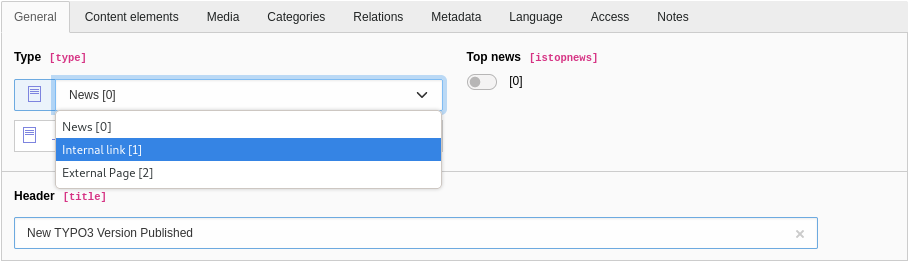
Your client asks you to remove the type “external page” as they want to force all backend users to create and maintain the news only in their own site. Selecting links to news on external URLs should not be possible at all, not even for backend users with administrator privileges.
All fields that are shown in the TYPO3 backend are defined in the Table Configuration Array (TCA). This applies to fields provided by third-party extensions as well as system extensions. As the “News” extension is a third-party extension, you’ll find the TCA definition of the field “type” in the appropriate TCA file of the extension: Configuration/TCA/tx_news_domain_model_news.php
In theory, you could edit this file directly as suggested in answer 1. However, this is not the right approach. As soon as you install a new version of the extension, your changes are gone. The first answer is therefore wrong. The second answer suggests that you move the TCA file into your own extension and adjust the field definition as required. This approach means that you would move a file out of the other extension. This is also wrong.
The solution suggested in answer 3 sounds promising though. You can adjust TCA definitions of third-party and system extensions with Page TSconfig. First, determine the database table and field name. You can look-up this information in the TCA file (see path and file name above) or in the backend by opening System → Configuration → Table Configuration Array (TCA).
The table name reads tx_news_domain_model_news and the field name reads type. If you looked-up this information through backend, you realised that you can’t edit/update any details in the backend module. This means that answer 5 is wrong by the way.
Now open the page properties of the page or folder where you store news records. Switch to the tab “Resources”, and enter the following TSconfig:
The number 2 represents the item’s ID. The ID 0 is the item that stands for a standard news record, ID 1 an internal link, and 2 an external page. Review the TCA file or check the System → Configuration backend module to determine the ID(s) you want to remove.
Once you saved your configuration, reload the backend. Create a new “News”-item and confirm that the dropdown box does not offer the item to select an external page anymore. Keep in mind that the Page TSconfig settings also apply to all subpages of the page where you added the configuration to.
Answer 4 suggests that you override the other extension’s TCA definition with a TypoScript template. This doesn’t work because TypoScript templates (setup and constants) only apply to the frontend context. You can’t use TypoScript to manipulate TCA definitions or any configuration of the form engine that are shown in the backend.
However, the last question provides a valid solution and is therefore the second correct answer. You can override an existing TCA definition by creating a new file stored in the directory Configuration/TCA/Overrides/ of your own extension. The file name should reflect the database table name. Using the example with the “News” extension and the field type, you can define your own list of items by adding the following line to the TCA file:
$GLOBALS['TCA']['tx_news_domain_model_news']['columns']['type']['config']['items'] = [
  ...
];
Make sure that you store the file in the directory Configuration/TCA/Overrides/ and not in Configuration/TCA/.
The correct answers are 3 and 6.
Which statements about TYPO3’s Upgrade Wizards are correct?
Answers
-
An Upgrade Wizard updates the TYPO3 Core to a new major LTS-version
-
An Upgrade Wizard should be used to migrate the database schema if required
-
An Upgrade Wizard should be used to update files (e.g. configuration files) if required
-
An Upgrade Wizard can only be executed once
-
Each Upgrade Wizard of an extension must be registered in the file
ext_localconf.phpof the extension
Number of correct answers: 2
Explanation
Every major TYPO3 release introduces new functions, libraries, and modern concepts. This is great, as new components and APIs let us TYPO3 developers work with state-of-the-art technologies.
However, this also means that extensions possibly become outdated and require an update. Replacing an old extension version by an updated new version is straight forward. Tools such as Composer take care of dependencies. The challenge comes with data that is related to the extension and that has possibly accumulated over time. Typical examples are records entered by website editors and stored in the database, or configuration files, for example. This is where the Upgrade Wizards come into play.
Upgrade Wizards do not update the TYPO3 Core from one version to the next. The purpose of Upgrade Wizards is to migrate data and/or to make changes to template and configuration files. This means that answer 1 is wrong and answer 3 is correct.
Database updates are a common use case of Upgrade Wizards in TYPO3. However, this applies to the data stored in a database and not to the database schema. TYPO3’s Admin Tools → Maintenance → Analyze Database Structure function already takes care of checking and updating database table and field definitions as required. Answer 2 is therefore wrong. Some Upgrade Wizards possibly depend on an up-to-date database schema2.
The claim in answer 4, that each Upgrade Wizard can only be executed once, is incorrect. You usually only need to execute an Upgrade Wizard once. However, you can instruct TYPO3 to check the wizard repeatedly by implementing the interface \TYPO3\CMS\Install\Updates\RepeatableInterface. TYPO3 integrators and administrators can also “reset” already executed Upgrade Wizards if required.
The last answer is correct. Each Upgrade Wizard of an extension must be registered in the file ext_localconf.php of the extension, for example (in one line):
$GLOBALS['TYPO3_CONF_VARS']['SC_OPTIONS']['ext/install']['update']
['myExtension_migrateColumns'] = \Vendor\MyExtension\Updates\ExampleUpdateWizard::class;
The correct answers are 3 and 5.
Each Upgrade Wizard should have a unique identifier. What is the purpose of this identifier?
Answers
-
The identifier is stored in the database table
sys_registryto mark an Upgrade Wizard as “done” -
The identifier is used when an Upgrade Wizard is executed on the command line (CLI)
-
The TYPO3 Extension Repository (TER) uses the identifier to determine which Upgrade Wizards an extension provides
-
The identifier is used to encrypt and decrypt data when an Upgrade Wizard migrates data in the database
Number of correct answers: 2
Explanation
The identifier is an important component of every Upgrade Wizard and TYPO3 developers should not neglect its importance. First and foremost, the identifier must be unique. However, the reason for this is not to let TYPO3 encrypt or decrypt data as the answer 4 claims.
The recommendation for an identifier is to use a combination of the extension key and the wizard’s name in lowerCamelCase, separated by an underscore, for example:myExtension_migrateColumns.
Once an Upgrade Wizard was executed, TYPO3 stores its identifier in the database table sys_registry. This lets TYPO3 integrators and administrators look-up in the TYPO3 backend if an Upgrade Wizard was executed:
The entry in the database also ensures that an Upgrade Wizard can not accidentally be executed multiple times. Someone explicitly has to mark them as “undone” to be able to execute them again. The first answer is correct.
You can also execute Upgrade Wizards through the command line, for example:
The command line call is another reason why the identifier must be unique. Answer 2 is also correct. The following command lists Upgrade Wizards that haven’t been executed yet:
You can append the option --all (or the short form -a) to the command to output a list of all available Upgrade Wizards, including their status (e.g. “DONE”, “AVAILABLE”):
The TYPO3 Extension Repository (TER), however, does not access or use the identifiers of Upgrade Wizards at all. Answer 3 is wrong.
The correct answers are 1 and 2.
Which statements about the MVC design pattern are correct?
Answers
-
The controller acts as a bridge between the model and view component
-
The MVC design pattern for PHP is specified in the PSR-15 standard
-
A model has always exactly one view and can’t have multiple views
-
MVC separates the business logic from the presentation layer
-
To fully comply with the MVC standard, you have to provide unit tests
Number of correct answers: 2
Explanation
As already covered by the previous question and explanation, MVC stands for “Model-View-Controller”. This is a well-known software design pattern that separates an application into three main logical components: the model, the view, and the controller.
Each component is responsible for a specific aspect of the application. This is also known as separation of concerns.
- Model
The model is the central component that contains all the data and the data structure. It’s independent of the user interface and implements the business logic.
- View
The representation of the data (managed and provided by the model) is called view. This is typically a graphical user interface but could also be the output of any information in a machine-readable format, for example JSON.
- Controller
The controller acts as an interface between the model and the view. It receives and processes arguments, gets models by using repository classes, and passes the data to the view.
This architecture clearly separates the business logic and presentation layer (view) from each other, which means that the first answer is correct.
It’s possible and not uncommon that multiple views of the same information exist. You can, for example, use two different views to output the same data: an HTML and a JSON output. This means that answer 3 is wrong.
The MVC design pattern has no formal specification. The second answer is wrong as the PSR-15 standard specifies middlewares in PHP.
The last answer is also wrong. MVC is a software design pattern and does not dictate that you have to provide any code tests.
The correct answers are 1 and 4.
Which statements about TYPO3’s dependency injection (DI) are correct?
Answers
-
TYPO3’s ObjectManager should be used for dependency injection:
\TYPO3\CMS\Extbase\Object\ObjectManager -
TYPO3 extensions must not instantiate classes through PHP’s
newkeyword -
TYPO3 uses Symfony’s “DependencyInjection” component for DI
-
TYPO3 supports constructor and method injection
-
The annotation
@injectcan be used on class properties to inject dependencies
Number of correct answers: 2
Explanation
Many developers believe that understanding dependency injection in TYPO3 isn’t easy. This can often be attributed to the fact that they have a misunderstanding of some technical terms, which are used differently in other systems and software development environments. To learn more about dependency injection in TYPO3, read the official documentation first and pay special attention to the section “Important terms”.
Extbase offered an ObjectManager for a long time. However, this component has been deprecated and shouldn’t be used anymore. The first answer is wrong.
TYPO3 indeed uses Symfony’s DependencyInjection component. The Symfony developers promote this component as a PSR-11-compatible service container that allows you to standardize and centralize the way objects are constructed in your application3.
A useful feature of the DependencyInjection component is the support of dependency injection through constructor methods. The following Extbase controller class demonstrates how this works:
<?php
namespace Vendor\MyExtension\Controller;
use Vendor\MyExtension\Repository\ItemRepository;

final class ExampleController
{
  private ItemRepository $itemRepository;
  public function __construct(ItemRepository $itemRepository)
  {
    $this->itemRepository = $itemRepository;
  }
}
Assuming that a function of the class ExampleController requires data from the ItemRepository, the repository is a direct dependency of the controller service. It can be injected through the constructor method automatically, if autowire: true is set in the Services.yaml file.
As an alternative to the constructor injection, you can inject the dependent depository by adding the following function to the class:
public function injectItemRepository(ItemRepository $itemRepository)
{
  $this->itemRepository = $itemRepository;
}
This approach is called method injection and is also a feature of Symfony’s DependencyInjection component. The answers 3 and 4 are the correct answers.
But what about the answer 2: TYPO3 extensions must not instantiate classes through PHP’s new keyword? Although Symfony’s dependency injection should be used whenever possible, in some cases you can and should use other methods. The TYPO3 documentation states:
Non-service “data objects” like Extbase domain model instances or DTOs should be instantiated via
\TYPO3\CMS\Core\Utility\GeneralUtility::makeInstance()if they are non-final and support XCLASSing. For final classes without dependencies plain instantiation via the new keyword must be used.
Answer 2 is wrong as you may instantiate classes through PHP’s new keyword.
The @inject annotation is an outdated approach used in old TYPO3 versions. This was marked as deprecated in TYPO3 v9 and removed in v10.
The correct answers are 3 and 4.
What is a singleton in TYPO3?
Answers
-
A static function of the internal class
\TYPO3\CMS\Core\Singleton -
Every class that is injected through the method dependency injection approach
-
A method of a class if this method is the only method of this class
-
An object that a developer can instantiate only once in a request
Number of correct answers: 1
Explanation
Let’s clear out the obviously wrong answer first. Answer 3 may sound funny – and it’s, of course, nonsense. If you’re unsure and you think too hard about if this answer could be right by any chance, you might fall into the trap that the only method of a class is a “single” function. That’s totally made up.
The remaining three answers all make sense, more or less. You need to know what a singleton is and how you declare/use the singleton pattern to determine the correct answer.
By default, if you instantiate an object multiple times by calling the makeInstance() function of the class GeneralUtility, you get multiple instances of this object. Sometimes, however, this is not desirable. Instead, you want to instantiate an object only once and always expect this instance when you call it through the makeInstance() function throughout the HTTP request. This is where a singleton comes into play.
Consider the following class MySingletonClass that implements the SingletonInterface:
<?php
namespace Vendor\MyExtension;
use TYPO3\CMS\Core\SingletonInterface;

class MySingletonClass implements SingletonInterface
{
  // ...
}
You can instantiate the class by calling the makeInstance() function as usual:
use TYPO3\CMS\Core\Utility\GeneralUtility;
use Vendor\MyExtension\MySingletonClass;

$foobar = GeneralUtility::makeInstance(MySingletonClass::class);
The makeInstance() function stores the object internally and always returns the same instance on subsequent calls.
The correct answer is 4.
What is commonly understood by the term “domain-driven design” (DDD)?
Answers
-
The abstraction between the data storage (e.g. a database) and the view (e.g. the web design).
-
A design approach/principle in software development
-
The principle of strictly following coding standards (e.g. the PSR-12 specification)
-
A software development practice that only applies to the PHP programming language
-
The abstraction of software to domain models which encapsulate complex business logic.
Number of correct answers: 2
Explanation
Let’s not waste any time and review the answers without further ado. The abstraction between the data storage and the view is known as the model-view-controller (MVC) programming paradigm. The first answer is wrong. I provided a few example questions about MVC earlier in the section “Basic Concepts”.
Following coding standards is indeed highly recommended and often a mandatory requirement for developers if they are part of a team. See the section “Coding Standards” in the chapter “Programming Basics” for further details and example questions. Strictly speaking, coding standards are not part of the domain-driven design though. The answer 3 is also wrong.
Although the statement from the TYPO3 documentation (see previous page) sums up what domain-driven design aims for, it does not explain the core idea of DDD.
Domain-driven design (DDD) is a well-know software design approach/principle. It focuses on the domain – the subject area to which the user applies a program. For that, developers build a system of abstractions that describes selected aspects of a domain. This is called the domain model.
It’s important to understand that DDD is not a new doctrine or methodology. DDD is a collection of strategies, concepts, and practices that are independent from a programming language or infrastructure.
The term domain-driven design was coined by Eric Evans in his book “Domain-Driven Design: Tackling Complexity in the Heart of Software”, published around 2003/2004.
The correct answers are 2 and 5.
What is a pillar of domain-driven design (DDD)?
Answers
-
Controller classes
-
Encapsulated service classes
-
Ubiquitous language
-
Write-protected configuration files to harden the security
Number of correct answers: 1
Explanation
Domain-driven design (DDD) encompasses a set of concepts and practices that are designed to follow a common language. It is important that all project members speak an ubiquitous language, especially when it comes to the specification of the requirements.
The ubiquitous language is one of the pillars of DDD. The other pillars are strategic design (often referred to as strategic modeling) and tactical design.
When you apply DDD to build software for a business, strategic design focuses on the business problems. You need to understand the strategic aspects of the business to tackle their challenges.
The tactical design is about how you build the software. This can be the tools and practices you choose. Think about a military operation. The tactical strategy defines how you achieve the mission. For example, in which positions the units are most effective and which weapons they use.
The answer 1, 2, and 4 are made up and don’t have anything to do with domain-driven design.
The correct answer is 3.
What are domain entities in domain-driven design (DDD)?
Answers
-
Multi-purpose validators in a domain model
-
Domain models that only have getter methods (read-only objects)
-
Objects that contain only static functions
-
Objects that have a unique identity throughout their lifecycle
Number of correct answers: 1
Explanation
Domain entities are objects that have a unique identity and represent aspects of the business domain. They are not defined solely by their attributes but by a unique key or a combination of attributes that are guaranteed to be unique. As Eric Evans says, “an object primarily defined by its identity is called an Entity.”
Domain entities are best explained by the following example. An order in an e-commerce store is always unique. It has a clearly defined identifier (for example the order number) but can go through different stages: open, confirmed, shipped, delivered. Although the attributes change during the lifecycle of an order, the identity always remains the same.
Entities are a crucial part in the domain model and you should identify and design them carefully.
All answers except the last answer are wrong.
The correct answer is 4.
What are characteristics of value objects in domain-driven design?
Answers
-
Value objects are defined by their attributes and are immutable
-
Value objects are dynamic and change frequently
-
Properties of a value object should be kept to a minimum
-
Objects that have a unique identity throughout their lifecycle
Number of correct answers: 2
Explanation
In contrast to domain entities (see previous example question and its explanation), objects that don’t have any unique identity are called value objects. They are defined by their attributes.
Typical examples of value objects include contact details such as email addresses and phone numbers. An amount of money, dates, and geographical coordinates are further examples: A money object consists of a number and a currency. A date range object consists of a start and end date. A geographical coordinate consists of an x value and y value (in a 2D model).
If one of their attributes change, the object is not the same as before. Therefore value objects must be immutable. An update forces the system to replace the object.
In general, value objects have three main characteristics:
- Immutability
Value objects should be designed to be immutable. Their state cannot be changed after the object has been instantiated.
- Equality
If two instances of a value object have the same attribute values, they are considered equal. Equality for value objects is usually based on the equality of their attributes or components.
- (Self-)validation
Value objects guarantee that the data they embody adheres to domain rules, ensuring constant validity.
It’s obvious that it’s difficult to maintain the above characteristics for objects with many attributes. Keeping the properties of value objects to a minimum is logically a wise approach.
The correct answers are 1 and 3.
What is a purpose of a factory in domain-driven design?
Answers
-
To sanitize data before writing it into the storage
-
To remove the need for dependency injection in PHP
-
A factory is an object that provides methods for retrieving domain objects from a data source
-
A factory is an object that provides methods for directly creating domain objects
Number of correct answers: 1
Explanation
In domain-driven design (DDD), a factory is a design pattern and concept used to create objects.
You can compare the concept with a repository. A repository is an object that contains methods for retrieving domain objects from a data store (e.g. a database). A factory, on the other hand, is an object that provides methods for directly creating domain objects.
The purpose of a factory is to encapsulate the instantiation logic of complex objects, providing a centralized place for creating instances and managing their construction process.
Factories have nothing to do with sanitizing data or dependency injection. The first two answers are clearly wrong. The answer 3 describes a repository and is also wrong.
The correct answer is 4.
TYPO3 features a database abstraction layer (DBAL). What does this mean?
Answers
-
Due to the DBAL used by TYPO3, the system is limited to a maximum of 100,000 records per database table
-
The DBAL acts as an interface between the TYPO3 Core and the database server or engine
-
TYPO3 uses the PHP-based “Doctrine” DBAL to abstract the access to the concrete database
-
The DBAL used by TYPO3 requires a Java SDK installed on the server
-
The abstraction layer implements the permission concept for backend users in TYPO3
-
TYPO3 can connect to more than one database through the DBAL.
Number of correct answers: 3
Explanation
The introduction on the previous page provided a summary of what a database abstraction layer (DBAL) is. The answer 2 is without doubt correct, as the DBAL indeed acts as an interface between the TYPO3 Core and the database server or engine.
Although there are some limitations due to the abstraction layer, a limit of 100,000 records per database table is none of them. As the DBAL has to ensure that all commands can be translated in a form that all supported database engines understand, some very database-specific queries can’t be implemented. The first answer is therefore wrong.
TYPO3 has used Doctrine DBAL since TYPO3 v8. Doctrine officially supports MySQL, Oracle, Microsoft SQL Server, PostgreSQL, and SQLite. TYPO3 v12 LTS officially supports MySQL, MariaDB, PostgreSQL, and SQLite4. The Microsoft SQL database server was supported up to TYPO3 v11 LTS.
Doctrine is a PHP-based DBAL that does not require a Java SDK. This makes answer 4 wrong. Answer 5 is also wrong, as the DBAL has nothing to do with the user permissions concept in the backend of TYPO3. The last answer, however, is correct. TYPO3 can connect to more than one database, even if these are different database systems.
The correct answers are 2, 3, and 6.
Which PHP classes and objects are part of TYPO3’s DBAL integration?
Answers
-
TYPO3\CMS\DatabaseType\MySql -
TYPO3\CMS\Core\Database\Connection -
TYPO3\CMS\Database\Connection\Debugger -
TYPO3\CMS\Core\Database\Query\QueryBuilder -
TYPO3\CMS\Symfony\Doctrine\Database\Query\Select
Number of correct answers: 2
Explanation
The previous question covered the basics of the database abstraction layer in TYPO3 and pointed out that TYPO3 uses Doctrine DBAL. Doctrine offers several PHP objects to represent, create and handle database queries and their results. On top of Doctrine’s basic class structure, TYPO3 adds some features to provide special functions of the content management system.
TYPO3 extension developers typically work with a set of classes and objects. Two of them are included in the answers.
Based on the characteristics of the abstraction layer, you can quickly rule out the first answer as the correct solution. The idea of a DBAL is to hide everything that is database-specific. Therefore, it wouldn’t make sense to work with a class that indicates the MySQL database engine.
Answer 2 sounds much more logical. In the TYPO3 Core namespace, the classTYPO3\CMS\Core\Database\Connection extends Doctrine’s basic Doctrine\DBAL\Connection class and provides some simple methods to query, update, and delete records. The key feature of this class is simplicity. For more complex database operations, the Query Builder can be used.
The sentence above already reveals the second correct answer. The classTYPO3\CMS\Core\Database\Query\QueryBuilder lets you create a wide range of queries, no matter if they are simple or complex. Answer 4 is also correct. Both remaining answers 3 and 5 are made up.
Let’s have a look at some other important PHP classes and objects that you, as a TYPO3 developer, come into contact with frequently:
TYPO3\CMS\Core\Database\ConnectionPoolYou can retrieve a
QueryBuilderor aConnectionobject through theConnectionPool. This is typically the main entry point for extension developers. TYPO3 supports more than one connection to different database endpoints at the same time. This explains the term pool.
TYPO3\CMS\Core\Database\Query\Expression\ExpressionBuilderAccording to the TYPO3 documentation, the
ExpressionBuilderobject is used to model complex expressions.
TYPO3\CMS\Core\Database\Query\Restriction\...To accommodate TYPO3’s concept of records being marked as deleted, having a start/stop timestamp, etc,
Restrictionclasses exist.
Doctrine\DBAL\Driver\StatementThe result of
SELECTorCOUNTqueries is returned as a result object of this type.
The correct answers are 2 and 4.
What is a characteristic of the Query Builders included in TYPO3?
Answers
-
They provide methods for developers to build database queries programmatically
-
They improve performance by caching the results of database queries that are repeatedly used
-
They automatically split data objects that are too large for a single record into several table rows
-
They automatically create missing database tables based on the table configuration stored in TCA files
Number of correct answers: 1
Explanation
Note that the question and answers refer to more than one Query Builder. TYPO3 comes with two Query Builders. The TYPO3 Query Builder (see the TYPO3 documentation for further details) and the Extbase Query Builder5.
You’re lucky as neither the question nor the answers test your knowledge in this regard. They refer to general basic knowledge about the Query Builders, so this question should be easy to answer.
Let’s start at the back. Automatically creating missing database tables is not a characteristic of a Query Builder in TYPO3. Although TYPO3’s Install Tool contains a function to check the database schema and to offer an update/correction if required, that’s not a feature that Query Builders provide.
Answer 3 is also nonsense. TYPO3 does not contain a function to automatically split data objects into several table rows.
Performance optimization is always a good thing to do. In fact, a range of technologies exist that tackle precisely this challenge and can cache the data returned by database instance. However, this is not a feature of Query Builders either. Answer 2 is also wrong.
The Query Builders in TYPO3 extend the database abstraction layer (DBAL) and provide methods that let you build SQL queries programmatically to retrieve data from, and store data in the database.
The correct answer is 1.
You use the TYPO3 Query Builder to retrieve data from the database. Your queries, however, don’t return all expected records. What could cause this issue?
Answers
-
The missing records have a start date in the future and/or an end date in the past
-
The creation timestamp of the missing records is in the future
-
The TYPO3 Query Builder reads outdated data from TYPO3’s internal “query” cache
-
A reset of the DB connection is required before you can execute a new database query
-
The TYPO3 Query Builder automatically excludes records with sensitive data such as password or access tokens by default
Number of correct answers: 1
Explanation
Neither an internal “query” cache exists nor are developers required to reset the DB connection for every new database query. The answers 3 and 4 are definitely wrong. All three remaining answers deal with automatic exclusions of records.
As outlined in the previous question, the TYPO3 Query Builder extends the database abstraction layer (DBAL) and adds a speciality: it automatically excludes certain records by default.
However, the TYPO3 Query Builder does not exclude records with sensitive data. This level of cleverness would be a little too excessive. The last answer is also wrong.
Therefore, the solution has something to do with dates and/or timestamps as both remaining answers deal with these record types.
TYPO3’s Query Builder adds some WHERE-expressions to the queries by default. These expressions automatically exclude records that are marked as deleted or are not within their active lifecycle (start/stop date). The creation timestamp, however, is not part of this restriction. Answer 1 is correct and answer 2 is wrong.
But the TYPO3 Query Builder goes one step further. When it comes to records for the frontend, the default query restrictions exclude hidden and deleted records, records that have a start date in the future and/or an end date in the past, records that are restricted by the frontend user group, and even records that are restricted to a specific workspace. Further restrictions exist for language overlays.
It’s important to keep in mind that these restrictions can be lifted by leveraging the Restriction Builder.
The correct answer is 1.
What are the main characteristics of TYPO3’s Caching Framework?
Answers
-
TYPO3 always uses the database to store cached data and does not offer alternative storage options to maximize the performance
-
TYPO3 features multiple cache frontends to store different data types
-
To prevent TYPO3 from returning expired cache entries, a Scheduler task is required to delete data that reached/exceeded its lifetime
-
Choosing and configuring the cache storage engines are typical responsibilities of TYPO3 integrators
Number of correct answers: 2
Explanation
This question aims to assess if you are familiar with TYPO3’s Caching Framework in general. A TYPO3 developer should know the components, their purposes and main functions, and how the components are interconnected. The following diagram illustrates a simplified architecture of TYPO3’s Caching Framework.
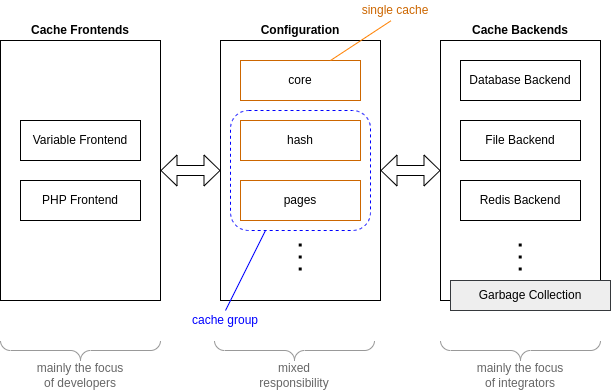
The cache frontends are mainly the focus of developers who cache specific data6. TYPO3 v12 LTS features two different frontends by default: the Variable Frontend and the PHP Frontend. The Variable Frontend serializes strings, arrays, and objects. The purpose of the PHP Frontend – the second frontend that TYPO3 offers by default – is to cache PHP code. Leveraging this frontend improves the performance, for example, when code is generated at runtime (also known as reflection or introspection).
You can configure each single cache individually. The diagram above shows three TYPO3 caches as examples: core, hash, and pages. To use your custom cache configuration for your extension, you define your own cache name. Optionally, you can group one or multiple caches. When you trigger a clear-cache command, you can address a specific group to clear several caches with just one command.
When you, as a developer, register a new cache, you can define a default configuration. For example which cache backend should be used. However, this is not mandatory. If you do not provide a default configuration, TYPO3’s Cache Manager uses the system’s default configuration.
An integrator can customize the cache configuration and override your default settings. This is what we call mixed responsibility, as both roles, developers and integrators can provide/modify the configuration of each cache.
Based on the cache configuration, a cache backend is chosen to store the data. TYPO3 features several cache storage options. The diagram shows three cache backends as examples: the database, the file system, and a Redis7 backend. More storage options are available in TYPO3 out of the box.
Depending on the individual system setup, an integrator or system administrator selects the appropriate cache backend.
Another important element of TYPO3’s Caching Framework is the Garbage Collection. Many cache backends do not remove old and expired cache entries automatically. Therefore, a Scheduler task should be configured to purge outdated data. Although the clean-up does not happen automatically, TYPO3 does not return expired data. Every cache entry that reached/exceeded its lifetime, can’t be retrieved anymore.
The correct answers are 2 and 4.
Which statements about TYPO3’s Caching Framework are correct?
Answers
-
TYPO3 features one cache for all data to keep the usage simple for developers and integrators
-
At least one Redis instance is required to use TYPO3’s Caching Framework
-
Caches can be organized in cache groups
-
Special server hardware is required to use TYPO3’s Caching Framework
-
As a developer, you have to select the storage engine for the cached data
-
As a developer, you can focus on the type of data you want to store in the cache
Number of correct answers: 2
Explanation
The previous question gave you a broad overview of the main characteristics of TYPO3’s Caching Framework. You should be able to identify a few wrong or correct answers from this question straight away, based on the explanations from the previous question. Let’s quickly go through the answers.
TYPO3 features several caches, cache frontends, and cache backends. Which components are used depend on the purpose and configuration. Answer 1 is wrong as TYPO3 has more than one cache. Although flexibility trumps simplicity, the architecture lets developers focus on the type of data that should be cached, and integrators on the storage engines that are available. This means that the answers 5 is also wrong, but the answer 6 is obviously correct.
TYPO3 features a Redis Backend but operating a Redis instance is not a mandatory requirement as other cache backends are available. Answer 2 is therefore wrong.
Speaking of instances and the hosting environment, your server does not require any special server hardware to use TYPO3’s Caching Framework. The answer 4 is also wrong.
This means that the answer 3 must be correct. You can group one or multiple caches and address the group to clear several caches with just one command.
The correct answers are 3 and 6.
What is required before you can write data into, and retrieve data from, a new cache in your TYPO3 extension?
Answers
-
Add the configuration
extras.cache.configto the filecomposer.jsonof your extension -
Create a new database table
cache_*that can store the data you want to cache -
Inject the cache frontend through dependency injection in the file
Configuration/Services.yamlof your extension -
Register the new cache in the file
ext_localconf.phpof your extension
Number of correct answers: 2
Explanation
The question could also read: what are the prerequisites to use TYPO3’s Cache Manager and to read/write cache data?
As described in the previous questions, TYPO3 developers don’t need to worry about the storage engine as such. Therefore, creating a new database table that can store the data you want to cache, as suggested in answer 2, is not relevant.
However, you have to load a cache frontend to make it available in your extension, and you have to register the new cache. The cache registration indeed happens in the file ext_localconf.php of your extension (not in ext_tables.php) as the code (in one line) shows:
$GLOBALS['TYPO3_CONF_VARS']['SYS']['caching']['cacheConfigurations']
  ['myextension_foobar'] ??= [];
Answer 4 is correct. But how do you load the cache frontend in your extension? Since TYPO3 v10, you should inject the FrontendInterface through the container service configuration. This can be done by the following entries in the file Configuration/Services.yaml of your extension:
services:
  cache.myextension_foobar:
    class: TYPO3\CMS\Core\Cache\Frontend\FrontendInterface
    factory: ['@TYPO3\CMS\Core\Cache\CacheManager', 'getCache']
    arguments: ['myextension_foobar']
The example uses “myextension_foobar” as the name of the cache (also see cache registration above). Now you can load the cache by a constructor injection and read data from the cache in your own class. For example:
namespace Vendor\MyExtension;
use TYPO3\CMS\Core\Cache\Frontend\FrontendInterface;

class ExampleClass
{
  // Cache frontend
  private $cache;

  public function __construct(FrontendInterface $cache)
  {
    $this->cache = $cache;
  }

  public function getDataFromCache()
  {
    $cacheIdentifier = 'MyTestCacheEntry';
    return $this->cache->get($cacheIdentifier);
  }
}
The file composer.json has nothing to do with loading a cache frontend or with registering a new cache. This makes the first answer wrong.
The correct answers are 3 and 4.
From a TYPO3 developer’s perspective, when storing a single cache entry, which information can/must you store alongside the data itself?
Answers
-
An identifier to store and retrieve the data
-
A flag if the cache entry should be removed from the cache by a Scheduler task once the cached expired
-
A date and time when the cache entry expires
-
A lifetime (in seconds) when the cache entry expires
-
The backend user ID who stored the data in the cache (or
0if the data was system-generated) -
The storage engine that should be used to store the data
Number of correct answers: 2
Explanation
Before you can retrieve data from the cache, you have to write it into the cache of course. Alongside the data itself, a few additional information can or must be stored. The most important mandatory information is a unique identifier. Without the identifier, you wouldn’t be able to address the cache entry to retrieve the cached data later on. This means that the first answer is, without doubt, correct.
A flag that tells the TYPO3 Scheduler to clean-up expired data is nonsense. Cache entries that reached or exceeded their maximum lifetime are not returned, and a garbage collection is not part of a developer’s responsibility8. Answer 2 is wrong.
The next two answers 3 and 4 refer to the lifetime. You can specify a lifetime or pass null to the set()-function to keep the default. However, the lifetime is specified in seconds rather than as a specific date and time. This makes answer 3 wrong and answer 4 correct. If you pass the value 0 (zero) to the function, you set an unlimited lifetime. Be careful as this is a special case.
The set()-function accepts another optional parameter: $tags. By passing an array of tags to the function, you associate the cache entry with one or multiple tags. A valid function call to store the string “hello world” in the cache with an one hour (3600 seconds) lifetime looks as follows:
$cacheIdentifier = 'MyTestCacheEntry';
$value = 'hello world';
$tags = ['test'];
$lifetime = 3600;

// TYPO3\CMS\Core\Cache\Frontend\FrontendInterface;
$this->cache->set($cacheIdentifier, $value, $tags, $lifetime);
The last two answers are wrong. Neither a backend user ID nor the storage engine that should be used to store the data are information the you store with the data. Having said that, the FrontendInterface features a function getBackend() that you can call to determine the backend instance of the cache if required.
The correct answers are 1 and 4.
How can you temporarily disable the frontend page cache (name: pages) during development?
Answers
-
You have to disable the entire Caching Framework by the following global configuration:
$GLOBALS['TYPO3_CONF_VARS']['SYS']['useCachingFramework'] = 0; -
You have to disable the entire Caching Framework by the following global configuration:
$GLOBALS['TYPO3_CONF_VARS']['SYS']['disableCachingFramework'] = true; -
By setting the cache backend of the cache “
pages” to theNullBackend -
By setting the TypoScript option
config.cache.pages = 0
Number of correct answers: 1
Explanation
You could indeed enable and disable TYPO3’s Caching Framework in old TYPO3 versions by the following global configuration:
$GLOBALS['TYPO3_CONF_VARS']['SYS']['useCachingFramework'] = 0;
However, this feature was available in very, very old TYPO3 versions (in fact prior TYPO3 v6), and the solution that the answer 1 suggests is long gone. Also, a global configuration disableCachingFramework has never existed. The first two answers are wrong.
A TypoScript option config.cache, however, exists. This option can be used to instruct TYPO3 to include records of a specific database table when the maximum cache lifetime for a page is calculated. Answer 4 is wrong as the TypoScript syntax is incorrect and the configuration can not be used to disable a specific cache.
Answer 3 is the correct answer. The following global configuration (in one line) sets the cache backend of the cache “pages” to the NullBackend which disables this specific cache:
$GLOBALS['TYPO3_CONF_VARS']['SYS']['caching']['cacheConfigurations']['pages']
  ['backend'] = \TYPO3\CMS\Core\Cache\Backend\NullBackend::class;
When calling the get()-function9 on the NullBackend, the function always returns false. The NullBackend can be useful during development to temporarily disable one, multiple, or all caches.
The correct answer is 3.
Caches in TYPO3 are organized in groups. Which cache groups exist in the TYPO3 Core by default?
Answers
-
The cache groups “
code” and “data” -
The cache groups “
backend” and “frontend” -
The cache groups “
core”, “fluid”, and “extbase”, among others -
The cache groups “
pages”, “system”, and “lowlevel”
Number of correct answers: 1
Explanation
Note that this question refers to cache groups, and not to (caching framework) caches.
The first answer possibly sounds familiar but “code” and “data” aren’t cache groups. These are the directories you find under var/cache/.
Answer 2 is also wrong. The term cache frontend describes a cache type, and the term cache backend describes the storage layer of the Caching Framework. Both components are interconnected. The “pages” cache, for example, stores entire frontend pages. It uses the VariableFrontend class as the cache frontend, and the Typo3DatabaseBackend class as the cache backend by default. Consider the following simplified example declaration:
$GLOBALS['TYPO3_CONF_VARS']['SYS'] => [
  'caching' => [
    'cacheConfigurations' => [
      'pages' => [
        'frontend' => \TYPO3\CMS\Core\Cache\Frontend\VariableFrontend::class,
        'backend' => \TYPO3\CMS\Core\Cache\Backend\Typo3DatabaseBackend::class,
        'options' => [
          'compression' => true,
        ],
        'groups' => ['pages'],
      ]
    ]
  ]
];
The TYPO3 Core uses several caches for various purposes. The “pages” cache mentioned above is one of them. Other caches in TYPO3 v12 LTS are: core, hash, runtime, rootline, imagesizes, assets, l10n, fluid_template, extbase, ratelimiter, typoscript, database_schema, and dashboard_rss. These caches are organised in three groups:
pagesFrontend-related caches such as
hash,pages,rootline, andtyposcript.
systemSystem-related caches such as
core,assets,l10n,fluid_template,extbase,ratelimiter, anddatabase_schema.
lowlevelLow-level caches such as
imagesizes.
When you execute a cache-clear command, you can address a specific group. This command would clear all caches that belong to this group.
The correct answer is 4.
Which configuration clears the page cache when a domain object is inserted, changed, or deleted in an Extbase extension?
Answers
-
The configuration “Clear cache automatically” in the “Behaviour” tab of the page properties
-
The global TYPO3 configuration
$GLOBALS['TYPO3_CONF_VARS']['SYS']['caching']['extbase'] -
The TypoScript setting
config.tx_extbase.persistence.enableAutomaticCacheClearingwhich is enabled by default -
The Page or User TSconfig
options.clearCacheCmdwhich must be explicitly configured
Number of correct answers: 1
Explanation
Generally speaking, caching the output improves the system performance and should be configured whenever possible and practical. TYPO3 and Extbase offer several methods and solutions to achieve this.
In almost all cases, a system receives more read operations than write operations. Therefore it makes sense to optimise read operations by caching the data. However, if records change – for example when a domain object is inserted, changed, or deleted – the cache of the page in which the object is located should be cleared. Otherwise, users get old and outdated data until the cache expires.
The Extbase framework features an option called automatic cache clearing that can be configured using TypoScript:
If this configuration is activated (this is the default), Extbase automatically clears the cache as soon as a write operation occurs. This makes sure that subsequent read operations use up-to-date data. Answer 3 is the correct answer.
The page properties in the TYPO3 backend feature two settings to configure the caching:
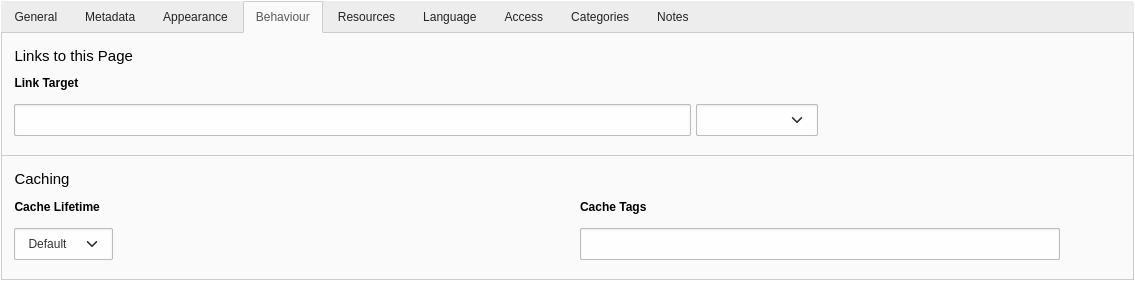
You can select the cache lifetime (for example 1, 5, or 15 minutes, a few hours, days, etc.) and you can enter cache tags. These settings, however, don’t let you clear the page cache when domain objects change in an Extbase extension.
A global TYPO3 configuration $GLOBALS['TYPO3_CONF_VARS']['SYS']['caching']['extbase'] does not exist.
Although a configuration clearCacheCmd possibly sounds familiar, this is not a key under the TSconfig setting options. The Page TSconfig setting TCEMAIN.clearCacheCmd stores a comma-separated list of page IDs. When a record is updated, the caches of these pages are cleared. Answer 4 is not only wrong because it suggests the wrong configuration (“options” instead of “TCEMAIN”). The option TCEMAIN.clearCacheCmd is also available in the Page TSconfig and not in the User TSconfig.
The correct answer is 3.
The TYPO3 Core features several caches such as “core”, “pages”, “extbase”, etc. Which file contains the default configuration for these caches?
Answers
-
The file
typo3/sysext/core/ext_tables.php -
The file
typo3/sysext/core/ext_localconf.php -
The file
typo3/sysext/cache/Configuration/DefaultConfiguration.php -
The file
typo3/sysext/core/Configuration/DefaultConfiguration.php
Number of correct answers: 1
Explanation
As a TYPO3 extension developer, you register a new cache in the file ext_localconf.php of your extension. You might be tempted to choose answer 2 without thinking twice. But not so fast! First, this question is not about the registration of caches. Second, the TYPO3 Core may deal with caches differently.
You don’t find any cache-related code in the file ext_tables.php or ext_localconf.php of the system extension “core”. Therefore, the first two answers are wrong.
If you look at the paths to the file DefaultConfiguration.php in the remaining two answers, you should quickly realize that the path suggested in answer 3 is nonsense. All directories inside the directory typo3/sysext/ reflect an extension key. A system extension named “cache” does not exist.
In fact, all default settings of the TYPO3 Core are stored in an array in the following file:typo3/sysext/core/Configuration/DefaultConfiguration.php.
The array is later populated as $GLOBALS['TYPO3_CONF_VARS'], which also contains the default configuration of the Caching Framework:
...
return [
  ...
  'SYS' => [
    ...
    'caching' => [
      'cacheConfigurations' => [
        // The cache_core cache is for core php code only and must
        // not be abused by third party extensions.
        'core' => [ ... ],
        'hash' => [ ... ],
        'pages' => [ ... ],
        'pagesection' => [ ... ],
        'runtime' => [ ... ],
        'rootline' => [ ... ],
        'imagesizes' => [ ... ],
        'assets' => [ ... ],
        'l10n' => [ ... ],
        'fluid_template' => [ ... ],
        'extbase' => [ ... ],
        'ratelimiter' => [ ... ],
      ],
    ],
  ...
  ],
];
The correct answer is 4.
Which statements about Extbase are correct?
Answers
-
Extbase is an object-oriented framework written in PHP
-
Extbase is a web templating engine to render frontend output
-
Extbase was developed by Kasper Skårhøj, the “inventor” of TYPO3
-
Extbase comes as a compiled binary to optimize performance
-
Extbase follows the domain-driven design (DDD) principle
-
Extbase and Fluid can only be used in conjunction with each other
Number of correct answers: 2
Explanation
This is obviously a warm-up question. As a TYPO3 developer, you should have extensive knowledge of Extbase and Fluid. This implies solid knowledge of what these two technologies actually are. You will find a comprehensive set of example questions about the web templating engine “Fluid” in the chapter Templating and Other Outputs.
Extbase is an object-oriented framework written in PHP. In general, frameworks let you streamline the development process by providing a basic structure. This leads to rapid application development (RAD) and to reduce the amount of repetitive code. Frameworks offer developers a lot of benefits. Web applications can be built quickly and they are typically more stable and more secure than software built from the ground up. The first answer is correct.
Early versions of Extbase were based on the programming framework FLOW31 and were introduced in TYPO3 at around 2009. The Danish developer Kasper Skårhøj is indeed the “inventor” of TYPO3 but did not develop Extbase or FLOW3. Answer 3 is wrong.
Extbase is not a web templating engine either, but Fluid is. These components are independent from each other which means that the answers 2 and 6 are both wrong.
What about Extbase’s performance? Well, TYPO3 and Extbase offer a variety of performance optimization options, caching is only one of them. However, Extbase is PHP code itself and does not come as a compiled binary. Answer 4 is also wrong.
The term domain-driven design was coined by Eric Evans in his book “Domain-Driven Design: Tackling Complexity in the Heart of Software”, published in 2004. Although this seems ages ago, Eric’s work describes what is considered standard practice in modern software development today. The answer 5 is correct as Extbase follows the domain-driven design (DDD) principle.
The correct answers are 1 and 5.
Which of the following directories are valid according to TYPO3/Extbase’s naming conventions?
Answers
-
Custom domain validators should be stored in
Classes/Domain/Model/Validator/ -
Custom domain validators should be stored in
Classes/Domain/Validator/ -
Domain models should be stored in
Classes/Domain/Repository/ -
The documentation should be stored in
Docs/ -
Controllers should be stored in
Classes/Controller/
Number of correct answers: 2
Explanation
Extbase follows the paradigm convention over configuration. As many directory and file names are defined by convention, developers don’t need to guess where they should store specific files such as controller classes, validators, etc. It also saves a time-consuming search for files when reviewing the code from another developer.
An experienced TYPO3 developer knows the conventions by heart and can certainly select the right answers quickly.
Custom domain validators should be located in the directory Classes/Domain/Validator/ and not in Classes/Domain/Model/Validator/. The first answer is wrong and the second answer is correct.
In domain-driven design (DDD), a domain model represents a plan of objects, their properties, and their relations to each other. Extbase expects domain model classes in a certain directory too: Classes/Domain/Model/. The directory suggested in answer 3 also has a purpose but this purpose is not to store domain models. The directory Classes/Domain/Repository/ contains repository classes. Answer 3 is wrong.
A specific location also exists for the documentation of your TYPO3 extension. Although you can store a simple README file as README.rst in the root directory of your extension, a larger documentation should go into the Documentation/ directory. Extension documentation typically uses the reStructuredText file format and may contain images and other objects. The shortened name Docs/, however, does not follow the conventions.
Controllers should be stored in the directory Classes/Controllers/, of course.
The correct answers are 2 and 5.
Which statements about Extbase controllers are correct?
Answers
-
Extbase controllers are always interfaces
-
Every controller class must directly extend the base controller
TYPO3\CMS\Extbase\Mvc\Controller\ActionController -
All method names in a controller class must end in
...Action() -
The logic implemented in controllers should be kept to a minimum
-
Controller actions must return an instance of
Psr\Http\Message\ResponseInterface
Number of correct answers: 2
Explanation
The controller is the control and central processing unit in the Model-View-Controller (MVC) stack of the Extbase framework. Developers should keep a controller class as basic and plain as possible and implement functionality in the view (view logic) or the model (business logic) if practical. This means that the answer 4 is correct.
The first answer is, of course, wrong. Controller classes are not interfaces. The second answer is also wrong. Although controllers may extend the class TYPO3\CMS\Extbase\Mvc\Controller\ActionController (and often do), this is not mandatory as the answer 2 states. You can also extend your controller class from the TYPO3\CMS\Extbase\Mvc\Controller\ControllerInterface but this is an edge case and not recommended as a standard rule.
Apart from the fact that controller classes usually contain methods whose names end in ...Action(), this is only required for action methods. The class can also contain other methods. Answer 3 is wrong. However, Extbase automatically registers method names that end in ...Action() as controller actions. For example indexAction(), showAction(), etc.
The return type of controller actions was changed in TYPO3 v11. To comply with PSR standards, controller actions should return an instance of the Psr\Http\Message\ResponseInterface. In newer versions of TYPO3, e.g. TYPO3 v12, this has become a mandatory requirement.
The correct answers are 4 and 5.
What do you have to consider if you pass data through arguments to a controller-action method?
Answers
-
Arguments of the method require proper type declarations or PHPDoc annotations
-
All variable names of these arguments must end in
...Action -
Check and/or sanitize user submitted data for security reasons
-
Following PSR standards, data types of arguments can only be text strings
Number of correct answers: 2
Explanation
You can pass data to controller-action methods through the method’s arguments. The following simplified code accepts an object $item of the Example model, for example:
use Vendor\MyExample\Domain\Model\Example;
...
public function exampleAction(Example $item): ResponseInterface
{
  $this->view->assign('item', $item);
  return $this->htmlResponse();
}
Extbase expects a proper type declaration or an annotation like the following2:
/**
 * @param \Vendor\MyExample\Domain\Model\Example $item
 */
You can also access arguments passed in a request through the PSR-7 request object. The following code snippet reads the query string (e.g. id=42&foo=bar) through the server parameters of the HTTP request context:
public function demoAction(): ResponseInterface
{
  $query = $this->request->getServerParams()['QUERY_STRING'];
  // do something
  return $this->htmlResponse();
}
As you shouldn’t trust user submitted data, checking and/or sanitizing the data before processing is crucial for security reasons as a general rule.
Read the answer 2 thoroughly! Not the variable names must end in ...Action but method names if they are controller-actions. Answer 2 is wrong. As the PSR standards don’t prohibit you from passing any data type, answer 4 is also wrong. You can not only pass text strings to action methods.
The correct answers are 1 and 3.
Which statements about object persistence in Extbase are correct?
Answers
-
You have to execute the PersistenceManager manually to store newly created objects permanently
-
You can only persist one object at a time with the PersistenceManager
-
Extbase persists objects at the end of an action if not explicitly forced earlier
-
New objects receive a UID once they are persisted by the PersistenceManager
-
Object persistence always uses a database to store or update objects
Number of correct answers: 2
Explanation
Let’s clarify the obvious first: What is persistence in computer science? An article on Wikipedia defines persistence as follows:
In simple, practical terms, this means that, if you persist an object, you write it into a storage (or repository), where it remains for future operations. The storage can be, for example, a database (as suggested in the last answer) but this is not the only option. You can also persist data in the file system, in a remote system, etc. Therefore, answer 5 is wrong.
As the name suggests, the PersistenceManager is used to manage persisting (permanently storing) objects in Extbase. The following two classes of the Extbase programming framework are relevant:
- The Extbase Persistence Manager:
\TYPO3\CMS\Extbase\Persistence\Generic\PersistenceManager - The Extbase Persistence Manager interface:
\TYPO3\CMS\Extbase\Persistence\PersistenceManagerInterface
In general, Extbase automatically persists at the end of an action. While a request is being processed, operations are first stored in a list instead of being executed immediately. This has the effect that at the end of a request unnecessary operations can be eliminated. For example, if an object should be updated and then deleted later in the request, the update becomes irrelevant and will be skipped. This technique is highly efficient and access to the data storage is minimised.
Sometimes, however, this approach is not desired. To also accommodate these cases, you can manually trigger the PersistenceManager as required. The answer 1 is wrong and the answer 3 is correct.
Given that the UID is typically generated by the database engine (for example, MySQL assigns a sequence numbers automatically for AUTO_INCREMENT columns), it’s logical that the answer 4 is also correct. When new objects are persisted by the PersistenceManager, they receive the UID.
Answer 2 must be wrong as we already identified the two correct answers. The PersistenceManager indeed persists all objects that exist in the list of pending operations.
The correct answers are 3 and 4.
What is the purpose of the file Configuration/Extbase/Persistence/Classes.php in a TYPO3 Extbase extension?
Answers
-
The file contains the class that implements the PersistenceManager
-
The file defines the order how objects are stored permanently (persistence)
-
The file maps database tables as persistence tables for your models
-
The file contains a list of database tables that should be used to store domain model objects
Number of correct answers: 1
Explanation
If you develop an extension with a domain model, you can, for example, create a custom database table to store the objects. This is a common use case. Sometimes re-using an existing database table makes more sense though.
Here is an example. Your extension should manage club memberships. Each member is a frontend user. The system extension EXT:felogin provides all functionality for members to login and logout. The system extension also contains a database table fe_users to store user records. A connection between your model (e.g. ClubMembers) and the existing table fe_users would allow you to access the user records.
The file Configuration/Extbase/Persistence/Classes.php serves this purpose. Extbase automatically maps models to database tables by naming convention. The file contains a configuration that overrides the automatic mapping as suggested in answer 3:
<?php
declare(strict_types=1);

return [
  \Vendor\Memberships\Domain\Model\ClubMembers::class => [
    'tableName' => 'fe_users',
    'recordType' => \Vendor\Memberships\Domain\Model\ClubMembers::class,
    'properties' => [
      'memberName' => [
        'fieldName' => 'username',
      ],
    ],
  ]
];
This way, you can store your domain model objects in an existing TYPO3 table. Instead of referencing a database table of a system or other TYPO3 extension, you can also map tables to models in the same extension.
The correct answer is 3.
When does Extbase automatically invoke the method initializeAction() in your controller?
Answers
-
Always before actions are invoked, such as the method
listAction()for example -
Only if the method
initializeAction()is explicitly called in the constructor of the controller class -
Only if the validation of a domain object passed in the request fails
-
Never, as the method name is a reserved name and must not be implemented
Number of correct answers: 1
Explanation
If Extbase receives a request to a valid controller action, the specific action is not the only method that Extbase executes. Let’s assume that a user submits a domain object in a request to a method named listAction() in the frontend. If Extbase finds a valid controller-action-combination through the ExtensionUtility::configurePlugin() construct in the file ext_localconf.php, the following two methods are invoked (if they exist) before the listAction() method:
initializeAction()initializeListAction()
Extbase invokes these methods even if the validation of the domain object fails – but not exclusively. Answer 3 is wrong.
The method name initializeAction() is not a reserved name, so answer 4 is also wrong. You find the function in the class TYPO3\CMS\Extbase\Mvc\Controller\ActionController with an empty method body. You can, for example, implement this method in your controller class to execute tasks which all actions of your controller have in common.
Answer 2 is made up and clearly wrong.
The correct answer is 1.
Which methods does Extbase invoke in your controller if a request to the createAction() method is made and the object validation fails?
Answers
-
The
initializeError()method is invoked -
The
initializeCreateAction()method is invoked -
The
createAction()method is invoked -
The
errorAction()method is invoked -
The
errorValidation()method is invoked
Number of correct answers: 2
Explanation
If an object is passed to an Extbase controller-action and the object validation fails, the target action method is not invoked. This means that if Extbase receives a request to the createAction() method, this action is not executed. Answer 3 is wrong.
The explanation of the previous example question already provided one correct answer. The two methods initializeAction() and initializeCreateAction() are both invoked, even if the object validation fails. This means that the answer 2 is correct.
But Extbase invokes another action, and all three remaining answers sound plausible given that their names include the term error. The second correct answer is 4. The method names suggested in the first and last answer are made up and don’t exist.
If Extbase validates an object and the validation fails, the access to the requested action is denied. Extbase forwards the request to the method errorAction() instead which enables you implement custom error handling, for example.
The correct answers are 2 and 4.
Replace “???” in the controller-action method below to output the records from the repository in a Fluid template.
use Psr\Http\Message\ResponseInterface;
...
public function listAction(): ResponseInterface
{
  $items = $this->itemRepository->findAll();
  $this->view->assign('items', $items);
  ???
}
Answers
-
return $this->view->render(); -
return $this->htmlResponse(); -
return $items; -
return null;
Number of correct answers: 1
Explanation
In older TYPO3 versions, you didn’t need to return anything in controller-action methods to output records from a repository. Extbase automatically handled the response and passed the data to the view. This behaviour changed in TYPO3 v11. It was technically still possible not to explicitly return anything but this function was marked as deprecated in TYPO3 v11.0. Developers were encouraged to return an instance of the Psr\Http\Message\ResponseInterface. This became mandatory in TYPO3 v12.0.
The return type declaration ResponseInterface gives you a hint that answer 4 can’t be correct. If you could return null, the declaration must be optional. Note the question mark in the following example:
public function listAction(): ?ResponseInterface
{
  ...
}
Answer 3 is also wrong as the variable $items contains the data from the repository. This is definitely not an instance of the ResponseInterface but a QueryResultInterface or an array.
The function render() is part of the ViewInterface3 and always returns a string. This function is often used when rendering content in a Fluid stand-alone context, for example email templates. The first answer is also wrong.
To comply with PSR standards, controller-action methods in Extbase return a PSR-7 compatible response object. The line that you should use in place of the “???” is shown in the answer 2.
In fact, the call $this->htmlResponse() is a short form of the following code:
$this->responseFactory->createResponse()
  ->withAddedHeader('Content-Type', 'text/html; charset=utf-8')
  ->withBody($this->streamFactory->createStream($this->view->render()));
By using the responseFactory, you have full control over the response object and you can add arbitrary HTTP headers, change the status code, adjust the body of the response, etc.
The correct answer is 2.
Which component of the MVC architecture stores domain objects?
Answers
-
The controller
-
The model
-
The repository
-
The view
Number of correct answers: 1
Explanation
As Extbase follows the Model-View-Controller (MVC) concept, all components listed as the answer options should sound familiar to you. Can you describe each component and identify which component stores domain objects?
I already provided details about the controller in separate example questions. The controller is the control and central processing unit in the MVC stack of the Extbase framework.
The model – also known as the domain model – implements (describes) the domain objects. A domain object typically has one or multiple properties.
Repositories are used to store domain objects and to find/retrieve them if they have been persisted. The base repository class in Extbase4 offers a range of methods, such as add(), remove(), and update(), but also findAll(), countAll(), findByUid(), etc.
The correct answer is 3.
You have a domain object named Blog. How should the class name of the repository that deals with the model read?
Answers
-
RepositoryBlog -
RepoBlog -
BlogRepository -
BlogRepo -
Blog
Number of correct answers: 1
Explanation
Choosing the correct repository’s name is crucial. The PHP class should reflect the domain object’s name – basically, the model that the repository deals with.
If the domain object’s name is Blog, you could assume that answer 5 is correct, but it’s not. The repository’s PHP class name should reflect that the class is a repository. The short form “Repo” is, of course, wrong. You can rule out the answers 2 and 4 which leaves you with two options left: either RepositoryBlog or BlogRepository.
The class name of the repository should read BlogRepository and extend the base class \TYPO3\CMS\Extbase\Persistence\Repository which offers a range of useful functions. A typical repository class file could look like the following code:
<?php
namespace Vendor\DemoExtension\Domain\Repository;

use TYPO3\CMS\Extbase\Persistence\Repository;

class BlogRepository extends Repository
{
}
You should also keep in mind that a repository in Extbase is typically responsible for one domain object type, not multiple.
The correct answer is 3.
Which functions does a repository class inherit from the Extbase base repository class \TYPO3\CMS\Extbase\Persistence\Repository?
Answers
-
findDeleted() -
findActive() -
findHidden() -
findByUid() -
findAll()
Number of correct answers: 2
Explanation
Repository classes in Extbase typically extend the class \TYPO3\CMS\Extbase\Persistence\Repository. This base class offers a range of functions, for example to find and retrieve records from the storage, e.g. a database.
Two of the five functions listed in the answers exist. The other three are made up. An experienced TYPO3 developer should be able to identify the correct answers straight away.
TYPO3 supports hidden and deleted records. When Extbase retrieves domain objects from the storage, these records are excluded by default. If you need exactly these records in your repository, you have to explicitly adjust the query settings. For example:
// Ignore fields of "enablecolumns"
$querySettings->setIgnoreEnableFields(true);
// Ignore fields "disabled" and "starttime"
$querySettings->setEnableFieldsToBeIgnored(['disabled', 'starttime']);
// Include "deleted" records
$querySettings->setIncludeDeleted(true);
The functions stated in the first three answers don’t exist. The function findAll() returns all objects of the repository. The function findByUid() searches for an object matching the given identifier passed as an argument. By the way, this function is identical to the function findByIdentifier().
The correct answers are 4 and 5.
What are magic functions (also known as magic methods) in Extbase?
Answers
-
Repository functions that don’t exist but are dynamically dispatched by Extbase at run time
-
Special methods in domain model classes that automatically convert data types of properties if required
-
Hidden functions in controller classes that manage dependency injections
-
Functions provided by TYPO3’s Magic API to harden the security, e.g. prevent cross-site scripting
Number of correct answers: 1
Explanation
Extbase repositories feature functions such as findAll() and findByUid() out of the box. The function findByUid() returns the object that has a specific identifier passed as an argument. This is pretty straight forward as (almost) every record in TYPO3 has a unique identifier and, therefore, the domain object a property named uid.
If your domain object also has properties such as user name (userName), first name (firstName), last name (lastName), etc. you don’t need to develop a method for each property to let your repository find the records. You can use magic functions. The special feature of these functions is that their method names are determined at runtime. If you want to, for example, look up a user record by its first name, you can call the repository function findByFirstName(). The repository class derives the property name $firstname from the given term after findBy.
As you can use arbitrary names such as findByFirstName(), findByLastName(), findByUserName(), findByLocation(), findByVersion(), etc., these magic methods are convenient and save development time.
Magic functions let developers retrieve data from repository classes by using functions that don’t really exist. The “magic” lies in the class \TYPO3\CMS\Extbase\Persistence\Repository. The concept is called method overloading and contains the method __call() which is automatically triggered when invoking inaccessible methods in an object context. The method automatically determines the logic and dispatches the magic function based on the original method name.
All answers, except for the first one, are nonsense.
The correct answer is 1.
What is the correct function and syntax for looking up a record in a repository by its property userName and value fred?
Answers
-
findByProperty(['userName' => 'fred']) -
find('userName')['fred'] -
findBy('userName', 'fred') -
findBy(['userName' => 'fred']) -
findUserName('fred')
Number of correct answers: 1
Explanation
I described magic functions in Extbase in the previous example question. I also pointed out that developers should not use the functionality any longer as it will be marked as deprecated in TYPO3 v13 and removed in v14. This example question deals with the successor of magic functions in Extbase.
The following section provides some background information on the issues and challenges of magic functions and why the TYPO3 Core (and Extbase) developers decided to phase them out.
Magic functions don’t exist as code in PHP class files. Their names and concrete implementation are determined at runtime. This approach is convenient as developers don’t need to implement a findBy()-function for every property of the domain model.
However, magic methods also come with significant drawbacks. Most developers use an integrated development environment (IDE) for their programming work today. These IDEs can’t resolve the names of magic methods and falsely warn users about invalid code. Further issues are type declarations which are not possible, and static code analysis, which fail to analyze magic methods adequately.5
The successor of magic functions in Extbase are the following three methods in the same class \TYPO3\CMS\Extbase\Persistence\Repository:
findBy(array $criteria, ...)findOneBy(array $criteria, ...)count(array $criteria, ...)
These functions provide the same functionality as magic methods, tackle the issues listed above, and their names follow the naming convention of the object-relational mapper Doctrine ORM.
The following snippet shows a typical code migration from a magic function to a non-magic function:
// old magic function:
$this->exampleRepository->findByUserName('fred');

// new non-magic function:
$this->exampleRepository->findBy(['userName' => 'fred']);
The first two answers are clearly wrong as the function names don’t exist and don’t match the pattern for magic functions. The last answer comes close to a magic function name but the name should read findBy<property>() (“By” is missing). Therefore, the correct answer is either the answer 3 or 4.
The first argument passed to the findBy() method must be an array. This allows for multiple comparisons (called “constraints”). Further arguments are optional:
findBy(array $criteria, array $orderBy = null, int $limit = null, int $offset = null)
The answer 3 shows the wrong syntax, so you can also rule out this answer.
The correct answer is 4.
Which statements about model classes in Extbase are correct?
Answers
-
As model classes require type coercion, strict types must not be set in model classes:
declare(strict_types=1); -
To read and write values, model classes should have getter and setter methods
-
The visibility of all methods of model classes should be
private -
Model classes in Extbase extend the class
TYPO3\CMS\Extbase\DomainObject\AbstractEntity -
The related repository classes must be loaded into the model class by using dependency injection
Number of correct answers: 2
Explanation
Let’s use a typical domain model class file as an example:
<?php
declare(strict_types=1);
namespace Vendor\DemoExtension\Domain\Model;

use TYPO3\CMS\Extbase\DomainObject\AbstractEntity;

class Foobar extends AbstractEntity
{
  // property
  protected string $firstName = '';

  // setter
  public function setFirstName(string $firstName)
  {
    $this->firstName = $firstName;
  }

  // getter
  public function getFirstName(): string
  {
    return $this->firstName;
  }
}
The class Foobar6 extends the base class TYPO3\CMS\Extbase\DomainObject\AbstractEntity. The property $firstName is initialized with an empty string. The class contains two methods. The function setFirstName() accepts an argument of type string and stores the value as the property $firstName. The second function getFirstName() returns the value of the property. Note that the return type of this function is declared as a string.
These two functions are called setter and getter. Every read and write transaction must go through these functions. They act as interfaces and let you set (write) and get (read) values without addressing the properties of the class directly.
It’s important to also implement the fields in the Table Configuration Array (TCA). Extbase can only map fields from the database that are correctly configured.
By enforcing strict types through the declare(strict_types=1)-statement at the top of the file and the type hints, you can be sure that you get what you expect from a data type perspective – no type coercion is allowed. This is perfectly fine for model classes in Extbase.
Repository classes are not directly related and are not loaded into the model class by using dependency injection.
The correct answers are 2 and 4.
What are the relationships between, and the characteristics of, the following classes in Extbase?
TYPO3\CMS\Extbase\DomainObject\AbstractEntityTYPO3\CMS\Extbase\DomainObject\AbstractValueObjectTYPO3\CMS\Extbase\DomainObject\AbstractDomainObject
Answers
-
These classes are related to domain objects (models)
-
Controller classes always extend the
AbstractDomainObjectclass -
Custom developed model classes must always extend the class
AbstractValueObject -
Model classes can extend the class
AbstractEntity -
The
AbstractDomainObjectclass extends theAbstractEntityclass
Number of correct answers: 2
Explanation
Have a look at the files in the directory Classes/DomainObject/ of the Extbase system extension. This directory contains the three abstract class files, plus the interface DomainObjectInterface.php. Let’s ignore the interface as this file is not required to answer the question.
The previous question in the study guide already clarified that the answer 3 is wrong. Custom developed model classes usually extend the class AbstractEntity and not the class AbstractValueObject. In fact, the class AbstractValueObject is marked as @internal and should not be used by extensions.
Models can extend the class AbstractEntity which makes answer 4 correct. The following class diagram illustrates the relationships between the classes:
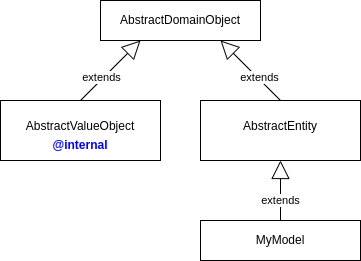
Both classes, AbstractValueObject and AbstractEntity, extend the base class AbstractDomainObject. A custom model (e.g. a class named MyModel) typically extends the AbstractEntity class. If you review the PHP file AbstractEntity.php you will realize that a model could also extend the AbstractDomainObject class directly. This is true for every Extbase model class.
The answer 5 is wrong as it states the relationship between the classes in the wrong way. Answer 2 is also wrong as controller classes don’t extend any domain object classes at all. The first answer, however, is correct.
The correct answers are 1 and 4.
In which directory of your TYPO3 extension should you store repository class files?
Answers
-
Classes/Services/Repository/ -
Classes/Domain/Repository/ -
Classes/Private/Repository/ -
Resources/Private/Repository/ -
Resources/Public/Repository/
Number of correct answers: 1
Explanation
A long explanation isn’t required for this question. As a certified TYPO3 developer you have to be familiar with the Extbase conventions and follow them. This includes path and file names of commonly used class files, for example repository classes.
Everything in the Resources/ folder is separated into two subdirectories: Private/ and Public/. Private resources are files that are not delivered to the user directly, but need post-processing, for example Fluid layouts, templates, and partials. In contrast to private resources, files in folder Resources/Public/ are files, which can be loaded/shown in the frontend or backend directly, without further processing. These are for example CSS files, JavaScript files, images, icons, etc.
In general, PHP code should not be stored under Resources/ (with only a few rare exceptions). Repository class files, however, belong into the Classes/ directory.
Consistent naming makes it easy! Extbase doesn’t require you to open a file to look up what its purpose is. The path and file name make it clear already. Repositories should be stored in the Classes/Domain/Repository/ directory, of course. Also keep in mind that their file names represent the domain object name they are dealing with.
The correct answer is 2.
In which directory of your TYPO3 extension should you store model class files?
Answers
-
Classes/Model/ -
Classes/Public/ -
Classes/Services/ -
Classes/Domain/Model/ -
Classes/Private/Model/
Number of correct answers: 1
Explanation
The Extbase framework follows the paradigm convention over configuration. Many directory and file names are defined by convention. Once a developer knows and understands the basic rules, finding a class file is a piece of cake – even in very large TYPO3 extensions with many directories and maybe thousands of files. The same conventions exist in the TYPO3 Core.
A long explanation isn’t required for this question. As a certified TYPO3 developer you have to be familiar with the Extbase conventions and follow them. This includes path and file names of commonly used class files, for example domain models. These PHP files should be stored in the Classes/Domain/Model/ directory, of course. All other answers are nonsense.
The correct answer is 4.
In which directory of your TYPO3 extension should you store controller class files?
Answers
-
Classes/Public/ -
Classes/Services/ -
Classes/Controller/ -
Classes/Domain/Controller/ -
Classes/Extbase/Controller/
Number of correct answers: 1
Explanation
The Extbase framework follows the paradigm convention over configuration. Many directory and file names are defined by convention. Once a developer knows and understands the basic rules, finding a class file is a piece of cake – even in very large TYPO3 extensions with many directories and maybe thousands of files. The same conventions exist in the TYPO3 Core.
A long explanation isn’t required for this question. As a certified TYPO3 developer you have to be familiar with the Extbase conventions and follow them. This includes path and file names of commonly used class files, for example controller classes. These PHP files should be stored in the Classes/Controller/ directory, of course. All other answers are nonsense.
The correct answer is 3.
You want to extend a specific functionality of the TYPO3 Core. What is a valid approach?
Answers
-
As TYPO3 is open-source, you overwrite the PHP files of the TYPO3 Core
-
You override the TYPO3 Core functionality in a file stored at
Configuration/Core/Overrides/in a custom developed extension -
You use the TypoScript function
userFuncto call your custom code that overrides the TYPO3 Core functionality -
You implement your functions as “Event Listeners” to Events dispatched by the TYPO3 Core
Number of correct answers: 1
Explanation
Editing PHP files of the TYPO3 Core is, of course, out of question. Without proper measures your changes would get lost at the next version update. The first answer is wrong.
Files stored in the Configuration/ folder of your extensions should configure the system. This is not the right place to implement any business logic at all. If you considered the answer 2 as a valid approach, you possibly stepped into a trap. The path suggested in this answer looks like the path Configuration/TCA/Overrides/ which lets you override parts of the previously defined Table Configuration Array (TCA).
A TypoScript property “userFunc” of the cObjects USER and USER_INT indeed exists. The property defines the name of a function that TYPO3 calls. However, this is not a valid approach to extend TYPO3 Core functionality. Answer 3 is also wrong.
The last answer describes the correct approach. TYPO3 offered/offers four technologies to extend functions of the TYPO3 Core: Hooks, Signals/Slots, Events, and XClasses. Hooks and Signals/Slots are an outdated technology today.
PSR-14 Events let developers extend TYPO3 Core functionality without the need to change one line of code in the TYPO3 Core. You will find some more detailed example questions about Events in separate questions later in this chapter.
The correct answer is 4.
You want to migrate an Extbase extension that uses Signals/Slots to PSR-14 Events. How can you determine the files that possibly need to be reworked/updated?
Answers
-
Search for PHP files that use the class
TYPO3\CMS\Extbase\SignalSlot\Dispatcher -
Slots are connected to a Signal in the file
ext_localconf.php -
Signals must always be implemented in classes located in the directory
Classes/Signals/ -
All Signals and Slots are listed in the TYPO3 backend module System → Configuration
-
The central place for the Signal/Slot Dispatcher to emit Signals is in the file
ext_localconf.php
Number of correct answers: 2
Explanation
As Signals/Slots have been marked as deprecated since TYPO3 v10 LTS, but are still used in many TYPO3 extensions, you possibly face the task to update an extension to use PSR-14 Events. For this task, it makes sense to know how and where Signals/Slots are implemented.
The system extension “System > Configuration + DB Check” (extension key: lowlevel) provides the backend module System → Configuration that lets you analyse your TYPO3 instance from a technical perspective. The module lists HTTP middlewares, site configuration, MFA providers, etc. – but you can’t look up Signals or Slots in this module, which means that the answer 4 is wrong.
The file ext_localconf.php is relevant for extensions that use the Signals/Slots concept. However, not for emitting/dispatching a Signal but for connecting a Slot to a Signal. The Signal/Slot Dispatcher is located in the class/function that emits the Signal. This means that the answer 2 is correct and the answer 5 is wrong.
As the classes where the Signal/Slot Dispatcher works don’t need to be located in the directory Classes/Signals/ necessarily, the answer 3 is also wrong.
To locate files that emit a Signal, you can search for the occurrence of the Signal/Slot Dispatcher. This class has the namespace TYPO3\CMS\Extbase\SignalSlot\Dispatcher as suggested in the first answer. Alternatively, you can search for the term “dispatch”. Make sure to review or filter the results as PSR-14 Events also use “dispatch” as the function call.
The correct answers are 1 and 2.
Which of the following components are part of the PSR-14 standard in the TYPO3 context?
Answers
-
Event Dispatcher
-
HTTP Response Interface
-
Event classes
-
Slots
-
Listener
-
Argon2i
Number of correct answers: 3
Explanation
As I pointed out in a previous question in this chapter, PSR-14 events replace Signals and Slots. The PSR-14 Event Dispatcher standard is now the de facto standard in TYPO3.
The PSR-14 standard in the TYPO3 context consists of the four components listed below. Three of them are important for extension developers, one is mainly TYPO3-internal and not exposed outside TYPO3’s Core framework.
- Event Dispatcher
This object triggers (“dispatches”) an event. In your own class, inject the
Psr\EventDispatcher\EventDispatcherInterfaceand dispatch an event by calling the$this->eventDispatcher->dispatch()function. Pass the event object (see below) as an argument to the function.
- Event (or event class)
An event class is a PHP object that typically contains getter and setter methods. All properties of the event are passed to the constructor method.
- Listeners
Listeners are PHP classes which typically contain a method named
__invoke()and receive events. Event listeners can manipulate event properties if the event class offers appropriate methods for the action.
- Listener provider
TYPO3 internally manages the listener provider. The purpose of this component is to store all listeners that have been registered for all events. As an extension developer, you generally don’t come into direct contact with TYPO3’s listener provider at your day-to-day business.
The question asks about which components are part of the PSR-14 standard in the TYPO3 context. The components stated in the answers 1, 3, and 5 are without doubt part of the implementation in TYPO3.
The HTTP Response Interface is part of the PSR-7 standard (HTTP message interfaces) and Signal/Slots loosely follow the observer pattern. Slots are not part of the PSR-14 standard either. Argon2i is a hash algorithms that has nothing to do with the PSR-14 standard.
The correct answers are 1, 3, and 5.
Which statements about PSR-14 events in TYPO3 are correct?
Answers
-
Event classes don’t require setter methods for immutable properties
-
Every property requires a getter and a setter method in their event class
-
An entry in the file
Services.yamlis typically required to register an event listener -
It’s mandatory that event listener classes contain an
__invoke()method -
If an event listener class doesn’t contain an
__invoke()method, the constructor method acts as a fallback.
Number of correct answers: 2
Explanation
Let’s assume that you developed a TYPO3 extension. The extension has a function that reads a value from a sensor. The value can be any number between 1 and 100. You are now tasked to extend the extension and notify other extensions (which don’t exist yet) if the value exceeds the threshold of 90. To meet the requirement, you implement a PSR-14 conform event dispatcher in your function. The event class could look like the following code:
<?php
declare(strict_types=1);
namespace Vendor\MyExtension\Event;

final class NotificationEvent
{
  public function __construct(private readonly int $sensorValue)
  {
  }

  public function getSensorValue(): int
  {
    return $this->sensorValue;
  }
}
Given that the sensor value is immutable, meaning that you don’t want to change the value, the event class doesn’t need a setter method. The first answer is correct and the second answer (which contradicts the first answer) is therefore wrong.
Now, let’s look at the other side of the fence. What is required for extensions that should receive a notification if the threshold has been exceeded? First, they need a listener (also known as the event listener class). This class must contain a method that should be called. It’s best practice to name this method __invoke() but this is not mandatory. Answer 4 is wrong.
When you register the event listener in the file Configuration/Services.yaml, you can define which method of your listener class should be invoked. The following shortened Services.yaml file registers the class Vendor\AnotherExtension\EventListener\Foobar to listen to Vendor\MyExtension\Event\NotificationEvent events (see code above) and invokes the method myEventHandler().
services:
  # (some lines have been omitted in this example)

  Vendor\AnotherExtension\EventListener\Foobar:
    tags:
      - name: event.listener
        method: myEventHandler
        identifier: 'mySensorValueTest'
        event: Vendor\MyExtension\Event\NotificationEvent
This means that the answer 3 is correct and the answer 5 is wrong.
The correct answers are 1 and 3.
You want to listen to an Event dispatched by the TYPO3 Core in your custom developed extension. Which steps are required to achieve this?
Answers
-
Enable PSR-14 Events in Admin Tools → Settings → Feature Toggles (if not already enabled)
-
Create a PHP class that contains the method that receives an object of the Event class
-
Register your Event Listener class in the file
Services.yamlof your extension -
Register your Event Listener class in the file
ext_localconf.phpof your extension -
Install the Composer package
friendsoftypo3/compatibility-psr14
Number of correct answers: 2
Explanation
If you have read the previous example questions and explanations regarding PSR-14 Events in TYPO3 thoroughly, it should be easy for you to answer this question correctly. Or is there anything else you need to bear in mind if you want to listen to Events that are dispatched by the TYPO3 Core rather than by an extension?
Since the Event Dispatcher system was added to the TYPO3 Core in version 10.0, you have never had to enable this feature through a feature toggle as suggested in the first answer. In fact, the transition from the Signal/Slot concept to PSR-14 Events was a slow and smooth one. One of the reasons for the transition was that Signals had to be replaced by Events in many places and this process dragged on until TYPO3 v11. Signals/Slots and all related classes have been removed from the TYPO3 Core in version 12.0 (released in October 2022).
To register an Event Listener class, you add the relevant section tagged as event.listener to the Services.yaml file of your extension, and not to the ext_localconf.php file. No exception applies to Events dispatched by the TYPO3 Core. The answer 3 is correct and the answer 4 is wrong.
You don’t need to install any extra Composer packages as suggested in the last answer. Although several packages are required to provide the functionality, they all come with the TYPO3 Core anyway. For example:
-
psr/event-dispatcher:
Standard interfaces for Event handling. -
symfony/event-dispatcher:
Tools that let application components to communicate with each other. -
symfony/event-dispatcher-contracts:
Generic abstractions related to dispatching event. -
typo3/symfony-psr-event-dispatcher-adapter:
Adapter to provide compatibility with the Symfony’s Event Dispatcher interface.
This leaves us with the answer 2 as the only remaining answer that must be correct. The PHP class that contains the method that receives an object of the Event class is, of course, the Event Listener class.
The correct answers are 2 and 3.
What should you consider regarding multiple PSR-14 event listeners for one event in TYPO3?
Answers
-
You can register up to 16 listeners per event
-
You can influence the order in which event listeners, which “listen” to the same event, are invoked
-
An event always executes every listener that are registered for this event
-
A listener can stop further executions of other event listeners
-
As per convention, a PSR-14 event can only execute one event listener
Number of correct answers: 2
Explanation
When the TYPO3 Core dispatches an event, an arbitrary number of event listeners can receive and possibly react to the event. The number of listeners is not limited. The first and the last answers are obviously wrong.
Sometimes it’s crucial that listeners follow a specific order. For example, if several listeners trigger other processes that depend on each other. The answer 2 is correct as TYPO3’s PSR-14 implementation supports the optional tags after and before in the Services.yaml file:
Vendor\MyExtension\EventListener\Foobar:
  tags:
    - name: event.listener
      identifier: 'myFoobarListener'
      after: 'anotherListenerBeforeMyListener'
      before: 'anotherListenerAfterMyListener'
      event: Vendor\MyExtension\Event\NotificationEvent
TYPO3 indeed triggers all registered listeners to an event by default. However, listeners can stop further executions of other event listeners if the event class has the interface \Psr\EventDispatcher\StoppableEventInterface implemented. For example:
<?php
declare(strict_types=1);
namespace Vendor\MyExtension\Event;

use Psr\EventDispatcher\StoppableEventInterface;

final class NotificationEvent implements StoppableEventInterface
{
  public function isPropagationStopped(): bool
  {
    return $this->stopped;
  }
  ...
}
The answers 3 and 4 are a little tricky and you should read them carefully. Answer 4 is correct as explained above. A listener can stop further executions of other event listeners. This means that the answer 3 is wrong. Every registered listener is triggered by default but not always necessarily.
The correct answers are 2 and 4.
Which statements about XCLASSes are correct?
Answers
-
XCLASSes prevent cross-site scripting (XSS) attacks
-
XCLASSes extend TYPO3 core classes and/or override core methods
-
XCLASSes need to be registered in the file
Configuration/Overrides/xclasses.php -
XCLASSes need to be registered in the global configuration array
$GLOBALS['TYPO3_CONF_VARS']['SYS']['Objects'] -
PHP classes marked as XCLASSes will be removed in the next major TYPO3 version
Number of correct answers: 2
Explanation
The TYPO3 Core offers the possibility to extend the core functionality in various ways. This makes TYPO3 exceptionally flexible. Developers can easily adapt or extend the system’s functionality through their own custom development. XCLASSes are one of these methods. The basic concept is to offer an option to replace core classes with a compatible custom implementation. This means that answer 2 is correct.
Developers have to register the custom class that should override the base class. The file Configuration/Overrides/xclasses.php, however, does not play a role which makes the answer 3 wrong.
In fact, the XCLASS registration happens in the global configuration array $GLOBALS['TYPO3_CONF_VARS']['SYS']['Objects'] as stated in the answer 4. This array is stored in the file ext_localconf.php of the extension. For example:
use TYPO3\CMS\Backend\Controller\ExampleController;
...
$GLOBALS['TYPO3_CONF_VARS']['SYS']['Objects'][ExampleController::class] = [
  'className' => \Vendor\MyExtension\Xclass\CustomController::class
];
The first and the last answers are both wrong. XCLASSes have nothing to do with cross-site scripting and they don’t mark core classes as deprecated.
The correct answers are 2 and 4.
What should you consider if you override classes with a custom implementation by using XCLASSes?
Answers
-
You can only override TYPO3 Core classes that are marked with the annotation
@internal -
You can only override TYPO3 Core classes but not classes of TYPO3 extensions
-
XCLASSes only work in Composer-based TYPO3 installations
-
The instance of the base class that you want to override has to be created by the API call
TYPO3\CMS\Core\Utility\GeneralUtility::makeInstance() -
The base class can only by overridden by one XCLASS but not by multiple XCLASSes
Number of correct answers: 2
Explanation
When you customize an existing functionality and you apply the XCLASS concept to achieve this, you should keep a few things in mind.
First of all, the instance of the base class has to be created by the API call GeneralUtility::makeInstance(). The background of this limitation is the simple fact that the system must somehow be able to decide which class to instantiate: the original class or a class that overwrites the original class. In other words, the method returns an instance of the original class if no XCLASS has been registered for it. Otherwise, the method returns an instance of the XCLASS. Answer 4 is without doubt one of the two correct answers. What could be another point that you should consider if you override classes by using XCLASSes?
Considering the fact that extension developers can use the function GeneralUtility::makeInstance() to instantiate classes of their extensions too, it seems obvious that not only TYPO3 Core classes but also classes of TYPO3 extensions can be extended/overridden by using XCLASS’ing. Answer 2 is therefore wrong.
TYPO3 Core classes that are marked with the annotation @internal indeed exist. These are classes that should be used by the TYPO3 Core but not by extensions. However, XCLASSes are not limited to these classes with this annotation, which makes the first answer also wrong.
TYPO3 has offered the XCLASS’ing functionality for many years, long before Composer-based TYPO3 installations have become the de facto standard. This fact means that the answer 3 can’t be correct either. XCLASSes work in Composer-based TYPO3 installations as well as in classic setups.
If you think about the function GeneralUtility::makeInstance(), and the fact that this method checks if an XCLASS for a certain class exists or not, you will quickly realize why the last answer must be correct. If you would be able to register multiple XCLASSes, which of them should the makeInstance() call return as an instance? There can only be one XCLASS per base class. However, in theory, you could extend an XCLASS by another XCLASS but this is considered bad practise and should be avoided.
The correct answers are 4 and 5.
What are typical limitations of XCLASSes?
Answers
-
XCLASSes only work on base classes that are instantiated by using the method
TYPO3\CMS\Core\Utility\GeneralUtility::makeInstance() -
XCLASSes do not work on static classes, static methods, or final classes
-
Code changes of the base class possibly impact XCLASSes which then could break or fail
-
You have to copy the entire base class and keep all properties and methods in your XCLASS
-
The visibility of all properties of an XCLASS must be
private
Number of correct answers: 3
Explanation
Although the XCLASS concept makes TYPO3 exceptionally flexible, this approach has some limitations. In general, using the XCLASS concept is considered risky and should not be your first choice. As a TYPO3 developer, you should prefer PSR-14 events as a modern, standardized, and fail-safe solution to extend or override existing functionality. Let’s look at some of the typical limitations of XCLASSes that you, as a certified TYPO3 developer, should be aware of.
We already discussed the first answer in the previous question. XCLASS’ing only works on base classes that are instances created with the GeneralUtility::makeInstance() method. Also, static classes, static methods, and final classes can not be XCLASS’ed. These are two limitations that apply to XCLASSes. The answers 1 and 2 are correct.
You should also keep in mind that some TYPO3 Core classes used in the bootstrap phase can not be XCLASS’ed. If these classes are singletons, XCLASS’ing possibly fails or has unexpected side-effects.
The last answer is wrong as the visibility of properties of XCLASSes don’t have to be private necessarily. In regards to the visibility of classes, the TYPO3 documentation points out that as you are extending the original class, you can overload or call methods marked as public and protected, but not private or static methods.
I pointed out above that you should prefer PSR-14 events when it comes to the fail-safe implementation of extending or overriding functionality. If the code in the class you override changes, the code in your XCLASS possibly becomes incompatible and could break. In fact, code can change with every version update. This means that developers who use the XCLASS method have to maintain their code and test their custom implementation against every new TYPO3 version, even bugfix releases. The same applies to third-party extensions. If you override the functionality of classes of other extensions, you should make sure that your code still works with every new version of that extension.
The answer 4 states that you have to copy the entire base class and keep all properties and methods in your XCLASS. This can’t be correct. To minimize the risk that changes in the base class break the XCLASS implementation, you should extend the original class and overwrite the methods that you want to customize.
The correct answers are 1, 2, and 3.
In which files of your extension do you register XCLASSes and Event Listeners?
Answers
-
XCLASSes must be registered in the file
ext_tables.php -
XCLASSes must be registered in the file
ext_localconf.php -
XCLASSes must be registered in the file
Configuration/Services.yaml -
Event Listeners must be registered in the file
ext_tables.php -
Event Listeners must be registered in the file
Configuration/Services.yaml -
Event Listeners must be registered in the file
Classes/Events/<filename>.php
Number of correct answers: 2
Explanation
The previous example questions covered the technologies XCLASSes and Events (and scratched on the surface of the Signals/Slots concept). This question tests whether you know where exactly you register them.
XCLASSes are registered in the global configuration array:$GLOBALS['TYPO3_CONF_VARS']['SYS']['Objects']
This array is always stored in your extension’s configuration file ext_localconf.php. The answers 1 and 3 are wrong and the second answer is correct.
If you don’t recall in which file Event Listeners are registered, look at the available options and identify the paths that don’t make sense. The classes that process Events should be located somewhere in the Classes/ directory, typically Classes/Events/, Classes/EventListener/, or Classes/Providers/. You configure one or more Event Listeners to receive an Event notification and pass the Event to your custom class. A path that points to the Classes/ directory can’t be the correct answer as the Event Listener registration is a configuration at the end of the day. Event Listeners are registered in the file Configuration/Services.yaml.
The correct answers are 2 and 5.
What does the PHP standard PSR-15 describe?
Answers
-
Clean and readable code through coding guidelines
-
Logging standards through a “Logger Interface”
-
The syntax of the
composer.jsonfile -
Basic security measures to protect PHP code against SQL injection attempts
-
HTTP server request handlers and middleware components
Number of correct answers: 1
Explanation
Coding standards are an important measure to ensure that your code is maintainable and easily readable by other developers. Several PHP standards deal with coding styles and guidelines: PSR-1 (basic coding standard), PSR-2 (coding style guide, deprecated), and PSR-12 (extended coding style guide). The PSR-15 standard, however, has nothing to do with coding guidelines. The first answer is wrong.
A PHP standard that describes a common interface for logging libraries exists. According to the standard, the main goal of PSR-3 is to allow libraries to receive a Psr\Log\LoggerInterface object and write logs to it in a simple and universal way. But it’s not the PSR-15 standard as suggested by answer 2.
The syntax of the composer.json file does not have an official PHP standard. The schema of this file including all valid fields is well documented on the website though: https://getcomposer.org/doc/04-schema.md. Answer 3 is also wrong and we’re down to two remaining answers.
Although following the PSR (PHP standards recommendations) might contribute to hardening the security of your PHP application, none of them is directly security related. This means that answer 4 is wrong and the last answer must be the correct solution.
TYPO3 follows the PSR-15 standard for handling incoming HTTP requests, also known as middlewares (request handling).
The correct answer is 5.
Which statements about middlewares are correct?
Answers
-
As an extension can only feature one middleware, you need multiple extensions to implement more than one middleware
-
Middlewares in TYPO3 need to be registered at
typo3.orgto work properly -
The
MiddlewareProviderin TYPO3 requires at least PHP version 8.1 -
The execution order of middlewares can be important and can therefore be controlled
-
TYPO3 comes with some default middlewares that can be overriden by custom implementations
-
Only requests to the TYPO3 backend go through the middleware workflow (requests to the frontend don’t)
Number of correct answers: 2
Explanation
Not only requests to the TYPO3 backend pass middlewares but also requests to the frontend. This means that the last answer is wrong. Another answer that you can exclude straight away is, of course, answer 2. It’s nonsense to believe that you have to register anything at typo3.org to make middlewares work properly.
Are you unsure if answer 3 is right or wrong? Don’t let the answer mislead you. First, a MiddlewareProvider does not exist in TYPO3 and second, middlewares are not dependent on a specific PHP version.
The next answer seems to be correct though. The execution order of middlewares can be important. Let’s assume that you have two middlewares. One that checks if a client is allowed to access the system, and another middleware that sends a file back to the client if a specific URL was accessed. If the second middleware kicks in first, and the access check comes second, clients can download the file and bypass the access check.
Under certain circumstances, you probably need to adjust the order in which existing middlewares are executed to meet your requirements. This is of course possible. Answer 4 is therefore correct.
Let’s turn to the first answer now. Answer 1 claims that you need multiple extensions if you want to implement more than one middleware. Or in other words: an extension can only feature one middleware. That’s not true. A quick look at the TYPO3 Core proves the opposite. The sytem extensions EXT:frontend and EXT:backend, for example, both feature a set of middlewares. Review the files in the following directories:
typo3/sysext/frontend/Classes/Middleware/typo3/sysext/backend/Classes/Middleware/
You can override the default middlewares provided by the TYPO3 Core with your custom implementation.
The correct answers are 4 and 5.
What are typical use cases of middlewares in TYPO3?
Answers
-
Add custom HTTP headers to every HTTP response to the client
-
Execute an API call to a remote system triggered by a Scheduler task
-
Run a static code analysis against extensions to detect removed or deprecated TYPO3 Core API calls
-
Stop processing a request in an early stage and return a custom response
-
Check all installed extensions for security vulnerabilities
Number of correct answers: 2
Explanation
The first answer describes a use case that enriches the response. You could, for example, write a middleware that adds a custom HTTP header “X-Foobar: TYPO3” to every response generated by TYPO3 and sent back to the client. Answer 1 is correct. You should know that you can also enrich the request by a middleware.
Although you could develop a middleware that executes an API call to a remote system, middlewares can not be triggered by Scheduler tasks as suggested in the second answer. This is definitely not a typical use case for a middleware in TYPO3.
The function described in answer 3 possibly sounds familiar. TYPO3 indeed has such a feature built-in but this is not a middleware. The Extension Scanner provides this function under Admin Tools → Upgrade → Scan Extension Files. The answers 2 and 3 are both wrong.
Answer 4, however, is a typical use case of a middleware. If TYPO3 is set to be in maintenance mode, a middleware provided by the TYPO3 Core kicks in and sends a custom response back to the client (“the system in currently not available”). Otherwise, the middleware passes the request to the next component.
The last answer is made up.
The correct answers are 1 and 4.
In which file do you register/configure a custom middleware that you developed in a TYPO3 extension?
Answers
-
In the file
composer.jsonof your extension -
In the file
ext_localconf.phpof your extension if the middleware applies to the frontend -
In the file
ext_tables.phpof your extension if the middleware applies to the backend -
In the file
config/system/additional.phpof the TYPO3 system -
In the file
Configuration/RequestMiddlewares.phpof your extension
Number of correct answers: 1
Explanation
Middlewares are configured in the file Configuration/RequestMiddlewares.php of the TYPO3 extension that features the middleware(s). Have a look at the following example code:
return [
  'frontend' => [
    'vendor/extensionkey' => [
      'target' => \Vendor\MyExtension\Middleware\MyMiddleware::class,
      'after' => [
        'typo3/cms-frontend/maintenance-mode'
      ],
      'before' => [
        'typo3/cms-frontend/authentication'
      ]
    ]
  ]
];
The configuration adds the custom middleware to the frontend context. On the next level, a unique key for the middleware is defined (“vendor/extensionkey”). The options on the next level configure the PHP class that should be called (“target”) and the position in the stack (“after” and “before”).
Neither the file ext_localconf.php nor the file ext_tables.php of your extension comes into play to register/configure middlewares. The terms frontend and backend only try to distract you. The file composer.json has nothing to do with middlewares either.
The configuration in the file additional.php overwrites the default global configuration of the TYPO3 system, and anything in the file settings.php. As the global configuration is not used to register/configure any middlewares, you can deduce that answer 4 is not correct either.
The correct answer is 5.
A middleware redirects users to a secured HTTPS connection if they access the backend using HTTP and if the relevant configuration is enabled. You want to implement your own function by overriding the default middleware. How do you approach this task?
Answers
-
This is not possible as the existing middleware originates from the TYPO3 Core and can’t be overridden
-
You write a custom extension that implements the function as a middleware and use the same middleware key to override the existing middleware
-
You write a custom extension that implements the function as a middleware, use a new middleware key, and execute your middleware after the existing middleware
-
You override the existing middleware by a global configuration in the file:
config/system/additional.php -
You replace the PHP file in the TYPO3 Core that implements the redirect with your own code:
typo3/sysext/backend/Classes/Middleware/ForcedHttpsBackendRedirector.php
Number of correct answers: 1
Explanation
A TYPO3 Core function that can redirect users to a secured HTTPS connection indeed exists. It’s also correct that a middleware provides this functionality and even the path and file name stated in answer 5 are correct. Simply replacing this file with your own code, however, isn’t the right approach. The last answer is wrong.
Of course, you can override existing middlewares. This applies to middlewares provided by other TYPO3 extensions as well as by the TYPO3 Core. The first answer is also wrong.
The file additional.php is typically used to override settings from the global configuration. The configuration can originate from TYPO3’s default configuration or from configuration stored in the file settings.php. Although the approach outlined in answer 4 sounds plausible, you don’t configure middlewares in TYPO3’s global configuration. Therefore the file additional.php is of no use in this case.
The correct solution is either stated in the answer 2 or in the answer 3. They both suggest to implement the replacement function in a custom developed extension. This is, without doubt, a good idea in general. By logical thinking you will easily get to the right answer. Executing your middleware after the existing middleware would be pointless, given that the existing middleware terminates the client’s request by responding with a redirect. The request would never arrive at your custom developed middleware. This makes the answer 3 wrong.
You can either override the existing middleware by using the same middleware key in the configuration of your middleware, or you can deregister/disable the existing middleware.
When it comes to middlewares in TYPO3, the execution order might be important. Make sure that your middleware is executed at the right time by specifying the before and/or after option.
The correct answer is 2.
Your custom developed middleware interferes with another middleware. How can you investigate in which order the middlewares of your system are executed?
Answers
-
In classic TYPO3 installations, search for PHP files in directories such as
typo3/sysext/*/Classes/Middleware/and add debug code to the files -
In Composer-based TYPO3 installations, search for PHP files in directories such as
vendor/typo3/*/Classes/Middleware/and add debug code to the files -
Review the output of System → Log as every middleware writes a system log entry on execution
-
Review the output of System → Configuration → HTTP Middlewares (PSR-15)
-
Execute the following CLI command to list the middlewares and their execution order:
vendor/bin/typo3 middlewares:list
Number of correct answers: 1
Explanation
The first two answers are obviously a bad idea. You should not edit any files provided by the TYPO3 Core – never ever!
The answer 3 sounds like a better approach. The system logs, which you can access through the backend module System → Log, indeed exist. However, middlewares don’t write anything into these logs by default. Answer 3 is also wrong.
Answer 4 suggests that you use a different backend module to investigate in which order the middlewares are executed: System → Configuration → HTTP Middlewares (PSR-15). This is the correct answer. The backend module shows all currently registered middlewares in all available contexts (backend and frontend by default). The list is sorted by the order of their execution.
The last answer is wrong. The TYPO3 Console does not feature a command that lists the TYPO3 middlewares.
The correct answer is 4.
Which statements about the following middleware configuration are correct, provided that the configuration is not overwritten by any other means?
return [
  'frontend' => [
    'foobar/lorem' => [
      'disabled' => true
    ],
    'vendor/extensionkey' => [
      'target' => \Vendor\MyExtension\Middleware\MyMiddleware::class,
      'after' => [
        'typo3/cms-frontend/tsfe',
        'foobar/ipsum'
      ]
    ]
  ]
];
Answers
-
The configuration executes the middleware with the key
vendor/extensionkeyafterfoobar/lorem -
The configuration executes the middleware with the key
vendor/extensionkeybeforetypo3/cms-frontend/tsfe -
The configuration executes the middleware with the key
vendor/extensionkeyaftertypo3/cms-frontend/tsfe -
The code for the middleware with the key
vendor/extensionkeyis implemented in the PHP class\Vendor\MyExtension\Middleware\MyMiddleware -
The configuration executes the middleware with the key
vendor/extensionkeyfor backend requests -
The configuration disables the middleware with the key
foobar/loremfor frontend requests -
The configuration disables the middleware with the key
foobar/loremfor backend requests -
The configuration is invalid as the option
aftermust be a string rather than an array
Number of correct answers: 3
Explanation
A rather long question, eight answer options, and a PHP snippet that you have to review make this question challenging at first glance. But actually this question is relatively easy to answer if you are familiar with the four valid options you can state in a middleware configuration: target, before, after, and disabled.
First of all, the configuration only applies to frontend requests (note the array key 'frontend'). As the array does not provide any configuration for the backend, you can exclude two answers straight away. These are the answers 5 and 7.
The execution order of middlewares is defined by the before and after options. As the configuration of the middleware key vendor/extensionkey does neither contain any reference to the foobar/lorem middleware in the after option nor is the order of appearance in the array relevant, the first answer is wrong.
Answer 2 is similar to answer 3. The differences are the keywords before after after. Answer 2 can’t be right as the configuration does not specify any before options at all. Answer 3, however, is correct. Based on the configuration the middleware with the key vendor/extensionkey is executed after typo3/cms-frontend/tsfe.
The next answer sounds right too. The option target defines the fully qualified class name (FQCN) of the class that implements the middleware. Answer 4 is the second correct answer.
At this point we are down to two possible answers, and one of them is correct: either answer 6 or answer 8. Sometimes you need a rule, when a middleware should be executed, that depends on more than one other middleware. The PHP code shows a valid example. The configuration ensures that the custom developed middleware with the key vendor/extensionkey is executed after the middleware typo3/cms-frontend/tsfe and after foobar/ipsum for frontend requests. Both options before and after are defined as an array and not as a string as the answer 8 suggests.
The correct answers are 3, 4, and 6.
What are the LoggerAwareInterface, LoggerAwareTrait, and LoggerInterface in TYPO3?
Answers
-
They all let developers generate log messages in their classes (e.g. by calling methods through
$this->logger) -
The
LoggerAwareInterfaceand theLoggerAwareTraitlet developers lock files and protect them against write operations -
The
LoggerAwareInterfacemust be registered in the fileext_localconf.php -
The
LoggerAwareTraitis only available in Extbase controller classes -
The
LoggerInterfacecan be instantiated since TYPO3 v11 LTS as a constructor argument
Number of correct answers: 2
Explanation
The following code example shows how you can instantiate the LoggerInterface as a constructor argument and pass a message in the function foobar() to TYPO3’s Logging Framework. The message does not report an error but has the severity level “info”.
use Psr\Log\LoggerInterface;

class Example {
  private LoggerInterface $logger;

  public function __construct(LoggerInterface $logger) {
    $this->logger = $logger;
  }

  public function foobar() {
    $this->logger->info('This is the function foobar().');
  }
}
Instantiating the LoggerInterface as a constructor argument has worked since TYPO3 v11 LTS (version 11.4 to be precise). This requires, however, that the service is configured to use auto-wiring. Older versions of TYPO3 require to implement the LoggerAwareInterface and to use the LoggerAwareTrait, as shown in the following example:
use Psr\Log\LoggerAwareInterface;
use Psr\Log\LoggerAwareTrait;

class Example implements LoggerAwareInterface
{
  use LoggerAwareTrait;

  public function foobar()
  {
    $this->logger->info('This is the function foobar().');
  }
}
Although you can use a different variable name if you prefer, the first answer is correct. You typically call a shorthand method through $this->logger, for example $this->logger->info() or $this->logger->error(). As the first example shows, the last answer is also correct.
The answers 2, 3, and 4 are all wrong. To leverage the Logging Framework, you have to explicitly implement the LoggerAwareInterface or instantiate the LoggerInterface – even in Extbase controller classes.
The correct answers are 1 and 5.
What are valid severity levels in TYPO3’s Logging Framework?
Answers
-
Code
200to signify that the system is healthy and works as expected -
Code
0to signify that the system/application is unusable (emergency) -
Code
7to signify that the system/application is unusable (emergency) -
Code
7to report a message for debugging purposes -
A code less than
0to signify that an error occurred -
A code greater than
200to signify that a critical error occurred
Number of correct answers: 2
Explanation
TYPO3’ Logging Framework features eight different levels to signify the severity of the event that occurred. They range from very low to highly critical. A numerical code (the severity level indicator) represents the priority. The code 0 is the most critical event. It means that the system/application is unusable. The code 7 represents a debug-level message (low priority).
All the answers between 2 and 5 deal with a valid code. However, the first and the last answers drop out. The code 200 possibly reminds you of the HTTP return code that indicates that a web server or web application responds with “OK”. Answer 1 and 6 try to lead you down the garden path. They are both wrong.
The codes and messages are based on the RFC 3164 specification. The last column in the table below shows the shorthand method of TYPO3’s LoggerInterface.
| Level | Severity | Description | Shorthand method |
|---|---|---|---|
| 0 | Emergency | System/application is unusable | $this->logger->emergency() |
| 1 | Alert | Action must be taken immediately | $this->logger->alert() |
| 2 | Critical | Critical condition | $this->logger->critical() |
| 3 | Error | Error condition | $this->logger->error() |
| 4 | Warning | Warning condition | $this->logger->warning() |
| 5 | Notice | Normal but significant condition | $this->logger->notice() |
| 6 | Informational | Informational message | $this->logger->info() |
| 7 | Debug | Debug-level message | $this->logger->debug() |
Answer 2 is correct as the code 0 indeed signifies the most critical issue (emergency). Answer 3 is wrong as the severity decreases with higher numbers. Messages with a low priority are represented by the code 7. These are debug messages as suggested in answer 4. As codes can’t be negative, the answer 5 is also wrong.
The correct answers are 2 and 4.
You installed a custom developed TYPO3 extension which results in a blank screen (frontend and backend). What do you do?
Answers
-
Delete all files in the
var/cache/,var/temp/andfileadmin/directories -
Review the entries of the PHP error log (e.g. logs generated by the web server)
-
Change TYPO3’s application context to “Development”
-
Log in to the TYPO3 backend and review the entries in the system log
-
Open the Admin Tools and review the TYPO3 error log
Number of correct answers: 2
Explanation
Although modern TYPO3 versions catch most errors that, for example, an incompatible hosting environment can cause, a combination of issues can still lead to the above result under rare circumstances. The same can happen with custom developed extensions if, for example, the developers haven’t tested the code with various PHP versions, modules, and configurations.
Fatal PHP errors typically produce an HTTP status code 500 (internal server error) that can be shown in the user’s web browser. This would give you a hint what went wrong and which component or configuration you should investigate. However, a system administrator or web hosting company can configure the environment to suppress all errors which then results in a blank screen.
Having said that, from a security perspective it’s preferable to show a blank page instead of a detailed error message. Error descriptions on a production system may reveal internal system details that would allow potential attackers to draw conclusions on the server, directory structure, or similar. This is one reason why an environment could be configured this way.
The best way forward in such a situation is to review the entries of the PHP error log as suggested in answer 2. You can also enable TYPO3’s “debug” mode by setting the application context to Development. The TYPO3 documentation provides more details on how to configure this.
The first answer, however, is nonsense. Deleting the contents of these directories doesn’t fix the issue and in particular the content of the last directory in the list is important and must not be removed.
The approach suggested in answer 4 is not possible as the question points out that you get a blank page in the frontend and in the backend. The last answer is not an option either as the Admin Tools don’t contain an error log.
The correct answers are 2 and 3.
Which TYPO3 backend module can provide useful details about an error caused by a programming mistake in an extension, if the frontend shows a limited error description?
Answers
-
The module Web → Page
-
The module Site Management → Sites
-
The module Admin Tools → Environment → Environment Status
-
The module System → Log
-
The module System → Reports → Status Reports
Number of correct answers: 1
Explanation
During extension development it can happen that a programming error disables the entire system (see previous question). TYPO3 catches most errors that can occur and outputs a page with a description of the error. However, too informative error descriptions on a production system may reveal internal system details. Depending on the configuration, the frontend limits the description to the bare minimum.
This does not mean that the full error description is hidden from you. After all, as a developer, you are responsible for finding and fixing problems like programming mistake in extensions.
The question assumes that the error is not that serious and you still have access to the backend. The Web → Page backend module lets you work on page content but does not provide any details about errors as such. The first answer is wrong.
Backend users with appropriate access privileges can create, edit, update, and delete site configurations in the backend module Site Management → Sites. This module, however, does not provide any details about errors either. Answer 2 is also wrong.
So is the answer 3. The environment status in the Admin Tools execute a range of simple environment checks and show the results. This includes, for example, the “trusted hosts pattern”, some basic PHP settings and PHP modules, the MySQL version, etc. You will not find any information about errors in extensions in this module though.
Both remaining answers 4 and 5 relate to the System section of the TYPO3 backend. Both modules System → Log and System → Reports sound like valid options. The System → Reports → Status Reports module, however, doesn’t contain any details about extension programming errors. The module lists installation and configuration errors of your instance.
The system log, which you can access through the backend module System → Log, can provide useful details about an error caused by a programming mistake in an extension though.
The correct answer is 4.
Which log files possibly provide details if your TYPO3 instance is blocked by a programming error caused by an extension?
Answers
-
The access log of the web service (e.g. Apache or Nginx)
-
The error log of the web service (e.g. Apache or Nginx)
-
The system logs of the operating system (e.g.
/var/log/syslog) -
The TYPO3 log files in the directory
var/log/
Number of correct answers: 2
Explanation
The backend module System → Log is not the only place that can help you with locating the root cause of an error. Your system also writes warnings and errors into log files, depending on the actual system configuration, of course.
The four answers cover three components: logs generated by the web server (e.g. Apache or Nginx), a log generated by the operating system, and a log generated by TYPO3.
The operating system does not log any details about programming errors caused by a TYPO3 extension7. The answer 3 is clearly wrong.
Instead of terminating a process without proper error handling, TYPO3 tries to catch as many errors as possible. The technique that TYPO3 uses is called exception handling and well documented in the PHP documentation.
Exceptions caught by TYPO3 are written into a log file stored in the var/log/ directory. It’s important to understand that this system behaviour depends on the configuration of the error handlers and, therefore, also on the configured application context. That’s why the question explicitly states “Which log files possibly provide details…”. The last answer is correct.
At this point you can already guess the second correct answer. As the name suggests, the access log of a web server such as Apache or Nginx logs the incoming requests. You also find the HTTP response codes from the TYPO3 application or web server in the access log (e.g. “500 internal server error”) but no details about programming errors. The error log, however, can contain useful information if an error occurs.
The correct answers are 2 and 4.
Which of the following debug method exists in TYPO3?
Answers
-
The function
\TYPO3\CMS\Core\Utility\GeneralUtility::debug() -
The function
\TYPO3\CMS\Core\Utility\DebugUtility::debug() -
The function
\TYPO3\CMS\Core\Errors::debug() -
The function
\TYPO3\CMS\Core\Stack::trace()
Number of correct answers: 1
Explanation
As a certified TYPO3 developer, you should be able to locate issues in your code and in code developed by someone else. Software sometimes does not do what we expect it should do, and you have to find and address the issue. This process is also known as debugging.
The PHP programming language offers several methods and debug functions. However, the more complex your PHP code becomes, the sooner you possibly reach the limits of what these functions can do. TYPO3 also features some useful debug functions that are quite handy and are often a better fit than PHP-internal functions such as var_dump() or print_r().
Experienced TYPO3 developers are familiar with debug functions available in TYPO3. A class and method Stack::trace() does not exist. Neither does Errors::debug() exist. To verify this statement, take a look at TYPO3’s source code or rather at the directory structure:typo3/sysext/core/Classes/8
You don’t find a PHP class file Errors.php or Stack.php in this or in any other directory. However, a directory Errors/ exists. PHP files inside this directory implement TYPO3’s built-in error and exception handling system. The TYPO3 documentation provides further details about this component.
The GeneralUtility class is well known to developers. It contains (quote) “miscellaneous functions for general purpose” (not only TYPO3-related). Error and debug handling is, however, not covered by this, but by the following class: \TYPO3\CMS\Core\Utility\DebugUtility
This class also contains a static function that outputs debug information as HTML or as plain text.
A typical reason why developers should prefer TYPO3’s built-in functions over PHP functions such as print_r() are recursive dependencies (also known as circular dependencies). Wikipedia explains circular dependencies as follows:
Circular dependencies can result in infinite recursions. If you output objects with this dependency type, you risk that the debug function consumes all memory and you don’t get any results at all. The DebugUtility::debug() function handles the dependency. This is one reason why the use of TYPO3’s built-in debug functions can prove more effective.
The correct answer is 2.
Which statements about PHP stack traces in TYPO3 are correct?
Answers
-
The system extension “EXT:debug” must be installed to generate stack traces in TYPO3
-
The most recent function call appears at the bottom of the stack trace
-
TYPO3 automatically writes all stack traces to the database table
sys_log -
A stack trace includes information such as function names, file names, class names, line numbers, etc.
-
Stack traces possibly contain sensitive information and should not be shown in production environments
-
Systems such as “Sentry” can be used to receive exceptions and track errors including stack traces
-
TYPO3 is more robust and fault tolerant if stack traces are enabled
Number of correct answers: 3
Explanation
Stack traces are an incredibly useful feature for PHP developers, if you know how to read and interpret them. They are part of PHP’s error handling functions but, unfortunately, not well documented in the PHP documentation. Once you understand what a stack trace is (also known as backtrace), you love it.
When executing a PHP application, a number of functions are invoked. Hundreds of function calls are often involved in complex software such as TYPO3. The PHP interpreter keeps track of every function call and writes some information to a data structure called stack. As a result, the stack contains a list of all functions that have been executed up to a certain point. If an error occurs, you can access the stack to look up which functions were executed before the “crash”. This is like a flight recorder9 in aviation.
However, neither a flight recorder nor a stack trace prevent crashes/errors from happening/occurring. TYPO3 does not become more robust or fault tolerant if stack traces are enabled. Answer 7 is wrong.
The purpose of stack traces is to be able to review the chain of events that led to the exception. To let developers retrace the steps that the application took, stack traces include function names, file names, class names, and even line numbers where PHP thinks the error occurred. Sometimes, these details contain sensitive information that can reveal a vulnerability or that can help an attacker to craft an attack against the application. Both answers 4 and 5 are correct.
Humans typically read texts from the top to the bottom. Events in log files also appear in chronological order (most recent event at the bottom). If you review PHP stack traces, however, you will quickly realize that it’s the other way around here. The most recent function call appears at the top of the stack trace. Therefore, keep in mind to read the stack in reverse from the bottom up. This makes answer 2 wrong.
As stack traces are a PHP feature, you don’t need an extension “EXT:debug” to generate them – and TYPO3 does not feature such a system extension. The first answer is also wrong.
A system extension that comes in handy though is “EXT:belog”. Although this extension is not related to stack traces as such, it provides the backend module System → Log to display system log entries. These entries can be useful for developers to locate issues. Nevertheless, TYPO3 does not write stack traces to the database table sys_log which means that answer 3 is wrong.
The last remaining answer must be correct. A wide range of systems exist, both free and commercial, that help developers to monitor application performance and to track errors and exceptions. Sentry is a well-known and widely used software in the PHP and TYPO3 universe that provides an insight into errors and can help you to uncover anomalies and remedy issues.
The correct answers are 4, 5, and 6.
What is a PHP exception and how/when should you use it in a TYPO3 extension?
Answers
-
Developers should avoid PHP exceptions at all costs as TYPO3 always shows exceptions at the frontend
-
PHP exceptions should be generated for errors, warnings, and notices to always be on the safe side
-
PHP exceptions allow developers to deal with errors or unexpected behaviour of their software
-
PHP exceptions allow developers to write code that does not need to follow the TYPO3 coding guidelines
Number of correct answers: 1
Explanation
PHP features an exception model that you can use to catch errors of your PHP code. A typical use case of an exception is to deal with an unexpected behaviour in an organized way, instead of ending (terminating) the code execution, which would result in a fatal error. Consider the following PHP function:
function foobar(int $i): float
{
  return 1/$i;
}
The function foobar() expects an integer value $i and divides 1 by this value. This mathematical operation works without problems, as long as you pass a value greater or less than zero (0) to the function:
$x = foobar(10);
However, if the function receives the value 0, PHP generates a warning: “Division by zero in […] on line 4”. You can catch this warning by throwing an exception:
function foobar(int $i): float
{
  if ($i === 0) {
    throw new RuntimeException('Division by zero.');
  }
  return 1/$i;
}
You can now surround the function call with a try and catch block to deal with potential exceptions:
try {
  $x = foobar(0);
} catch (RuntimeException $e) {
  // Exception caught!
  echo $e->getMessage() . "\n";
}
As PHP exceptions are a valid method to catch and deal with errors in TYPO3, answer 1 is wrong. It depends on the configuration if TYPO3 shows the exception at the frontend. Answer 2 is also wrong as you should not implement exceptions in every imaginable way.
The code examples show that PHP exceptions allow developers to deal with errors or unexpected behaviour of their software. This means that answer 3 is the correct answer.
The last answer is without doubt nonsense. As a certified TYPO3 developer, you should always write code that follows the TYPO3 coding guidelines.
The correct answer is 3.
Which statement about PHP exceptions and the error handling in TYPO3 is correct?
Answers
-
PHP exceptions indicate fatal errors and always immediately terminate the request which means that TYPO3 can’t handle PHP exceptions at all
-
TYPO3 does not provide an error handler that can deal with PHP exceptions but developers can implement a custom handler in their extensions if required
-
PHP exceptions can be logged if an appropriate error handler is configured in TYPO3
-
Developers can only catch PHP exceptions in classes that implement the
LoggerAwareInterface
Number of correct answers: 1
Explanation
I explained the basics of PHP exceptions and how you can implement them to catch errors in the previous question. This question now goes into a little more detail and deals with the TYPO3-related aspects of the topic. This could be a typical question in a TCCD exam.
The purpose of PHP exceptions is to catch fatal errors and to prevent request termination as a result of them. This is the opposite of what the first answer suggests. This answer is therefore wrong.
The second answer is also wrong. TYPO3 features an error and exception handling system which you can configure to meet your project’s requirements. You don’t need to implement a custom handler in your extension to achieve this. You also don’t need to build your own code to write the error into the sys_log database table for example. The built-in handlers in TYPO3 are:
- (Default) Error Handler (
\TYPO3\CMS\Core\Error\ErrorHandler) - Production Exception Handler (
\TYPO3\CMS\Core\Error\ProductionExceptionHandler) - Debug Exception Handler (
\TYPO3\CMS\Core\Error\DebugExceptionHandler)
Administrators can configure the error/exception handler to automatically log PHP exceptions. Answer 3 is correct.
The LoggerAwareInterface suggested in the last answer is related to error handling but this is not the only option for developers to catch PHP exceptions. I will cover the LoggerAwareInterface and the LoggerAwareTrait in one or two separate questions in this book.
The correct answer is 3.
Which error/exception handlers does the TYPO3 Core offer out of the box?
Answers
-
The class
\TYPO3\CMS\Core\Error\DebugExceptionHandler -
The class
\TYPO3\CMS\Core\Error\LoggingHandler -
The class
\TYPO3\CMS\Core\Error\WriteToSyslogHandler -
The class
\TYPO3\CMS\Core\Error\ProductionExceptionHandler -
The class
\TYPO3\CMS\Core\Error\ErrorHandler -
The class
\TYPO3\CMS\Core\Error\FileWriterHandler
Number of correct answers: 3
Explanation
TYPO3 has a built-in error and exception handling system. In simple terms, these handlers receive errors and process them in one form or another. Depending on the context, you want to show more or less details about an error at the frontend and/or write the event into a database table or file.
Based on this statement, you might assume that the class WriteToSyslogHandler (answer 3) or the class FileWriterHandler (answer 6) are correct answers. However, this is not true. The handlers pass on the error message to TYPO3’s Logging Framework which then decides what to do with it. This depends on the configuration of the Logging Framework. Neither a class \TYPO3\CMS\Core\Error\WriteToSyslogHandler nor \TYPO3\CMS\Core\Error\FileWriterHandler exists in TYPO3.
The same applies to answer 2. The \TYPO3\CMS\Core\Error\LoggingHandler is made up.
- Class
TYPO3\CMS\Core\Error\ErrorHandler This class is the default error handler in TYPO3. It logs errors and can send error messages to the developer log (if installed) or to the system log (database table
sys_log). TheErrorHandlercan also turn errors into an exception.
- Class
TYPO3\CMS\Core\Error\ProductionExceptionHandler This exception handler displays an error message in an appealing look. Error messages are also passed onto the Logging Framework. As
ProductionExceptionHandleris designed to be used in production environments, the handler does not to reveal sensitive information and does not output stack traces, for example.
- Class
TYPO3\CMS\Core\Error\DebugExceptionHandler This exception handler displays the complete stack trace of an exception. The error message and the stack trace is passed onto the Logging Framework. As the name suggests, the
DebugExceptionHandleris for debugging purposes.
The correct answers are 1, 4, and 5.
Which error/exception handler outputs a limited and brief error message instead of the full stack trace of an exception in the frontend?
Answers
-
The Debug Exception Handler
TYPO3\CMS\Core\Error\DebugExceptionHandler -
The Production Exception Handler
TYPO3\CMS\Core\Error\ProductionExceptionHandler -
The File Link Handler
TYPO3\CMS\Core\LinkHandling\FileLinkHandler -
None of the handlers output a brief error message as errors are important and should always be shown
Number of correct answers: 1
Explanation
It should not be a problem for you to answer this question, given that the previous questions in this book already covered the various error/exception handlers in TYPO3. I also provided information on what each handler does.
The purpose of the Debug Exception Handler (class TYPO3\CMS\Core\Error\DebugExceptionHandler) is to provide details about an error. This, of course, includes the full stack trace of an exception. Answer 1 is wrong.
The handler suggested in answer 3 does not exist in TYPO3 by default. At least it does not exist as an error/exception handler. If the handler’s name sounds familiar to you, you possibly came across a class that implements the LinkHandlingInterface and transforms data in the File Abstraction Layer (FAL): TYPO3\CMS\Core\LinkHandling\FileLinkHandler. This has nothing to do with error/exception handling. Answer 3 is also wrong.
Although the statement that errors are important (answer 4) is true, TYPO3 should not always show errors/exceptions. As outlined in the previous question, the DebugExceptionHandler generates output that possibly contains sensitive information. This data should not be shown in the frontend.
The following screenshots visualize the differences between the output of an exception by the Debug Exception Handler (left) and the Production Exception Handler (right).
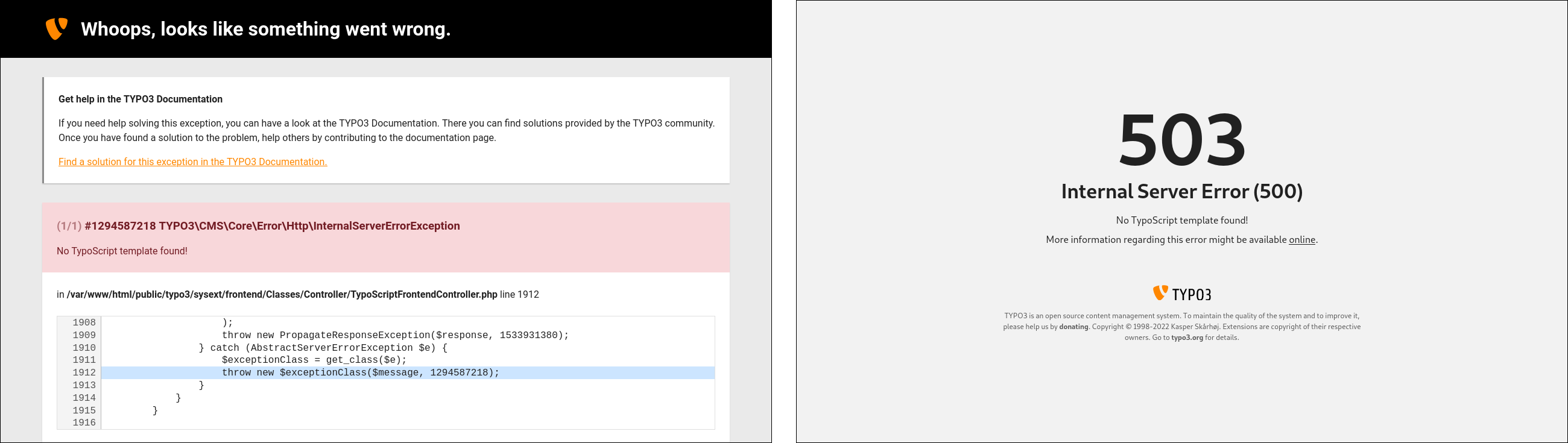
The correct answer is, of course, the Production Exception Handler:TYPO3\CMS\Core\Error\ProductionExceptionHandler.
This handler shows a brief message without revealing sensitive information that otherwise would be visible when you use the Debug Exception Handler, for example. The Production Exception Handler also passes the error message onto the Logging Framework and writes the exception into the sys_log database table.
The correct answer is 2.
What should you consider when adding multiple instances of an extension plugin to a page in the TYPO3 backend?
Answers
-
A plugin can only be used once on a page
-
Each plugin can be configured individually by using TypoScript
-
Each plugin can be configured individually by using its own FlexForm
-
Each plugin can be configured individually by storing the configuration in the Site Configuration
(file:sites/<site>/config.yaml) -
A unique identifier must be configured in the content element’s properties to distinguish between each plugin
Number of correct answers: 1
Explanation
In general, you can configure plugins by using TypoScript. A wide range of settings are available that you can access in your extension’s PHP and Fluid files. However, this approach becomes problematic if multiple instances of a plugin exist on the same page. For example, two image sliders on a page that should have their own configuration each. As this is a typical use case and technically possibly, the answer 1 is wrong.
Although TypoScript is often used to configure extensions, the TypoScript code is stored against a page and therefore applies to all plugins on this page. Therefore, a configuration is required that is applied against each plugin to achieve individual configurations which are independent from each other. A property or input field for TypoScript on a content element basis does not exist in the TYPO3 backend by default. The tab Plugin of a content element offers to select the plugin (list_type), to choose one or more record storage pages (pages), and to configure the recursion level (recursive). None of these fields enable backend users to define a unique identifier to distinguish between each instance. The answers 2 and 5 are also wrong.
You can also exclude the answer 4. Any configuration in the site configuration file is applied to all pages that belong to this site. You can’t use this approach to configure multiple instances of the same extension on one page.
The solution is, of course, using FlexForms. A FlexForm is an XML data structure which defines arbitrary fields. By using FlexForms, the content element may receive additional fields in the backend of TYPO3. The data submitted by users through FlexForms is stored in the database table tt_content in the field pi_flexform.
The correct answer is 3.
Which statements about FlexForms are correct?
Answers
-
FlexForms are XML files, typically stored in
Configuration/FlexForms/of your extension -
FlexForms let backend users build flexible forms that can be displayed in the frontend
-
Administrator privileges are required to access FlexForm input fields in the backend
-
Configurations made with FlexForms are stored in the database
-
If multiple instances of an extension’s plugin are used on the same page, FlexForms allow individual configurations per extension
-
The system extension “Form” must be installed for FlexForms to work
Number of correct answers: 3
Explanation
Although TypoScript can also be used for the configuration of extensions, FlexForms have two key advantages. The first advantage is that FlexForms are applied on a content-by-content and not on a page-by-page basis. This is in particular important if multiple instances of a plugin exist (or may exist) on the same page and each instance should have its own configuration. This means that the answer 5 is correct.
Another benefit relates to user privileges. TypoScript code can only be created and edited by backend users with administrator privileges. FlexForms, on the other hand, can be used by every backend user, provided that appropriate permissions have been configured. It depends on the use case and purpose of the extension if you want to allow “normal” backend users, for example editors, to edit the configuration of an extension. Having said that, the answer 3 is the opposite of what I described above. Backend users require administrator privileges to access and edit TypoScript code but “normal” users can access FlexForms. Answer 3 is wrong.
It’s true that FlexForms are XML files typically stored in the Configuration/FlexForms/ directory of extensions10. This means that the first answer is correct.
The term “form” in “FlexForms” refers to the configuration input form in the TYPO3 backend. FlexForms have nothing to do with forms in the frontend. The answers 2 and 6 are wrong.
The remaining answer 4 must be right, given that three answers are correct. The database table tt_content contains a field pi_flexform which stores the values of a submitted FlexForm. This also explains how the configuration of multiple extension instances are stored. Two or more content elements can represent the same extension and they can be assigned to the same page. The FlexForm configuration is stored against the content element record and not against the page record.
The correct answers are 1, 4, and 5.
Where do you register FlexForms in your custom developed extension?
Answers
-
In the file
ext_localconf.phpstored in the root directory of the extension -
In the file
ext_tables.phpstored in the root directory of the extension -
In the file
ext_flexforms.phpstored in the root directory of the extension -
In the file
Configuration/FlexForms/tt_content.phpof the extension -
In a file stored in the
Configuration/TCA/Overrides/directory of the extension -
TYPO3 automatically registers FlexForms if the XML files are stored in the
Configuration/FlexForms/directory
Number of correct answers: 1
Explanation
The file ext_localconf.php is mainly related to the frontend, whereas FlexForms are a backend feature. The first answer is wrong. So is the second answer. Although registering FlexForms in the file ext_tables.php was valid in (very) old versions of TYPO3, this was changed a long time ago in TYPO3 v7.
Answer 3 suggests to use the file ext_flexforms.php stored in the root directory of the extension to register FlexForms. This is also nonsense as this is not valid configuration file for TYPO3 by default, and never has been. The first three answers are all wrong.
Nevertheless, you have to instruct TYPO3 to load the FlexForm XML file somewhere. TYPO3 does not automatically register FlexForms if their XML files are stored in the Configuration/FlexForms/ directory. The last answer is also wrong.
The file tt_content.php may ring a bell. You can use the function addPiFlexFormValue() of the ExtensionManagementUtility class, for example in the tt_content.php file, to add the XML data structure. However, take a closer look at the path suggested in the answer 4. The directory Configuration/FlexForms/ stores the XML files of FlexForms and not the PHP file where you register them.
The correct solution is the answer 5. The best practice is to create a new file that reflects the name of the plugin, for example tt_content_foobar.php, and store this file in the Configuration/TCA/Overrides/ directory of the extension. The PHP code in this file adds the plugin (function call ExtensionManagementUtility::addPlugin()) and registers the FlexForms if the plugin contains any:
$signature = 'myextension_foobar';
$GLOBALS['TCA']['tt_content']['types']['list']['subtypes_addlist'][$signature] =
  'pi_flexform';

\TYPO3\CMS\Core\Utility\ExtensionManagementUtility::addPiFlexFormValue(
  $signature,
  'FILE:EXT:myextension/Configuration/Flexforms/FoobarFlexForm.xml',
  'list'
);
The plugin signature in the example above is the extension key (myextension) and the plugin name (foobar) separated by an underscore (_).
As a side note: Do not use the function call addPiFlexFormValue() in the ext_tables.php file. This could break the frontend.
The correct answer is 5.
Which statements about TYPO3’s “T3DataStructure” are correct?
Answers
-
FlexForms use the T3DataStructure
-
The T3DataStructure uses the XML format
-
The T3DataStructure uses the Yaml format
-
Files following TYPO3’s T3DataStructure convention must be gzip compressed
-
The Composer package “typo3/cms-datastructure” must be installed to support T3DataStructure
Number of correct answers: 2
Explanation
You possibly already assumed that the first answer is correct, given that this example question occurs in the section about FlexForms in this study guide. Bear in mind that you don’t have this luxury in the exam!
TYPO3’s T3DataStructure defines a hierarchical data structure in the XML format. The answer 2 is correct and the answer 3 is wrong. The main idea of the data structure is to provide applications with a clean and unified way to store configuration. The following snippet shows a valid T3DataStructure:
<T3DataStructure>
  <sheets>
    <sDEF>
      <ROOT>
        <sheetTitle>Sheet Title</sheetTitle>
        <type>array</type>
        <el>
          <foobar>
            <label>Lorem ipsum input field</label>
            <config>
              <type>input</type>
            </config>
          </foobar>
        </el>
      </ROOT>
    </sDEF>
  </sheets>
</T3DataStructure>
The data structure contains one sheet named “sDEF” (the “default sheet”). The first element of the data structure must be <ROOT> and a <ROOT> element must have a <type>. The sheet title reads “Sheet Title” and the type is defined as an "array" that features an object (content between the <el> and </el> tags). The object is foobar and has a label “Lorem ipsum input field”. The object’s configuration defines a type “input”.
TYPO3’s convention does not specify that the T3DataStructure must be gzip compressed. Also, you don’t need a specific Composer package or system extension to support the T3DataStructure. The answers 4 and 5 are also wrong.
The correct answers are 1 and 2.
Which statements about TYPO3’s “T3DataStructure” are correct?
Answers
-
You can localize data structures by creating copies of the XML file, for example
de.FlexForm.xmlfor German andfr.FlexForm.xmlfor French -
You can store “sheets” in separate files and reference them in the main data structure
-
You can use variables such as
{sheet.title}in the “T3DataStructure” -
The TYPO3 Core offers functions to work with “T3DataStructure” data structures out of the box
Number of correct answers: 2
Explanation
If you work with “T3DataStructure”, you will soon realize that TYPO3 has some amazing functions. You can indeed store “sheets” in separate files and reference them in the main data structure as the following example illustrates:
<T3DataStructure>
  <sheets>
    <sDEF>EXT:my_extension/Configuration/FlexForms/sheets/default.xml</sDEF>
    <kitty>EXT:my_extension/Configuration/FlexForms/sheets/foobar.xml</kitty>
  </sheets>
</T3DataStructure>
The definition of the default sheet is stored in the file Configuration/FlexForms/sheets/default.xml of your extension:
<T3DataStructure>
  <ROOT>
    <sheetTitle>Sheet Title</sheetTitle>
    <type>array</type>
    <el>
      ...
    </el>
  </ROOT>
</T3DataStructure>
You can also localize data structures by referencing labels in language files. However, this does not work as suggested in the first answer. You don’t create copies of the XML file but maintain one or more XLIFF language files. I will come back to this technique a little later in this chapter.
Variables, however, are not supported out of the box. The answer 3 is also wrong.
The TYPO3 Core offers the following functions to work with “T3DataStructure” data structures:
-
GeneralUtility::xml2array()to convert the “T3DataStructure” into a PHP array. -
GeneralUtility::array2xml()to convert a PHP array into the “T3DataStructure”.
Further functions are available in the class \TYPO3\CMS\Core\Configuration\FlexForm\FlexFormTools.
The correct answers are 2 and 4.
Replace “???” in the TypoScript code below to make the value of the FlexForm property settings.foobar available as lib.flexformContent.
Answers
-
10.data = flexform : foobar -
10.data = flexform : pi_flexform:settings.foobar -
10.data = pi_flexform.settings.foobar -
10.stdWrap = flexform : settings.foobar -
10.flexform = settings.foobar
Number of correct answers: 1
Explanation
This and the next few example questions deal with the question of how to access the configuration that backend users have made with FlexForms. The first method is by using TypoScript.
The code given in the question accesses the database table tt_content of the current page (select.pidInList = this). It uses the property renderObj of the content type CONTENT and builds a content object array (COA). The object defined at index 10 is obviously a TEXT content object.
The getText data type (10.data) suggested in the first three answers allows you to retrieve values from various sources. The general syntax is 10.data = <key> : <code>. The key is missing in the answer 3 which means that this answer can’t be right. The key flexform indeed exists. If you know the correct syntax for the flexform property, you quickly find out that which answer provides the solution: flexform : [field].[FlexForm property]
The field in the database table tt_content reads pi_flexform and the FlexForm property in the question is settings.foobar. This is the answer 2.
The first answer shows a wrong syntax and we already excluded the answer 2. The answer 4 suggests to use the stdWrap function, which is also wrong, and the answer 4 shows a getText data type that does not exist: 10.flexform.
Let’s look into other options on how to access FlexForm configurations. The next example questions are more attractive for developers.
The correct answer is 2.
Which method can you use to access FlexForm data in a controller of your Extbase extension?
Answers
-
$this->flexform -
$flexform -
$this->flexsettings -
$this->settings -
$settings
Number of correct answers: 1
Explanation
While the TypoScript configuration applies to pages, FlexForms can be used on a content element record basis. This means that each content element can have its own configuration. If multiple instances of a plugin are used on a page they can be configured individually.
As FlexForms configure the behaviour of extensions, accessing the data from inside a controller class is a common use case. Note that the question explicitly points out that the extension uses Extbase. This makes the process extremely easy.
You could, for example, define an array in your FlexForm XML data structure. Each value of the array represents a colour (red, green, blue, yellow, etc.). The name of the field reads settings.colour. Once a backend user selects a colour and saves the changes, you can access the value by using a simple line of code in your Extbase controller action:
$colour = (int)($this->settings['colour'] ?? 0);
The answer 4 is obviously the correct solution. I should point out though that the field name in the FlexForm XML must read settings + dot + name. The prefix settings. is important.
You may want to keep in mind that you can also use the $this->settings construct to read TypoScript settings for the extension. But what happens if you have two conflicting configurations? For example, the colour red (0) through the TypoScript setting and the colour green (1) selected by a backend user through the FlexForm configuration.
In this case, FlexForms always take precedence over TypoScript settings with the same name. From a technical point of view, Extbase first reads the TypoScript settings, and then overwrites them with FlexForm fields if they exist.
The correct answer is 4.
How do you access FlexForm data in PHP in a non-Extbase extension in an efficient way?
Answers
-
By reading and parsing the data stored in the field
pi_flexformof the database tablett_contentdirectly -
By accessing the data through
$this->settingsin your PHP class -
By the functions provided by TYPO3’s
TYPO3\CMS\Core\Service\FlexFormServiceclass -
Accessing FlexForm data is only possible in Extbase extensions
Number of correct answers: 1
Explanation
The previous example question demonstrated how easily you can access FlexForm data inside a controller class that uses the Extbase framework (if the FlexForm field name starts with settings. ). This question now refers to non-Extbase extensions. You can, of course, also access FlexForm data using PHP in non-Extbase extensions. However, the data is not available as $this->settings by default, so you need a little more effort to achieve this. The last answer and the answer 2 are both wrong.
In fact, the fist answer describes a technically possible way. You could directly access the data stored in the field pi_flexform of the database table tt_content. You then have to parse the data structure, search for the field, and extract its value. This doesn’t sound easy and is clearly not an efficient way.
The answer 3 provides the correct solution. Fortunately, TYPO3 has a class that contains two utility functions to process FlexForms:TYPO3\CMS\Core\Service\FlexFormService
convertFlexFormContentToArray()This function parses the FlexForm content and converts it to an array. The resulting array can be multi-dimensional.
walkFlexFormNode()The second function parses a FlexForm node recursively and takes care of sections etc.
These two functions, in combination with the methods xml2array() and array2xml() of the GeneralUtility class cover most of your day-to-day use cases.
The correct answer is 3.
A FlexForm must contain which of the following constructs to enable Fluid to access {settings.headline}?
Answers
-
<headline>...</headline> -
<field.headline>...</field.headline> -
<settings>...</headline> -
<settings.headline>...</settings.headline> -
<f:headline>...</f:headline>
Number of correct answers: 1
Explanation
This example question deals with the fourth method of accessing FlexForm data and completes the list of options. In previous questions and their explanations, I described how you can read FlexFrom data by using TypoScript, in Extbase extensions, and in non-Extbase extensions. Now it’s time to focus on the view.
You can also access FlexForm data submitted by users in Fluid templates. Following the paradigm “convention over configuration”, the data is readily available if the FlexForm data structure and naming follows Extbase’s naming convention. A typical Fluid template could look like the following:
<f:layout name="Default" />
<f:section name="Main">
  <div class="container">
    <h1>{settings.headline}</h1>
    <!-- more content follows here -->
  </div>
</f:section>
Similar to what I described in the method for Extbase extensions, the field name in the FlexForm XML must be prefixed with settings., for example:
<T3DataStructure>
  <ROOT>
    <sheetTitle>Sheet Title</sheetTitle>
    <type>array</type>
    <el>
      <settings.headline>
        ...
      </settings.headline>
    </el>
  </ROOT>
</T3DataStructure>
The correct answer is 4.
How can you localize a label in a FlexForm data structure?
Answers
-
LLL:EXT:<path>:<key> -
EXT:<path>:<key> -
<path>:<key> -
XLF:EXT:<path>:<key> -
Localizations are not possible in FlexForms
Number of correct answers: 1
Explanation
TYPO3’s capability to display the backend in different languages out of the box is exceptional compared to other open-source systems. The localization and translation features are considered as one driving factor of the great reputation of TYPO3 as a professional enterprise content management system.
With the use of FlexForms in the backend, it goes without saying that labels should be displayed in the language that the backend user has chosen – if a translation of the label in that language is available, of course. This means that the last answer is wrong.
Consider the following extract of a FlexForm data structure:
<foobar>
<label>Lorem ipsum</label>
<config>
<type>input</type>
</config>
</foobar>
...
Instead of storing the label “Lorem ipsum” hard-coded in the XML file, you can (and should!) use a language file:
<?xml version="1.0" encoding="utf-8" standalone="yes" ?>
<xliff version="1.0">
  <file source-language="en" datatype="plaintext" original="messages"
    date="2023-08-22T11:22:55Z" product-name="example">
    <header/>
    <body>
      <trans-unit id="foobar">
        <source>Lorem ipsum</source>
      </trans-unit>
    </body>
  </file>
</xliff>
To access the foobar value in the XLIFF file, the abbreviation LLL (“Local Language Localization”) defines that a language file should be accessed. This is the first element of a string, followed by EXT, which tells TYPO3 which extension provides that language file. Next comes the extension key and the relative path to the file (e.g. example/Resources/Private/Language/locallang.xlf). The last element represents the key (here: foobar).
The elements are separated by colons which means that you need to replace “Lorem ipsum” in the FlexForm by the following string: LLL:EXT:example/Resources/Private/Language/locallang.xlf:foobar.
The correct answer is 1.
What is the purpose of the CLI command cleanup:flexforms?
Answers
-
The command reads all FlexForm XML files and cleans them up by applying correct indentation
-
The command updates all database records that have a FlexForm field but show a mismatch between the XML data and the data structure
-
The command validates all FlexForm XML files and reports syntax errors
-
The command cleans up all form submissions made by the forms in the frontend by deleting orphaned/abandoned records
Number of correct answers: 1
Explanation
Although this question is mainly related to the work of TYPO3 integrators, you, as a developer, should know that the CLI command exists and what it does. The purpose of the command is to fix an issue that has a strong technical background. The four possible answers already give you the impression that this is the case.
Consider the following scenario. You add an extension plugin as a new content element to a page in the backend. Then, you configure the plugin by using its FlexForm options. The data is stored in the field pi_flexform of the database table tt_content. Later, you update the content element by changing the plugin to a different plugin that also has a FlexForm configuration.
As the switch of the plugins does not delete the content of the FlexForm field in the database (pi_flexform), at this point the old configuration does not match the FlexForm configuration of the new plugin.
Here is where the CLI command comes into play. It updates all database records that have a FlexForm field but show a mismatch between the XML data and the data structure:
You can pass the option --dry-run to the command, if the command should not execute any updates but only show if records would be updated11. You can also limit the number of pages by defining the start page in the page tree (option --pid) and/or the traversal depth (option --depth).
The command does not clean up XML files as suggested in the first answer. It also does not validate the XML syntax nor has anything to do with form submissions through the frontend. The answers 1, 3, and 4 are wrong.
The correct answer is 2.
You want to create new page records through an extension that runs in the backend context. What is the right approach to achieve this?
Answers
-
Add the page properties (title, description, etc.) to the global TCA and clear the TYPO3 caches to instruct TYPO3 to create the records in the database
-
Store the required SQL commands in a file
ext_tables.sqland trigger the database update wizard under Admin Tools → Maintenance -
Write and execute SQL commands to create the new page records in the database through TYPO3’s Query Builder
-
Use the TYPO3 DataHandler (“TYPO3 Core Engine”) to create the page records
-
Use the Registry API to register the pages in the TYPO3 Core
Number of correct answers: 1
Explanation
The first two answers try to mislead you. Read the question thoroughly, and you realize that both approaches suggested in the answers 1 and 2 don’t make sense. The Table Configuration Array (TCA) defines the structure of database tables. Page records, however, are data that you store as content in the table pages. The file ext_tables.sql is similar as it can be used to define SQL schema definitions that TYPO3 creates/updates if you execute the Analyze Database Structure in the Admin Tools or the CLI command extension:setup. The file can’t be used to insert data into the database tables, for example new page records. These answers are wrong.
Although it’s technically possible to create new pages by building the relevant SQL commands (answer 3), TYPO3 offers a better and safer solution: the DataHandler, formerly known as TCEmain.
The TYPO3 Core Engine (TCE) manages the operations to write data into database tables and evaluates the access permissions of the user who tries to store the data. Two crucial requirements must be met for this process to work. The database table that will store the data must have a properly configured Table Configuration Array (TCA). Also, the TCE only works in the backend context as the frontend context is not aware of a valid backend user whose permissions could be checked (e.g. write access to a specific table).
If both requirements are met, the TCA configuration and the existence of a backend context, you can use the TYPO3 DataHandler to create new records (e.g. pages or content), copy and move records, clear caches, and more.
For this, the DataHandler features two categories:
-
Data
Writes data into the database. -
Commands
Executes commands against records stored in the database, e.g. copy, move, or delete records.
The next example questions in this chapter dive a little deeper into the topic and shed some light on how the TYPO3 DataHandler and the two categories work.
The Registry API has, of course, nothing to do with creating new pages. The last answer is wrong.
The correct answer is 4.
You want to create a new page record through the TYPO3 DataHandler. Which statements about the following code snippet are correct?
use TYPO3\CMS\Core\DataHandling\DataHandler;
use TYPO3\CMS\Core\Utility\GeneralUtility;
use TYPO3\CMS\Core\Utility\StringUtility;
...
$dataHandler = GeneralUtility::makeInstance(DataHandler::class);
$uid = StringUtility::getUniqueId('NEW');
$data = [
  'pages' => [
    $uid => [
      'title' => 'The Meaning of Life',
      'pid' => '42'
    ]
  ]
];
$cmd = [];
$dataHandler->start($data, $cmd);
$dataHandler->process_datamap();
$dataHandler->process_cmdmap();
Answers
-
The code is faulty as the array
$cmdmust not be empty -
The code is faulty as the variable
$uidmust be an integer -
The code is faulty as the mandatory key
slugis required in the array$data['pages'][$uid] -
The function call
process_cmdmap()in the last line is unnecessary and can be removed
Number of correct answers: 1
Explanation
The code snippet falls into the category “basic usage of the TYPO3 DataHandler”. Every TYPO3 developer who has used the DataHandler before should be able to look at the code and quickly understand what it does. First of all, the code seems valid and does not have any obvious errors. The answers, however, give you the impression that something could be wrong.
As pointed out in the previous question, TYPO3’s DataHandler provides two main functions. Working with data and applying actions on existing data (executing commands). The three lines illustrate this quite well:
$dataHandler->start($data, $cmd);
$dataHandler->process_datamap();
$dataHandler->process_cmdmap();
The variables $data and $cmd prepare the DataHandler what to do, and the functions process_datamap() and process_cmdmap() execute it. If the DataHandler applies either a data or a command operation, you can omit one or the other function. The question refers to creating a new page record, and the code prepares the DataHandler as it should be. This means that the command part can be empty. The answer 1 is wrong.
The $data array is straight forward: $data[<tablename>][<uid>][<fieldname>] = <value>. The code inserts a new record into the table pages and specifies values for the fields title and pid. A page ID is typically an integer value as the answer 2 suggests. However, in most cases you want TYPO3 to determine the next available ID (auto-increment) if you insert data into the database. Therefore, you can generate a random ID and prefix it with the keyword NEW. The following function call takes care of that:
$uid = StringUtility::getUniqueId('NEW');
This means that the answer 2 is wrong, as the DataHandler does not expect an integer as the UID necessarily. The answer 3 is also wrong as TYPO3 automatically generates the page slug. The array key slug is not mandatory.
The answer 4 is the only answer left and it must be correct. The last line is unnecessary as no command needs to be executed when you create a new page through the TYPO3 DataHandler. If the array $cmd is empty, you don’t need to execute the function call process_cmdmap().
The bottom line: the code works perfectly fine if a properly configured TCA exist. We can assume this as the fields title and pid of the database table pages are standard fields.
The correct answer is 4.
Which function calls clear TYPO3’s page cache through a DataHandler?
Answers
-
$dataHandler->clearPageCache(['uid' => 23]); -
$dataHandler->process_datamap(['cache' => 'pages']); -
$dataHandler->process_cmdmap(['cache' => 'pages']); -
$dataHandler->clear_cacheCmd('pages'); -
$dataHandler->clear_cacheCmd(23);
Number of correct answers: 2
Explanation
The chapter “Caching and Performance” contains example questions and detailed explanations about TYPO3’s Caching Framework, so I don’t go further into the details on how caches work in TYPO3. You should know that TYPO3 offers several caches and that caches in TYPO3 are organized in groups. TYPO3’s page cache is one of the caches that TYPO3 offers.
You can use the DataHandler to clear TYPO3 caches including TYPO3’s page cache. But which of the answer options are correct?
The function suggested in the first answer does not exist (clearPageCache()). The next two answers suggest to use the function for writing data in the database (process_datamap()) and for applying commands (process_cmdmap()). Although the arrays given as arguments look legitimate, the DataHandler uses a different API to clear caches:
$dataHandler->clear_cacheCmd($cacheCmd);
The variable $cacheCmd can be either an integer value or one of the keywords ‘all’ or ‘pages’. An integer value clears the page cache of a specific page. The value reflects the page ID. This command is shown in the answer 5. The keyword ‘all’ clears all cache tables (cache_pages, cache_pagesection, and cache_hash). The keyword ‘pages’ (answer 4) clears all caches from cache_pages.
The correct answers are 4 and 5.
Which statement about hooks provided by the TYPO3 DataHandler is correct?
Answers
-
You can leverage TYPO3 DataHandler hooks to manipulate data before TYPO3 stores them in the database
-
You can leverage TYPO3 DataHandler hooks to invoke a custom function after the DataHandler cleared caches
-
The speciality of the TYPO3 Datahandler is that hooks can only by used the TYPO3 Core
-
The Datahandler does not provide any hooks, only PSR-14 Events
Number of correct answers: 2
Explanation
Two of TYPO3’s super-powers are the system’s flexibility and openness. Developers have endless options to hook into the data flow to manipulate data when TYPO3 reads or write them. Hooks are, as we know, a robust but outdated method and replaced by PSR-14 Events wherever possible. The TYPO3 DataHandler, however, dispatches only one event: EnrichPasswordValidationContextDataEvent. But the class features several hooks:
checkFlexFormValuecheckModifyAccessListclearCachePostProcclearPageCacheEvalmoveRecordClassprocessCmdmapClassprocessDatamapClassprocessTranslateToClass
Developers can use some of them to manipulate data before TYPO3 stores them in the database, for example the processCmdmapClass and processDatamapClass hook.
$GLOBALS['TYPO3_CONF_VARS']['SC_OPTIONS']['t3lib/class.t3lib_tcemain.php'][<hook>][]
Of course, these hooks are not reserved for core functions only. You can build a custom extension that uses any of the hooks listed above. This also includes the invocation of a custom function after the DataHandler cleared caches.
The correct answers are 1 and 2.
What is a key feature and typical characteristic of TYPO3 Fluid?
Answers
-
TYPO3 Fluid requires a web server such as Apache or Nginx to render HTML templates
-
The three key features of Fluid are: security, extensibility, and XML/HTML conformity
-
TYPO3 Fluid is shipped with the PHP framework “Symfony”
-
As TYPO3 Fluid is independent from TYPO3 CMS, you can remove Fluid from the TYPO3 Core
Number of correct answers: 1
Explanation
You can develop an application that uses Fluid as a template engine but is not web-based at all. This means that answer 1 is wrong as Fluid does not require a web server to render HTML templates.
The landing page for Fluid-related information on typo3.org predominantly summarizes the three key features of Fluid that are also stated in answer 2 (which makes this answer correct):
- Security
Anything that is added or extended is properly escaped by default to prevent common XSS (cross-site scripting) mistakes.
- Extensibility
Fluid’s power […] comes via variables and ViewHelpers to add custom logic within PHP ready to re-use in any template.
- XML/HTML conformity
(sic) Fluid has been built on top of XML. If you’re comfortable with HTML, you’ll notice that Fluid solely (acts) as a slim super-set on top of HTML, just some special XML tags in your templates.
The next answer is clearly wrong as TYPO3 Fluid is not shipped with the PHP framework “Symfony”. As the TYPO3 Core is shipped with Fluid, this might lead someone to assume that answer 4 is correct. It’s true that TYPO3 Fluid is independent from TYPO3 CMS but not vice versa. TYPO3 requires Fluid to generate the web-based administration interface – the backend. Therefore, Fluid is an integral part of the TYPO3 Core and can’t be removed. Both answers 3 and 4 are wrong.
The correct answer is 2.
How can you access the page property “layout” (frontend layout) in a Fluid template when the cObject FLUIDTEMPLATE is used?
Answers
-
By installing the third-party extension
EXT:fluid_page_properties -
By using the ViewHelper tag
<f:page property="layout" />in the template -
By using the variable
{property.layout}in the template -
By using the variable
{data.layout}in the template -
By using the PHP code
<?php echo $page['layout']; ?>in the template
Number of correct answers: 1
Explanation
TYPO3 passes the properties of the current page directly to the Fluid template. As a result, you can easily access them in the Fluid template files. A third-party extension as suggested in the first answer is not required, which means that this answer is wrong.
You will never find PHP code in Fluid templates. This would violate the principle of strictly separating the logic from the visual presentation. The last answer is therefore also wrong. At this point you’re left with three possible answers.
Consider the following scenario. The frontend should look slightly different on pages where an editor switched the frontend layout from the default to “Layout 1” (access the page properties in the TYPO3 backend, open the tab Appearance, and locate the dropdown box “Frontend Layout”). You can easily check for this setting in a Fluid template as shown below.
<f:layout name="Default" />
<f:section name="Main">
  <f:if condition="{data.layout} == 1">
    <p>layout 1</p>
  </f:if>
</f:section>
The page properties are available as the variable {data}. The frontend layout, for example, as {data.layout}.
The correct answer is 4.
How can you prevent an error from occurring if the partial “Example”, that you try to include in a Fluid template files, does not exist?
Answers
-
Define the partial as optional in the Render-ViewHelper:
<f:render partial="Example" optional="true" /> -
Disable the requirement that the partial must exist in the Render-ViewHelper:
<f:render partial="Example" required="false" /> -
Use a condition to check if the partial exists:
<f:if condition="Example"><f:render partial="Example" /></f:if> -
Disable strict errors with the following line at the top of the template file:
<html data-strict-errors="false">
Number of correct answers: 1
Explanation
You can use the Render-ViewHelper to include partial files in your layout and in your template files:
<f:render partial="Example" />
This instructs Fluid to search for the file Example.html in the configured partial directory, for example Resources/Private/Partials/. If the file does not exist, TYPO3 generates an error:
The Fluid template files […] could not be loaded.
Under certain circumstances you want to prevent this error from occurring, for example if the partial is not mandatory. Using a condition to check if the partial exists (as suggested in answer 3) does not work as Fluid triggers the Render-ViewHelper regardless. The attribute data-strict-errors does not have any effect in the <html> tag at the top of the layout or template file, so the last answer is also wrong.
This means that either the answer 1 or 2 must be correct, and both answers suggest to add an extra attribute to the ViewHelper. The solution is, of course, the optional attribute that, if set to “true”, makes the referenced partial optional:
<f:render partial="Example" optional="true" />
The correct answer is 1.
An extension with the PHP namespace “Vendor/Example” provides a ViewHelper named “Test”. How can you make the ViewHelper available in your Fluid template under the XML namespace “foo”?
<foo:test value="{data}" />
Answers
-
By using the Import-ViewHelper in the template file:
<f:import extension="Vendor/Example" namespace="foo" /> -
By using the Namespace-ViewHelper in the template file:
<f:namespace extension="Vendor/Example/ViewHelpers" as="foo" /> -
By defining the namespace with the following line at the top of the template file:
{html xmlns:foo="http://typo3.org/ns/Vendor/Example/ViewHelpers"} -
By defining the namespace with the following line at the top of the template file:
{namespace foo = Vendor\Example\ViewHelpers} -
By defining the namespace with the following line at the top of the template file:
<html path="Vendor\Example\ViewHelpers" data-namespace="foo"> -
By defining the namespace with the following line at the top of the template file:
<html xmlns:foo="http://typo3.org/ns/Vendor/Example/ViewHelpers">
Number of correct answers: 2
Explanation
ViewHelpers provided by the TYPO3 Core and by Fluid are available in Fluid templates out of the box. The reserved XML namespace for those built-in ViewHelpers is the letter f:. This explains why Fluid-specific HTML tags such as <f:layout>, <f:render>, <f:section>, etc. all start with the acronym f:.
TYPO3 developers create custom ViewHelpers and package them in extensions. The job of a TYPO3 integrator is to apply these ViewHelpers in Fluid template files. This requires to import the ViewHelper’s namespace.
Neither the first nor the second answer contains a ViewHelper that exists in TYPO3 v12 LTS. Apart from that, you don’t use a ViewHelper to import or set a namespace. At this point we are already down from six to four possible answers.
The answers 3 and 6 contain the xmlns attribute that specifies the XML namespace for a document. Wikipedia defines XML namespaces as follows:
This makes perfect sense as it is important to distinguish between ViewHelpers from different sources in the Fluid world too. Two extensions could both provide a ViewHelper named “Test”. By using different XML namespaces for each extension, you can selectively use one or the other ViewHelper without a name collision. You define the XML namespaces with the <html>-tag at the top of the template file, for example:
<html xmlns="http://www.w3.org/1999/xhtml"
  xmlns:foo="http://typo3.org/ns/Vendor/Example/ViewHelpers"
  xmlns:bar="http://typo3.org/ns/JohnSmith/Demo/ViewHelpers">
  ...
</html>
This makes the Test-ViewHelper of the extension with the PHP namespace “Vendor/Example” available as <foo:test value="{data}" />. A ViewHelper with the same name but provided by a second extension “JohnSmith/Demo” could be called using the namespace <bar:test value="{data}" />. Curly brackets as suggested in answer 3 can’t be used. The attribute path as suggested in answer 5 is also wrong. Answer 6 shows the correct method to import the namespace.
The second correct answer is obviously answer 4. This is a special inline notation offered by TYPO3 Fluid and accomplishes the same goal:
Having said that, most developers prefer a namespace import through the HTML-tag method. IDEs typically better support this approach and even the TYPO3 Core has shifted into this direction and migrates from the inline notation to the HTML-tag method.
The correct answers are 4 and 6.
Which statements about the following Fluid inline notation are correct?
Answers
-
It generates the same output as:
<f:format.raw>{string}</f:format.raw> -
It generates the same output as:
<f:content format="raw">{string}</f:string> -
It generates the same output as:
{f:format.raw(value: '{string}')} -
It generates the same output as:
{format.raw() -> string} -
It generates the same output as:
{f:format.raw(string)}
Number of correct answers: 2
Explanation
The option to write ViewHelpers using inline notation opens up a wide range of possibilities for developers and integrators. As a certified TYPO3 developer, you should know how to write ViewHelpers in all variations. Typically, three ways exist to achieve this. The often used tag-based method and the inline notation with and without the arrow operator.
The question already shows one of the options: {string -> f:format.raw()}. The second valid option is shown in the first answer. This is the standard tag-based method. Don’t let the second answer distract you: The ViewHelper <f:content> does not exist. Answer 2 is clearly wrong. The answers 3 and 5 are both quite similar. If you are unsure if any of them show the right syntax, put them aside for now and focus on answer 4. This answer shows the inline notation with the arrow operator. However, in the wrong order. The variable name (here: string) comes first. This makes answer 4 also wrong.
Now, back to the answers 3 and 5. One of them must be right as the question indicates that two answers are correct. As the Fluid documentation of the FormatRaw-ViewHelper reveals, you can also pass the data to the ViewHelpers through the argument “value”. The inline notation shown in the answer 3 reflects this, which means that this answer is correct.
In fact, there is another, fourth option how to use the FormatRaw-ViewHelper:
<f:format.raw value="{string}" />
The correct answers are 1 and 3.
What is the correct inline notation of the Fluid code below?
<f:link.page pageUid="123" additionalParams="{foo: 'bar'}" />
Answers
-
{f:link(page.uid = '123', page.additionalParams = 'foo:bar')} -
{f:link.page({uid: '123', additionalParams: {foo: 'bar'})} -
{f:link.page(pageUid = '123', foo = 'bar')} -
{f:link.page(pageUid: '123', additionalParams: {foo: 'bar'})}
Number of correct answers: 1
Explanation
This question is another example of converting a ViewHelper between tag-based and inline notation. The main challenge with this question are the arguments. You should know how to pass arguments of various data types to a ViewHelper. Let’s break down the ViewHelper call that is given in the question:
<f:link.page pageUid="123" additionalParams="{foo: 'bar'}" />
- “
f:” is the ViewHelper namespace - “
link.page” is the name of the ViewHelper - “
pageUid” is the first argument that passes the “123” to the ViewHelper - “
additionalParams” is the second argument that passes an object to the ViewHelper
The correct inline notation must contain all this information. Answer 3, for example, does not have the name of the second argument (“additionalParams”) and, therefore, can’t be correct. In addition, the object is not passed to the ViewHelper as an object.
Answer 1 shows all information but the ViewHelper name is slightly incorrect. The name, including the namespace, should read “f:link.page” rather than “f:link”. On top of that, the argument should read “pageUid” rather than “uid”. The first answer is wrong.
The syntax suggested in answer 2 is also suspicious. Not only is the argument “uid” wrong but there is also something messed up with the opening and closing brackets.
Now, only one option is left: answer 4. This inline notation contains all information, the right names, and the correct data types:
The correct answer is 4.
What is the inline notation of the following code in a Fluid template?
<f:if condition="{foo}">
  <f:then>
    yes
  </f:then>
  <f:else>
    no
  </f:else>
</f:if>
Answers
-
{f:if(condition: '{foo}', then: 'yes', else: 'no')} -
{f:if(condition: '{foo}' ? 'yes' : 'no')} -
{f:if(condition="{foo}", then="yes"', else="no")} -
{f:if('{foo}') then {'yes'} else {'no')}}
Number of correct answers: 1
Explanation
TYPO3 developers and integrators sometimes find it difficult to read or write the inline notation of the If-ViewHelper. This is not unjustified, since they often have to deal with nested ViewHelpers due to the “then” and “else” statements. If you are unsure about the right answer, try to apply logic and first focus on the answers that can’t be correct.
The then and else blocks with curly brackets that the answer 4 shows is nonsense. The inline notation of Fluid ViewHelpers does not work this way. Answer 4 is wrong.
The equal signs shown in answer 3 are also highly suspicious. This could remind you of attributes in HTML tags such as <p class="small">. Answer 3 is a typical distractor that you can exclude too. At this point you are down to just to 2 possible answers. You are almost through.
Have you ever seen a condition construct with a question mark “?” and a colon “:” as suggested in answer 2? If your answer is “yes” you’re probably a programmer! This is a so-called ternary operator that exists in many programming languages. In PHP programming you could, for example, write the following:
$choice = $input ? 'yes' : 'no';
Having said that, the ternary operator doesn’t exist for the If-ViewHelper which makes answer 2 also wrong. The first answer shows the correct inline notation of the code.
The correct answer is 1.
How do you pass a variable named “foobar” to the partial “SimpleBox”?
Answers
-
<f:render partial="SimpleBox" arguments="foobar: ${foobar}" /> -
<f:render partial="SimpleBox" arguments="{foobar: foobar}" /> -
<f:render partial="SimpleBox" arguments="{foo: bar}" /> -
<f:render partial="SimpleBox" variables="${foobar}" /> -
<f:render partial="SimpleBox" arguments="foobar" /> -
<f:render partial="SimpleBox" foobar="{foobar}" />
Number of correct answers: 1
Explanation
This example question has six possible answers and only one of them is correct. All answers look similar, so you should take a deep breath and concentrate if you don’t know the correct answer straight away. Identifying the answers that are clearly wrong is typically a good first approach.
The last answer stands out in particular. Fluid ViewHelpers can accept variables as arguments in their PHP class. To access the value of an argument you need to know the argument name. All answers pass data to the Render-ViewHelper through either the arguments="..." or the variables="..." argument except for answer 6. This answer uses the variable name from the question: foobar="..."
This can’t be right as the argument name that someone uses can’t be predicted. A different variable (for example lorem) would mean that the PHP code of the ViewHelper that accesses the argument needs to be adjusted. Answer 6 is without doubt wrong.
Another answer that looks suspicious is answer 3. Splitting the name of the variable into two parts is, of course, total nonsense ({foo: bar}). You can also safely rule out this answer option. Now you’re down to four possible answers: 1, 2, 4, and 5.
If you have worked with the Render-ViewHelper before, you know that you pass variables through the argument named arguments="..." to the ViewHelper. This means that the answer 4 is also wrong.
The answers 1 and 5 don’t look illogical, but the correct solution is shown in answer 2 (arguments="{foobar: foobar}"). The syntax allows you to pass the variable named foobar to the partial “SimpleBox”. You can access the value of the variable in the partial under the same variable name. If you would change the syntax to arguments="{lorem: foobar}", the data of the variable foobar becomes available under the variable name lorem in the partial.
Another valid option to pass data between Fluid templates is the {_all} construct. This makes all variables available in the partial under the same variable names:
<f:render partial="SimpleBox" arguments="{_all}" />
Although this construct is technically possible, many developers avoid using it. You should only make data available in another component, for example a partial, that you really need. Having said that, the {_all} construct would be a correct answer in an exam.
The correct answer is 2.
Which statements about ViewHelpers are correct?
Answers
-
ViewHelpers must be enabled in the Install Tool
-
ViewHelpers can be written using inline notation
-
You can implement up to eight ViewHelpers in a Fluid partial
-
Extensions can provide custom ViewHelpers
-
ViewHelpers add accessibility features for screen readers to the TYPO3 backend
Number of correct answers: 2
Explanation
The capability of a logic-less template engine is limited to reading a static source template and to replacing some of its variables with values. TYPO3 Fluid provides extra functionality such as conditions, loops, formatting, links, translations, etc. by ViewHelpers. These are PHP classes which support the view logic. In TYPO3 v11 LTS, Fluid comes with almost 80 ViewHelpers out of the box. The TYPO3 Core adds a few more. ViewHelpers do not need to be enabled, so answer 1 is wrong.
Although the built-in ViewHelpers already cover a wide range of use cases, sometimes you need a very specific function for your TYPO3 project. Fluid’s open and flexible architecture allows developers to create their own ViewHelpers. Custom ViewHelpers are typically provided by TYPO3 extensions which you can download and install. This means that answer 4 is correct. Only eight ViewHelpers in a Fluid partial would not be sufficient in many cases. Fact is that the number of ViewHelpers is not limited which makes answer 3 wrong.
In theory ViewHelpers could implement accessibility features for screen readers. However, this is not their main purpose and TYPO3 does not have any ViewHelpers for this purpose for the backend. The last answer is also wrong. A ViewHelper can be applied in Fluid template files by using an HTML tag, for example:
<f:ViewHelperName value="example" />
This is valid HTML. Let’s assume the output of a ViewHelper is a CSS class. In this case, you might be inclined to write the following invalid HTML code:
<p class="<f:ViewHelperName value='example' />">...</p>
The above would result in a syntax error as you can not nest an HTML tag into another. That’s where the inline notation comes into play. The following code is valid HTML and executes the same ViewHelper PHP code as called as an HTML tag:
<p class="{f:ViewHelperName(value: 'example')}">...</p>
The correct answers are 2 and 4.
Which ViewHelper can you use to prevent the rendering of a specific HTML snippet in your Fluid template?
Answers
-
The Debug-ViewHelper:
<f:debug> -
The Hide-ViewHelper:
<f:hide> -
The Comment-ViewHelper:
<f:comment> -
The Partial-ViewHelper:
<f:partial>
Number of correct answers: 1
Explanation
The Debug-ViewHelper generates an HTML dump of a variable and outputs the data. It definitely does not prevent the rendering of specific HTML snippets. Answer 1 is therefore wrong.
The second answer suggests to use the Hide-ViewHelper. Although the name sounds promising, such a ViewHelper does not exist.
Answer 4 plays with the term partial. Of course, partials exist in Fluid but a Partial-ViewHelper does not.
Consider the following Fluid template:
<div class="container">
<f:comment>
<p>"Cats choose us; we don't own them." (Kristin Cast)</p>
</f:comment>
<p>"You can not look at a sleeping cat and feel tense." (Jane Pauley)</p>
</div>
Fluid ignores the sentence wrapped in the Comment-ViewHelper. Apart from the outer <div> container, the output of the Fluid template is only the quote from Jane Pauley.
The correct answer is 3.
Which ViewHelper and syntax do you use to iterate an array or object?
Answers
-
The Loop-ViewHelper with the following implementation:
<f:loop object="{array}" value="item"> -
The While-ViewHelper with the following implementation:
<f:while for="{array}" value="item"> -
The For-ViewHelper with the following implementation:
<f:for object="{array}" as="item"> -
The For-ViewHelper with the following implementation:
<f:for each="{array}" key="index" as="item"> -
The For-ViewHelper with the following implementation:
<f:for iterate="{item}" action="cycle">
Number of correct answers: 1
Explanation
You can exclude two of the given answers straight away, as the stated ViewHelpers do not exist. Neither a Loop-ViewHelper nor a While-ViewHelper are present in a standard TYPO3 v11 LTS installation. Answer 1 and answer 2 can’t be correct. The three remaining answers all suggest to use the For-ViewHelper that begins with <f:for...>.
Take a look at the following example code:
<ul>
  <f:for each="{foo}" key="bar" as="item">
    <li>{bar}: {item}</li>
  </f:for>
</ul>
Suppose the variable foo contains the array ["cat", "dog", "hamster"]. The For-ViewHelper iterates the array, assigns the index (0 to 2 for each element) to a new variable named bar, and each element to a variable named item. The resulting output is:
<ul>
  <li>0: cat</li>
  <li>1: dog</li>
  <li>2: hamster</li>
</ul>
The syntax of the For-ViewHelper suggested in the answers 3 and 5 are both invalid. The missing argument “each” and the invalid arguments “iterate” and “action” would result in a Fluid parse error.
The correct answer is 4.
What is the output of the following Fluid template code?
<f:for each="{coffee: 'black', milk: 'white', cocoa: 'brown'}" key="drink" as="colour">
  {drink} is {colour}.
</f:for>
Answers
-
drink is colour. -
colour is drink. -
coffee milk cocoa is black white brown. -
black is coffee. white is milk. brown is cocoa. -
coffee is black. milk is white. cocoa is brown.
Number of correct answers: 1
Explanation
Let’s analyze the code to determine which of the five answers shows the correct output. An array is passed to the For-ViewHelper. The array consists of three elements. Each element is a key-value-pair. While the ViewHelper iterates the array, the keys are assigned to the variable drink and the values to the variable colour. Fluid outputs both variables in each cycle.
The first two answers are out of question. They don’t even represent the three cycles of the loop. Answer 3 suggests that the output shows the three keys first (coffee, milk, cocoa), followed by the three values (black, white, brown). This can’t be correct either.
The output suggested in answer 4 looks more promising. However, the keys and values are mixed up. Answer 4 would be correct if the line inside the ViewHelper would read {colour} is {drink}. However, it’s the other way round.
The last answer shows the right output. The keys and values are correct and all three cycles are included.
The correct answer is 5.
Which options can you use instead of “???” in the Fluid template code to output “Number of elements: 3”?
<f:alias map="{x: {0: 'muffy', 1: 'buffy', 2: 'fluffy'}}">
  Number of elements: ???
</f:alias>
Answers
-
{f:count(x)} -
{subject -> f:count(x)} -
{x -> f:count()} -
<f:count subject="{x}" /> -
<f:count value="{x}" /> -
<f:count map="{x}" />
Number of correct answers: 2
Explanation
First of all, note that this question has two correct answers. This means that two options meet the requirements as stated in the question. As you can write almost all Fluid ViewHelpers in two different notations – the tag and the inline notation – it’s likely that one of the first three answers and one of the last three answers are correct.
The question/answers give you another hint. This question is obviously not about the Alias-ViewHelper but about the Count-ViewHelper. All six possible answers refer to it.
Focus on the answers 1, 2, and 3 first. Answer 1 looks plausible but the syntax is invalid. Answer 2 is also wrong as a variable subject does not exist. Answer 3, however, shows like a valid option. This inline notation of the Count-ViewHelper counts the elements of the array stored in the variable x and outputs the result.
Now, let’s turn to the tag notation that the answers 4, 5, and 6 state. The truth is that you have to know the right syntax of the Count-ViewHelper, or, to be more precise, which argument receives the input value. Neither the argument value="..." nor map="..." is correct.
Apart from the inline notation shown in the answer 3, the following code snippet provides the correct output:
<f:alias map="{x: {0: 'muffy', 1: 'buffy', 2: 'fluffy'}}">
  Number of elements: <f:count subject="{x}" />
</f:alias>
The correct answers are 3 and 4.
Which statements about the following code in a Fluid template file are correct?
<f:variable name="cups" value="3" />
<f:if condition="{coffee} <= {cups}">
  <f:then>
    <p>I am still tired</p>
  </f:then>
  <f:else>
    <p>I am full of energy</p>
  </f:else>
</f:if>
Answers
-
The HTML tags
<f:then>and<f:else>are ViewHelpers -
The ViewHelper
<f:if>iterates the variable{coffee}three times -
If the value of the variable
{coffee}is greater than 3, no output is shown -
If the value of the variable
{coffee}is less than 0, boths texts are shown -
If the value of the variable
{coffee}is 3, the text “I am still tired” is shown -
The value
3is assigned to the variable{coffee}
Number of correct answers: 2
Explanation
The If-ViewHelper introduces if/then/else conditions into Fluid templates. This is a simple, yet powerful function. Apart from this ViewHelper, the code snippet also features the Variable-ViewHelper which merely assigns the value 3 to the variable cups. As this results in a hard-coded value, you can also read the condition as follows:
<f:if condition="{coffee} <= 3">
...
The If-ViewHelper has nothing to do with loops, and therefore, you can exclude answer 2. The sign “<=” is a comparator1 that is used to compare two arguments. It is not used to assign a value to a variable which makes the last answer also wrong.
Every HTML tag in Fluid that starts with a valid namespace (e.g. f: for the default Fluid namespace) is typically a ViewHelper. Take the code snippet as an example. It contains the Variable-ViewHelper, the If-ViewHelper as well as the Then-ViewHelper and Else-ViewHelper. The first answer is correct.
To determine which of the remaining three answers is correct, you have to check the condition:{coffee} <= {cups}
As the variable cups is the number 3 (see explanation above), the condition can be expressed in ordinary human terms as follows.
If the value of the variable
{coffee}is less than or equals 3, the first block comes into effect (“then”). Otherwise the second block comes into effect (“else”).
As a result you can be sure that TYPO3 always outputs something. Either “I am still tired” or “I am full of energy”. If the variable {coffee} is greater than 3 (answer 3), the “else”-block comes into effect and the text “I am full of energy” is shown. If the value of the variable {coffee} is less than 0 (answer 4), the “then”-block comes into effect and the text “I am still tired” is shown. Both answers 3 and 4 are wrong as they suggest different results.
If the value of the variable {coffee} is 3 (answer 5), the text “I am still tired” is shown. This is due to the equal-sign (=).
The correct answers are 1 and 5.
What is the output of the following code in a Fluid template?
<f:variable name="number" value="5" />
<f:if condition="{number} % 2">foobar</f:if>
Answers
-
Nothing is shown
-
An error is shown
-
The text “foobar” is shown
-
The value
2.5is shown
Number of correct answers: 1
Explanation
The percentage sign (%) is a comparator with a special meaning: It executes a modulo operation. Wikipedia defines the modulo operation as follows:
As the result of “5 modulo 2” evaluates to 1, the condition is met, and the text “foobar” is shown. This means that answer 3 is correct. Don’t worry though. We do not expect you to solve difficult and complex mathematical problems in the exam. You should, however, know which comparators exist in conditions and what they do:
| Comparator | Meaning | Example |
|---|---|---|
== |
equals | If A is equal to B |
!= |
not equals | If A is not equal to B |
< |
less than | If A is less than B |
<= |
less than or equals | If A is less than or equal to B |
> |
greater than | If A is greater than B |
>= |
greater than or equals | If A is greater than or equal to B |
% |
modulo operation | A modulo B |
The modulo operation is by the way a great solution to determine odd/even numbers, for example to style a list with striped rows like a zebra.
The correct answer is 3.
Which arguments are supported by the FlashMessages-ViewHelper (<f:flashMessages>)?
Answers
-
id,flash -
id,name,title,each -
id,class,title,queueIdentifier,as -
renderMode,title,name
Number of correct answers: 1
Explanation
The chapter TYPO3 Core Architecture and APIs contains several example questions about how to generate Flash Messages (see the section TYPO3 Core APIs, for example). Creating one or multiple Flash Messages is the first part – displaying Flash Messages is the second. You typically use the FlashMessages-ViewHelper in Fluid to achieve precisely this:
<f:flashMessages />
This line renders the Flash Message(s) and applies the default styles (CSS classes).
You don’t need to know all ViewHelpers and all their arguments by heart to pass the TCCD exam. In fact, it is relatively easy to determine the right answer if you are familiar with Flash Messages in general. You can also eliminate the wrong answers by applying some logic.
The attributes flash and each make no sense in Flash Messages, so the first two answers can’t be right. The argument renderMode was marked as deprecated in TYPO3 v7.3. This also excludes the last answer from being correct.
The FlashMessages-ViewHelper supports the following arguments:
- Universal Attributes:
class,dir,id,lang,style,title,accesskey,tabindex, andonclick. - The Flash Message queue:
queueIdentifier. - The name of the Flash Message variable:
as.
You can use the Flash Message variable name to render details inside the ViewHelper:
<f:flashMessages as="messages">
  <ul class="messages">
    <f:for each="{messages}" as="item">
      <li>{item.code}</li>
      <li>{item.message}</li>
   </f:for>
  </ul>
</f:flashMessages>
The correct answer is 3.
Which ViewHelper(s) can you use to check if a frontend user belongs to the frontend user group “heroes”?
Answers
-
The SecurityIfHasRole-ViewHelper
-
The SecurityIfAuthenticated-ViewHelper
-
The Security-ViewHelper in combination with the FrontendUserGroup-ViewHelper
-
The If-ViewHelper in combination with the Then-ViewHelper or the Else-ViewHelper
-
This is not possible as you can only check against numeric group IDs but you can’t check against user group names (“heroes”)
Number of correct answers: 1
Explanation
Fluid features three security-related ViewHelpers. One of them lets you check if a frontend user belongs to a specific frontend user group. You can’t achieve this goal by using the standard If-ViewHelper, Then-ViewHelper and/or Else-ViewHelper, which means that the answer 4 is wrong.
You also don’t need a combination of ViewHelpers to check the frontend user group. Neither a Security-ViewHelper nor a FrontendUserGroup-ViewHelper exists. Answer 3 can’t be correct either.
Both ViewHelpers stated in the first and second answer exist, and they are both part of the Security group. You can use the SecurityIfAuthenticated-ViewHelper to check if a frontend user is currently authenticated (logged in):
<f:security.ifAuthenticated>
  <f:then>
    <p>You are currently logged in.</p>
  </f:then>
  <f:else>
    <p>Please log in to access this function.</p>
  </f:else>
</f:security.ifAuthenticated>
However, the SecurityIfAuthenticated-ViewHelper does not accept any argument other than the child elements then and else. Therefore, answer 2 is also wrong, as you need to pass the user group you want to check to the ViewHelper.
Answer 1 must be the correct answer:
<f:security.ifHasRole role="heroes">
  <p>You're a real hero!</p>
</f:security.ifHasRole>
Hold on a second! Maybe the answer 5 is correct and the answer 1 is wrong? Can you really pass the group name to the ViewHelper? Yes, you can! You can pass either the name or the numeric user group ID to the role argument, for example role="123".
The correct answer is 1.
Which statements about custom developed ViewHelpers are correct?
Answers
-
TYPO3/Fluid automatically sanitizes attribute values to prevent cross-site scripting by default
-
TYPO3/Fluid automatically escapes the ViewHelpers’ output to prevent cross-site scripting by default
-
Every ViewHelper is a PHP class
-
ViewHelpers should be stored in the
fileadmin/vhs/directory -
The method
renderStatic()is the only method available to render content -
ViewHelpers that create HTML/XML tags can extend the base class
\TYPO3Fluid\Fluid\Core\ViewHelper\AbstractTagBasedViewHelper
Number of correct answers: 3
Explanation
TYPO3 and Fluid come with a wide range of ready-to-use ViewHelpers out of the box. If you encounter a specific challenge in your project, you can extend the core functionality by developing your own ViewHelper. The development of a custom ViewHelper should be a no-brainer for a TYPO3 developer.
The first two answers deal with security basics. If you let TYPO3 integrators pass data to your ViewHelper by using attributes (for example the attribute foobar in the example below) you have to take care of sanitizing or correctly escaping the value to prevent cross-site scripting attacks.
<vh:demo foobar="malicious-data" />
TYPO3 applies the PHP function htmlspecialchars() to the output of your ViewHelper by default. You can disable this feature by setting the property $escapeOutput to false if required. Answer 1 is wrong and answer 2 is correct.
The next two answers are relatively simple. Of course, ViewHelpers are nothing but PHP class. Therefore they definitely don’t belong in the fileadmin/ directory as this area is user space (data uploaded and maintained by editors). Answer 3 is correct and answer 4 is wrong.
Answer 5 claims that you can only use the method renderStatic() to render content generated by your ViewHelper. This is nonsense. ViewHelpers can have one or more of the following three methods for implementing the rendering:
compile()renderStatic()render()
As a TYPO3 developer, you should know the pros and cons of these render methods.
The last answer refers to the base class AbstractTagBasedViewHelper which is often used by ViewHelpers that generate HTML/XML tags. ViewHelper typically inherit directly from AbstractViewHelper but the AbstractTagBasedViewHelper class comes handy as it provides and initializes the tag builder.
The correct answers are 2, 3, and 6.
The following method exists in an TagBasedViewHelper. Which attributes are allowed in the ViewHelper by default?
public function initializeArguments()
{
  $this->registerUniversalTagAttributes();
}
Answers
-
class,dir,id,lang,style,title,accesskey, andtabindex -
p,div,span,form, andblockquote -
html,head, andbody -
All attributes that start with
data-
Number of correct answers: 1
Explanation
If you develop your own TagBasedViewHelper, you often want to pass data to it. This can be done, for example, by using attributes of the tag. The following example passes the string “lorem” to the Demo-ViewHelper through the attribute id:
<vh:demo id="lorem">test</vh:demo>
Keep in mind that you have to register every attribute that the ViewHelper should support. The function call $this->registerUniversalTagAttributes(); in the initializeArguments() method provides a nice shortcut to register typical attributes such as class, dir, id, lang, style, title, accesskey, and tabindex. The first answer is the correct solution.
Having said that, you can easily exclude the other answers by applying logic. Answer 2 lists HTML tags and not attributes. The same applies to answer 3.
The last answer claims that the registerUniversalTagAttributes() method registers all attributes that start with “data-”. This general registration is not a bad idea but does not work. You also have to register these attributes manually.
The correct answer is 1.
Replace “???” in the initializeArguments() function below to allow the attribute email in an TagBasedViewHelper.
Answers
-
$this->enableAttribute('email'); -
$this->registerUniversalTagAttributes(); -
$this->registerTagAttribute('email', 'string', 'Email address'); -
$this->setAttributeEmail(true);
Number of correct answers: 1
Explanation
The previous example question showed how to register universal tag attributes. An attribute named email is, of course, not universal. This means that you have to explicitly register it. The answer 2 can’t be correct.
A certified TYPO3 developer should know which method registers a tag attribute in a custom developed TagBasedViewHelper, and how to use it. Let’s use the example from the previous question and adjust it slightly:
<vh:demo email="user@example.com">test</vh:demo>
Neither the function call $this->enableAttribute('email'); nor $this->setAttributeEmail(true); are correct. The right approach is shown in the answer 3. To register the attribute email, you add the following line to the initializeArguments() function:
public function initializeArguments(): void
{
  $this->registerTagAttribute('email', 'string', 'Email address');
}
The first argument specifies the attribute name (e.g. “email”). The second argument specifies the data type (e.g. “string”). The third argument provides a description of the attribute. The fourth argument (not shown in the example above) specifies if the attribute is mandatory or not (true or false). The default value is false.
The correct answer is 3.
Your custom developed TagBasedViewHelper should return the current UNIX timestamp wrapped in an HTML div-tag through the render() method. Identify the error in the code snippet below.
public function render()
{
  $content = '<div>' . time() . '</div>';
  $this->view->assign('content', $content);
}
Answers
-
The visibility of the method
render()must be private -
The return type of the method
render()must be:\TYPO3Fluid\Fluid\View\TemplateView -
The variable name in Fluid reads
datafor ViewHelpers:$this->view->assign('data', $content); -
The render method must return the data directly:
return $content;
Number of correct answers: 1
Explanation
The code snippet uses “public” as the visibility of the method render(). Nothing is wrong with this setting, so you can exclude the first answer straight away.
The return type of the method render() is not the TemplateView of Fluid either. In fact, a string is expected, so answer 2 is also wrong. This also rules out answer 3. ViewHelpers don’t have a Fluid view available as $this->view by default. Therefore, the variable name doesn’t matter at all.
The return value of the render methods of a TagBasedViewHelper is indeed the content that the ViewHelper generates. For example:
public function render()
{
  $content = '<div>' . time() . '</div>';
  return $content;
}
The correct answer is 4.
You have discovered a security vulnerability in the TYPO3 Core. What should you do?
Answers
-
Contact Kasper Skårhøj by sending an email to
kasper@typo3.org -
Contact the TYPO3 Security Team by sending an email to
security@typo3.org -
Describe the security vulnerability in detail and publish a blog article about the issue
-
Don’t tell anyone about the vulnerability as this is the best option to keep TYPO3 safe
-
As TYPO3 is open-source, post the vulnerability to the “Full Disclosure” mailing list at seclists.org
Number of correct answers: 1
Explanation
If you discover a potential security issue in the TYPO3 Core and you would make it public as suggested in the answers 3 and 5, not only the “good guys” become aware of the vulnerability. A potential hacker could use this information to carry out attacks against TYPO3 sites before a fix becomes available and is published.
Does this mean that you should not to tell anyone about the vulnerability, as suggested in answer 4? Of course not! In fact, addressing security issues is important and should be a high priority for every TYPO3 developer.
Having said that, dealing with the matter from end-to-end requires all stakeholders to follow a strict process. This starts with the person who discovers the security vulnerability. You should report the issue only to the TYPO3 Security Team by sending an email to security@typo3.org. The Security Team follows a policy of least disclosure and explicitly asks the community not to disclose any information about potential security issues in TYPO3 publicly.
Once the TYPO3 Security Team received your report, they start to investigate the issue and they work closely with the developers of the affected component. If the problem has been verified, a fix will be developed, tested, and reviewed. At the same time when a new TYPO3 version that addresses the issue is released, the Security Team also publishes a security advisory.
The first answer is, without doubt, wrong. Kasper is technically no longer involved in TYPO3 development.
The correct answer is 2.
You discovered a security vulnerability in a third-party TYPO3 extension. What should you do?
Answers
-
Always contact the extension author directly and no-one else
-
Contact the TYPO3 Security Team by sending an email to
security@typo3.org -
Describe the security vulnerability in detail and publish a blog article about the issue
-
Don’t tell anyone about the vulnerability as this is the best option to keep TYPO3 safe
Number of correct answers: 1
Explanation
The previous question in this book dealt with the situation of what to do when you discover a security issue in the TYPO3 Core. This question focuses on TYPO3 extensions which are not part of the TYPO3 Core and are not developed or maintained by the TYPO3 Core Development Team.
It goes without saying that the answers 3 and 4 are out of question. A responsible disclosure of your findings is, of course, also important if you discover a security issue in a TYPO3 extension. Should you get in touch with the TYPO3 Security Team or directly with the extension author?
The best approach in this situation is to inform the TYPO3 Security Team by sending an email to security@typo3.org – even if it’s your own extension! When it comes to security in the TYPO3 ecosystem, no matter if the vulnerability affects the TYPO3 Core or any publicly available third-party extension, there is no difference in the incident reporting and handling procedure. The Security Team receives the report, investigates the issue, and – if verified and confirmed – gets in touch with the extension author to discuss the next steps. Experienced team members also provide assistance to extension developers to solve the security issue as required.
Extension authors are asked not to release an updated version of their extension straight away. The Security Team coordinates the process and will in most cases publish a security advisory at the same time when a new version of the extension becomes available (or shortly after). This process requires some coordination between the Security Team and the extension author.
The correct answer is 2.
What are the main responsibilities of the TYPO3 Security Team?
Answers
-
Writing and publishing official security advisories
-
Analyzing and repairing compromised TYPO3 websites of TYPO3 Association members with “silver” or “gold” status
-
Fixing vulnerabilities in TYPO3 extensions and publishing new versions to the TYPO3 Extension Repository (TER)
-
Managing the incident handling process when vulnerabilities in the TYPO3 Core are reported
-
Supporting extension developers if vulnerabilities in their extensions were reported and confirmed
-
Storing backups of TYPO3 sites of TYPO3 Association members with “platinum” status for at least 5 days in case their sites get compromised
Number of correct answers: 3
Explanation
The TYPO3 Security Team was founded in 2004 and since then professionally takes care of all security-related issues around TYPO3. I already explained some of the team’s tasks in the last two questions in this book. Thus it should not be too difficult for you to identify the three correct answers to this question.
You can also find the following responsibilities on the official web page of the team:
- Handling of reported security issues for the TYPO3 Core and extensions.
- Coordinating security fixes with the TYPO3 Core team and extension developers
- Publishing security bulletins for TYPO3 Core and extension issues
- Providing assistance for extension developers in resolving security issues
- Providing TYPO3 security guidelines
- Help the TYPO3 server team keeping the typo3.org infrastructure secure
Analyzing and repairing compromised TYPO3 websites of TYPO3 Association members is not the responsibility of the Security Team. Neither do they store backups of TYPO3 sites for them. Although team members are happy to support extension developers, the Security Team does not publish new versions to the TYPO3 Extension Repository (TER) on their behalf.
The correct answers are 1, 4, and 5.
Where can you get information on security vulnerabilities in the TYPO3 Core and extensions?
Answers
-
Contact the TYPO3 Security Team (email
security@typo3.org) and ask for the current general security status -
Subscribe to the monthly TYPO3 newsletter published by the TYPO3 Association (requires a membership)
-
Review the security bulletins at
typo3.org -
Check (and optionally subscribe to) the TYPO3 Server Status at
status.typo3.org -
You have to buy an ELTS-plan from the TYPO3 GmbH to receive any security advisories
-
Subscribe to the “Security Advisories Mailing List” (“TYPO3-announce”)
-
Subscribe to the Security RSS feed at
typo3.org
Number of correct answers: 3
Explanation
As I pointed out in the previous questions, the TYPO3 Security Team takes care of all security-related announcements around TYPO3. This includes the TYPO3 Core and extensions. Among others, one of the team’s responsibilities is the coordination of security fixes and releases. Another responsibility is the preparation and publication of security advisories/bulletins.
Although you should contact the TYPO3 Security Team to report security issues, asking them for the general security status in an email is, of course, not the right approach to gather information on security vulnerabilities. The first answer is wrong.
The TYPO3 Association publishes a regular newsletter for their members. However, this newsletter does not contain the security advisories from the TYPO3 Security Team. The second answer is also wrong.
As a certified TYPO3 expert (no matter if you are a TYPO3 integrator, consultant, or developer), you should know where and how the Security Team publishes security advisories. You find TYPO3 security bulletins in several places but only a few are official channels. The first place is the TYPO3 website at https://typo3.org. From the landing page, navigate to “Help & Support” and follow the link to the “Security Advisories”. Answer 3 is therefore correct.
The TYPO3 website also features a Security RSS feed as suggested in the last answer. The Security Team promotes a link to the feed directly on the security advisories page.
The status page at https://status.typo3.org shows an overview of servers and services related to the TYPO3 system infrastructure. The list includes components managed by the TYPO3 Server Team but also by third-party teams and the TYPO3 GmbH. The TYPO3 Server Status, however, does not deal with any security-related issues. Answer 4 is wrong.
Speaking of the TYPO3 GmbH. This is a fully-owned service company that takes care of commercial services around the TYPO3 ecosystem, including extended long-term support (ELTS). The ELTS plans offer three additional years of support for TYPO3, beyond the standard LTS support period. The ELTS plans also cover security fixes for TYPO3 versions that are out of the free community-driven maintenance. Nevertheless, the statement in answer 5 is wrong as you don’t have to buy an ELTS-plan to receive security advisories.
This makes answer 6 (as the last remaining answer) correct. The TYPO3 Security Team publishes security advisories in the “Security Advisories Mailing List”. You can subscribe your email address to the list by following the instructions at https://lists.typo3.org/cgi-bin/mailman/listinfo/typo3-announce.
The correct answers are 3, 6, and 7.
What does “unauthorized file access” mean in the context of web application security risks?
Answers
-
A potential security vulnerability that allows actors to access files they shouldn’t have access to
-
A known design flaw in TYPO3’s Filelist module that allows users to access files they shouldn’t have access to
-
A missing permission on a backend user account that prevents the user from accessing certain files
Number of correct answers: 1
Explanation
Unauthorized file access is basically what it says. Someone (a frontend or backend user, a website visitor, or a tool) can access a file that they shouldn’t have access to. The access type is not specified. It could be read access to the file and also write or delete operations.
Let’s use a practical example to illustrate the scenario. You developed a TYPO3 extension that lets a frontend user delete files in a specific directory. Without any arguments in the request, the extension outputs the content of the directory. Each file that the extension lists has a link. These links contain the action delete as well as the path and file name, for example:
index.php?id=123&tx_foobar_files[action]=delete&tx_foobar_files[file]=/path/to/file.pdf
If you don’t implement and test proper access controls and user-input validation in your extension, you possibly introduce some security risks. These are, for example, but not limited to:
- Path traversal
An attacker could change the
file-argument from/path/to/file.pdfto/another/path/file.pdfand submit the request. Without proper user-input validation, the attacker possibly manages to delete a file in a different directory.
- File name manipulation
Similar to the previous attack vector, an attacker could change the file name from
file.pdftoimportant.pdfand submit the request. Without proper user-input validation, the attacker possibly manages to delete a file they shouldn’t have access to.
- Broken or missing access control
With or without the manipulation of the
file-argument (see the two examples above), an unauthenticated user could submit the request. With a broken or missing access control to verify that the request originates from a legitimate source (frontend user), an attacker possibly manages to delete a file they shouldn’t have access to.
Answer 1 is the correct answer. Answer 2 is made up as TYPO3’s Filelist module does not have a design flaw that would allow users to access files they shouldn’t have access to1. If a backend user account is not configured properly, the user possibly does not have access to a file. This could be a system misconfiguration but without impact on the system’s security.
The correct answer is 1.
What are typical examples of a security misconfiguration in the context of web application security risks?
Answers
-
Backend users with limited access privileges don’t have access to all functions or pages
-
The configured error handling reveals stack traces or other overly informative error messages
-
Backend users have unnecessary access to features and/or functions
-
TYPO3 Core files are read-only by the web user
Number of correct answers: 2
Explanation
A misconfigured server or web application such as TYPO3 poses a great security risk. The trend to highly configurable and customizable software and systems is ongoing. Therefore, it’s not surprising to see that misconfigured systems are also on the rise.
The first answer delivers a statement that is undeniable true. TYPO3 features a sophisticated access permissions concept and sometimes TYPO3 integrators and administrators configure the permissions of a backend user too restrictive. As a result, the user can’t access certain functions or pages. This fact, however, is not a misconfiguration that poses a security risk as such.
The second answer, on the other hand, could lead to a security issue. Stack traces and debug output often contain sensitive information. This output potentially exposes details or underlying flaws. Typical examples are component versions that are known to be vulnerable. Answer 2 states a misconfiguration in the context of web application security risks.
Depending on the configured user permissions, backend users could have unnecessary access to features and/or functions. Unfortunately, this happens far too often, and is a security risk. From a security perspective, backend users should have the minimum privileges and accesses to do their work. Nothing more. Answer 3 is also correct.
Answer 4 is wrong as the web user of a server (this is the system user that executes the PHP processes) doesn’t need to have write access to the TYPO3 Core files necessarily to run the site.
OWASP2 provides the following examples as typical security misconfigurations:
- Missing appropriate security hardening across any part of the application stack or improperly configured permissions on cloud services.
- Unnecessary features are enabled or installed (e.g., unnecessary ports, services, pages, accounts, or privileges).
- Default accounts and their passwords are still enabled and unchanged.
- Error handling reveals stack traces or other overly informative error messages to users.
- For upgraded systems, the latest security features are disabled or not configured securely.
- The security settings in the application servers, application frameworks, libraries, databases, etc., are not set to secure values.
- The server does not send security headers or directives, or they are not set to secure values.
- The software is out of date or vulnerable.
The correct answers are 2 and 3.
If your TYPO3 extension does not properly validate, filter, encode/escape, or sanitize user-supplied data, which security vulnerabilities do you possibly introduce?
Answers
-
A type of data injection such as SQL injection, OS command injection, etc.
-
An unauthorized file access vulnerability, e.g. through path traversal
-
The removal of write-protected TYPO3 Core files
-
A cross-site scripting (XSS) vulnerability
Number of correct answers: 3
Explanation
In fact, you risk a wide range of security vulnerabilities if your TYPO3 extension does not properly handle user-supplied data. It depends on the implementation, functions, and purpose of your extension what exactly hostile data can result in.
All answers reflect typical security issues that you often see if extension developers neglect to validate, filter, or sanitize input data – except for one wrong answer. If the TYPO3 Core files are write-protected, they can’t be removed. This is true even in cases where malicious data is infiltrated through the system. All answers except answer 3 are correct.
The following scenario is a typical example where unfiltered user-supplied data results in an SQL injection. Consider the following PHP code:
$id = $this->getData('id');
$query = "SELECT * FROM users WHERE id = '" . $id . "'";
...
If the function getData() returns the numeric value 123, the SQL query would retrieve the record of the user with this specific ID. If an attacker manages to inject the following string to the application and the function getData() returns this hostile data instead of a numeric ID, executing the query against the database would delete the entire table: ?uid=123\'; -- DROP TABLE users;';
Although this example is a simple PHP code fragment, the purpose is to illustrate the risk of not properly validating, filtering, or sanitizing user-supplied data. This can also result in unauthorized file access vulnerabilities, cross-site scripting (XSS) vulnerabilities, and more.
OWASP3 provides the following examples for applications that are vulnerable to injection attacks:
- User-supplied data is not validated, filtered, or sanitized by the application.
- Dynamic queries or non-parameterized calls without context-aware escaping are used directly in the interpreter.
- Hostile data is used within object-relational mapping (ORM) search parameters to extract additional, sensitive records.
- Hostile data is directly used or concatenated. The SQL or command contains the structure and malicious data in dynamic queries, commands, or stored procedures.
The correct answers are 1, 2, and 4.
Which option does the TYPO3 Core offer by default to securely hash passwords?
Answers
-
TYPO3 relies on the Doctrine DBAL to automatically hash passwords before storing them in the database
-
The PHP function
str_rot13()to perform the ROT13 encoding -
The function
TYPO3\CMS\Core\Utility\GeneralUtility::shortMD5() -
The class
TYPO3\CMS\Core\Crypto\PasswordHashing\PasswordHashFactory
Number of correct answers: 1
Explanation
This question now deals with more practical security aspects of TYPO3: securing passwords. First of all, storing passwords in plain text is the worst and most insecure method. If you develop a custom extension that processes and possibly stores passwords, or similar highly sensitive passphrases, you might face the challenge that you have to take care of generating a secure hash.
TYPO3 uses the Doctrine DBAL as a powerful PHP database abstraction layer. However, this library does not feature any automatic password hash functions, which makes the first answer wrong.
Most software developers have heard of ROT13, probably at the beginning of their career. This simple algorithm rotates each letter of an input string by 13 characters further along the alphabet. The letter “A” becomes “N”, the letter “B” becomes “M” and so on. Digits remain as they stand. If you, for example, pass the string “TYPO3” to the PHP function str_rot13() the output becomes “GLCB3”. As the alphabet consist of 26 letters, you can rotate a string twice and you get the original value again. This is clearly not a secure method of securing passwords. Answer 2 is also wrong.
Answer 3 suggests to use a function of the well-known versatile GeneralUtility class. Strictly speaking, MD5 is not an encryption algorithm but the result is a simple hashing process. This means a checksum of all characters of the password is calculated. The MD5 algorithm is not reversible which means the original password cannot be calculated or deduced by looking at the encrypted password.
However, using MD5 hashes as passwords is deemed highly insecure today. The security of MD5 has been severely compromised, can be cracked by brute-force attacks, and suffers from extensive vulnerabilities. On top of that all, answer 3 suggests to use the shortMD5() function which returns the first 10 characters of the MD5-hash. That is a totally unsafe method for securing and hashing passwords.
Answer 4 is the correct answer. The following code example hashes a plain text by using the PasswordHashFactory:
use TYPO3\CMS\Core\Utility\GeneralUtility;
use TYPO3\CMS\Core\Crypto\PasswordHashing\PasswordHashFactory;
...
$plaintext = 'foobar';
$factory = GeneralUtility::makeInstance(PasswordHashFactory::class);
$hashInstance = $factory->getDefaultHashInstance('FE');
$hashedPassword = $hashInstance->getHashedPassword($plaintext);
The PasswordHashFactory automatically returns an instance of the default hashing class depending on the context FE or BE.
The correct answer is 4.
The code fragment below poses a security risk. Which simple action mitigates the vulnerability?
$customerNumber = '';
if ($this->request->hasArgument('customerNumber')) {
  $customerNumber = $this->request->getArgument('customerNumber');
  $customer = $this->customerRepository->findByCustomerNumber($customerNumber);
  // ...
}
Answers
-
Always use TYPO3’s
QueryBuilderto store and retrieve data to/from the database -
Encrypt user-submitted data (e.g. the customer number)
-
Use a shorter argument name, e.g.
custnoinstead ofcustomerNumber -
Validate and sanitize the user-submitted data
Number of correct answers: 1
Explanation
Answer 3 is obviously a wrong answer which you can exclude straight away. The length of a variable name does not have an impact on the security. Apart from following possible rules and recommendations in the TYPO3 Coding Guidelines, a variable name should reflect the purpose of the data stored in the variable.
Encryption, as suggested in answer 2, is a good idea in general. However, encrypting the data, such as the customer number, would not address the security risk that the above code contains.
After initializing the variable $customerNumber with an empty string, the code checks if an argument 'customerNumber' was passed to the application in the request. If this is the case, the data is stored in the variable with the same name. In the line that follows, the programmer accesses a repository to retrieve one or all records that match this customer number. This obviously poses a security risk as the data that comes in could be malicious or hostile.
TYPO3’s QueryBuilder provides a set of methods that let developers build queries programmatically. This approach sounds like a plausible way forward. After all, the code seems to use a repository which could be a database. As a TYPO3 extension developer, you possibly have worked with the QueryBuilder before and you can assume that the functions provided by this tool take care of security aspects. But not so fast!
It is true that the QueryBuilder helps you creating secure queries. It also makes sense to use TYPO3’s QueryBuilder to store and retrieve data to/from the database as stated in the first answer. Still, you need to take care of applying the tools that the QueryBuilder offers. You should at least read and understand the usage of the methods createNamedParameter() and quoteIdentifier() in the TYPO3 documentation. Just using and relying on TYPO3’s QueryBuilder is insufficient to prevent SQL injections, for example.
The correct answer is 4. A wise guideline states that every data that you don’t control, and that your code receives and processes in any form, should be properly validated and sanitized. Failing in doing this opens a door for attackers to submit malicious data that could result in a type of injection (not only SQL injections).
The correct answer is 4.